As an Amazon Associate I earn from qualifying purchases. Purchases through our links may earn us a commission at no extra cost to you.
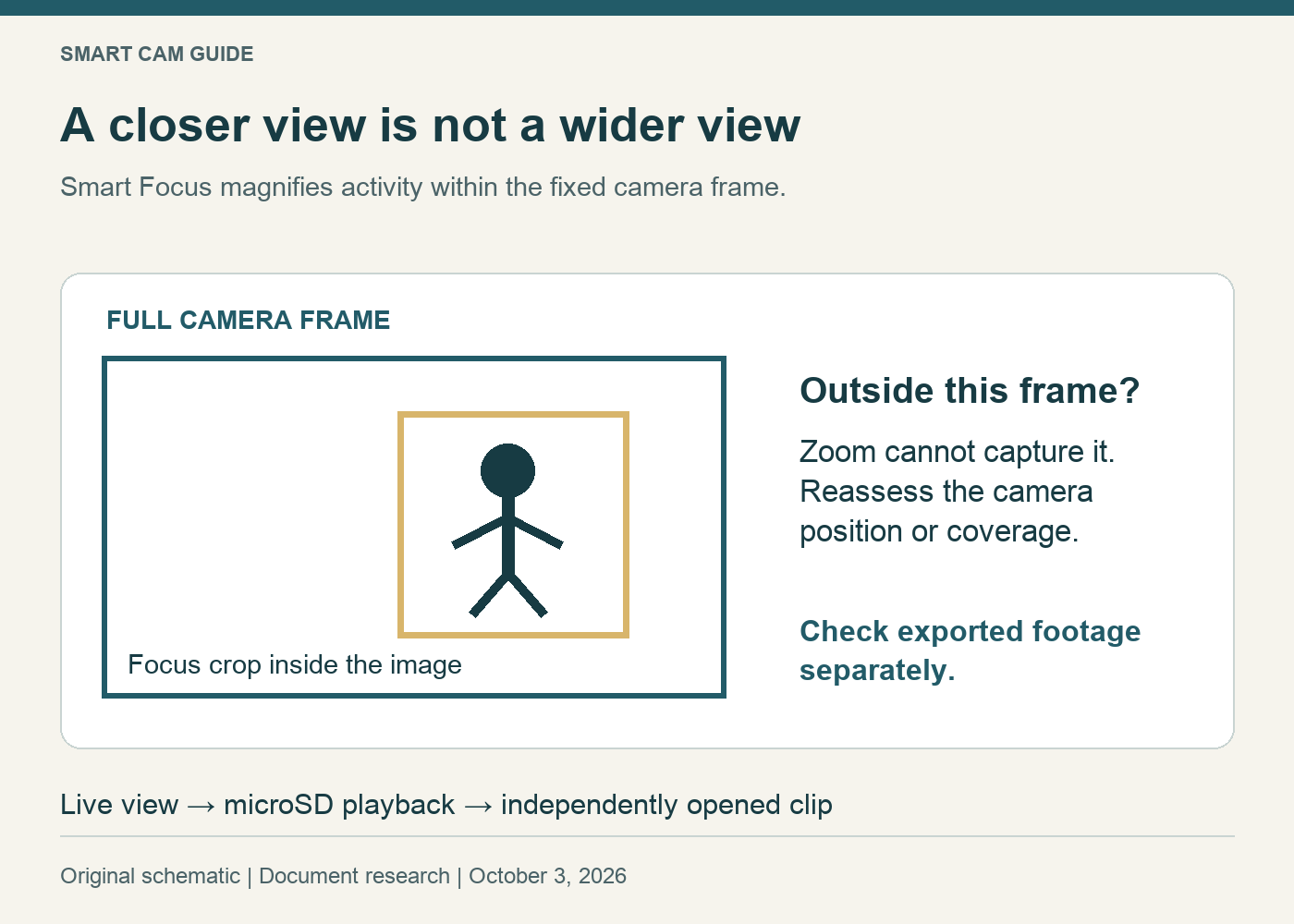
Wyze Cam v4 Smart Focus zooms in on activity within the camera’s fixed view. It does not turn the camera to follow someone around the room. Buy for the scene the camera can actually see, then decide whether a moving digital close-up helps you review it.
There is also an important version detail: Wyze added Smart Focus support for Cam v4 microSD playback in its September 9, 2024 app release. Advice that it is always limited to live view is incomplete. That playback feature does not, by itself, tell you how an exported file will look.
Three controls that solve different problems
On a narrow screen, scroll the table sideways if needed.
| Control or feature | What it is for | What not to infer |
|---|---|---|
| Smart Focus on Cam v4 | A closer view of activity inside the existing image | A motorized lens turning toward another part of the room |
| Track Motion / Pan Scan on Wyze Cam Pan models | Camera movement or scanning on supported pan-and-tilt hardware | That the fixed Cam v4 gains these movements through an app option |
| Record / SD Card controls | Recording the live view or opening the local-storage workflow | That a visible close-up proves the desired footage has been saved |
Wyze lists these controls separately in its menu-bar and livestream-icon documentation. “v4” alone is not a complete model name: Wyze Cam v4 and a Wyze Cam Pan model are different hardware. Check the full listing rather than treating a shared version number as evidence of pan-and-tilt capability.
Frame the full view before enabling a close-up
Start with the camera in its planned position and examine the whole image. Mark the entrance or activity you need to retain. If that area is outside the full frame, Smart Focus cannot show it by magnifying a different part.
For example, suppose the doorway and a pet bed are both visible, but a hallway turn is not. A close-up may make the pet easier to watch while it remains in frame; it cannot follow the pet beyond the hallway turn. Repositioning or a second view addresses that coverage problem. Enlarging the visible image does not.
The published Cam v4 specification is 2560 × 1440. As a geometry illustration, a crop using half the original width and half its height contains one-quarter of the original pixel area. This is not a statement about Wyze’s selected crop size or output encoding. It explains why a bigger image on the phone is not automatically more captured detail. We have not measured identification distance or zoom quality.
Find the feature in the current app
Open the individual camera’s live view and look for Smart Focus in the controls beneath the image or the expanded control menu. Wyze’s documentation notes that available actions vary by device and context. Verify the full camera model and current supported app/firmware if the control is absent; do not assume a camera replacement or paid plan will fix an unexplained missing button.
Observe the whole frame and focused view during an ordinary event. Decide whether the close-up helps the task or distracts from another important part of the scene. The useful result is the view you can interpret, not merely a feature toggle left on.
Check live view, playback and export separately
The documented microSD-playback addition means Smart Focus is not purely a live-view concept. It does not justify promising that every cloud event, downloaded clip, screen recording or third-party player presents the same zoomed view. Our reviewed documentation does not establish one universal export result across all those paths.
- Note the event time and whether you are watching live view, a cloud event or microSD playback.
- For local playback, find the same event through the SD Card workflow and check the controls available there.
- Save a short needed clip using the supported export method. Open the file independently and inspect the framing, timestamp and relevant action.
- Record the app version, camera firmware and export route if the result differs from the view you expected.
This is a suggested check for your own camera, not a reported device test. Preserve needed footage before troubleshooting storage. Our Cam v4 footage-preservation guide explains the separate retrieval workflow.
Who should choose the fixed Cam v4?
It is a candidate when a fixed view can cover the required scene and you value reviewing activity more closely inside that frame. It is a poor choice if the purchase depends on motorized following outside the original view or guaranteed identification from a heavily enlarged distant subject.
Check Wyze Cam v4 — white, one camera on Amazon
Confirm the fixed Cam v4 single-camera package, power arrangement and storage before ordering. Use the C120 versus Cam v4 comparison for the wider system decision and the Cam v4 local-versus-cloud recording guide for ongoing costs. Smart Focus alone does not establish that a saved recording exists.
Research scope: Wyze’s current US menu/icon documentation, Cam v4 overview and September 9, 2024 app release notes, checked October 3, 2026. No live camera, tracking reliability, export behavior or image quality was physically tested.