As an Amazon Associate I earn from qualifying purchases. Purchases through our links may earn us a commission at no extra cost to you.
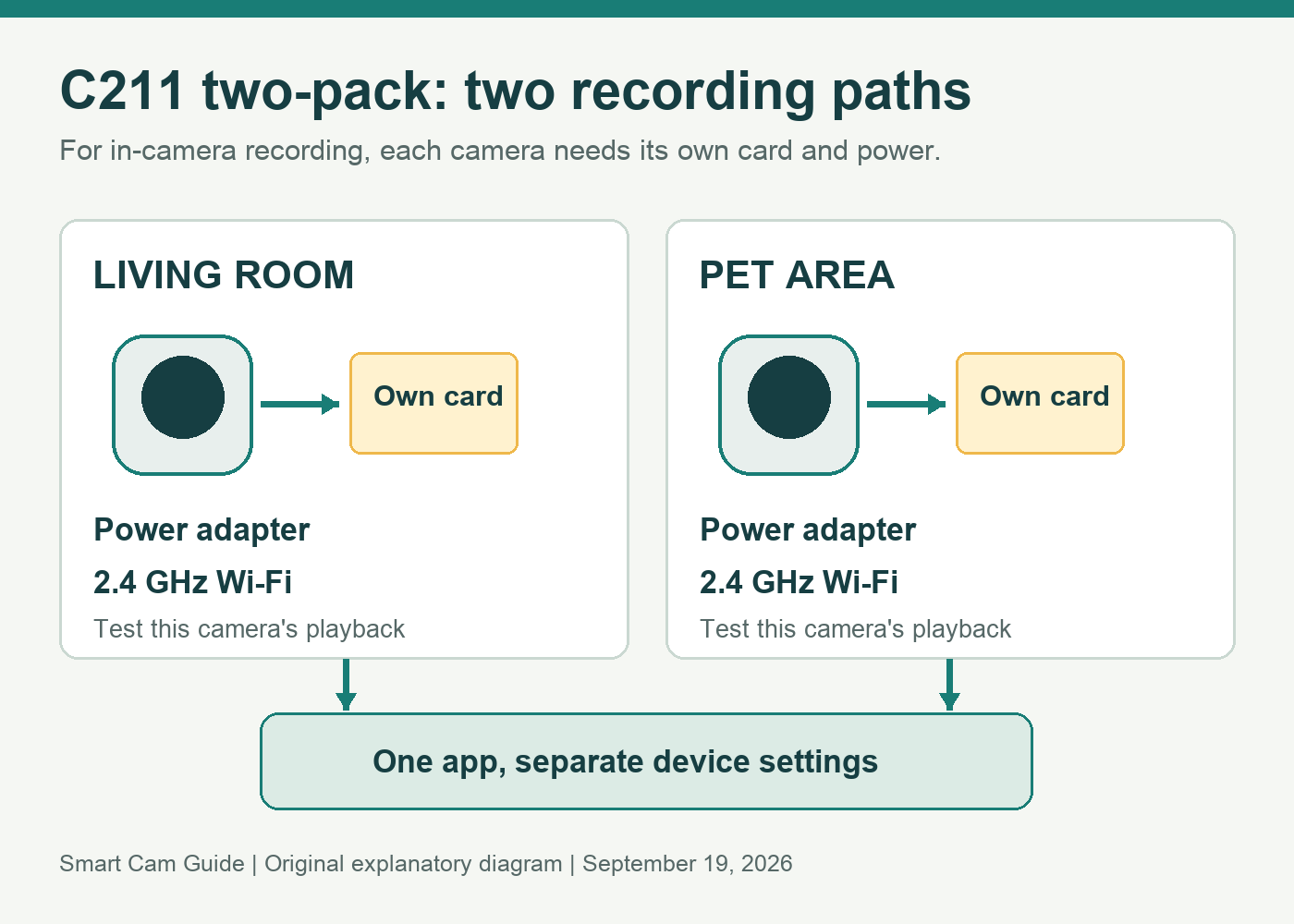
A Tapo C211 two-pack gives you two independently managed indoor cameras. For recording onto cards inside the cameras, plan two microSD cards, two power locations and a separate recording check for each room. The second camera does not automatically use the first camera’s card.
The linked US variant is the black C211, Indoor Only, 2-Pack. The same retail page offers neighboring colors, quantities and indoor/outdoor options, so check the selected package before comparing prices. This guide uses TP-Link’s US documentation and store information reviewed September 19, 2026; we have not bench-tested the cameras or app.
Build the plan around two rooms
Give each camera one job. For example, one view might cover the living-room entrance while the second watches a pet’s resting area in another room. This is more useful than buying two rotating cameras and assuming they automatically produce uninterrupted coverage of the entire home.
The C211 has motorized movement, but walls and closed doors still block the view. Decide where the camera should normally point, then check what remains visible if it turns to follow activity. Keep the room’s important area in the default view rather than relying on manual panning to discover an event later.
| For each camera | Why it matters |
|---|---|
| A suitable indoor power outlet | C211 is powered by an adapter; Wi-Fi connectivity does not make it battery powered. |
| A working 2.4 GHz Wi-Fi connection | Test at the final position with the doors in their usual positions. |
| Its own supported microSD card for in-camera recording | Card capacity and recording status belong to that camera. |
| A clear name and location in the app | Find the correct view, alerts and saved footage without guessing. |
| A tested recording schedule | A live picture alone does not prove the timeline is being saved. |
Price the complete two-room setup
TP-Link’s US two-pack documentation lists a card slot on each camera, supporting up to 512 GB; cards are sold separately. Treat that as the upper supported capacity in the documentation, then check the exact hardware version and current compatibility guidance before choosing media.
A two-pack price is not the price of two complete recording installations if it excludes storage. Include both cards in your budget, plus any permitted mounting arrangement needed to reach suitable power. Do not compare the pack’s per-camera price with a competing kit’s total price.
Use storage intended for repeated recording and compare endurance as well as capacity. Our security-camera microSD guide explains why a larger card alone is not a lifespan guarantee. The number of retained days depends on recording settings and activity; we do not claim a fixed retention period.
Tapo C211 — black, Indoor Only, 2-Pack
Check price on AmazonSet up and prove recording separately
- Label the devices in the app. Use practical names such as “Living Room Entrance” and “Pet Area.” Confirm each label matches the actual view before changing recording or sharing settings.
- Check each card. Install and initialize it using the current instructions for the camera. Save any existing files before formatting a reused card; formatting erases them.
- Select each recording schedule. The C211 is documented for continuous local recording, while a detection-only schedule records a different history. Decide which behavior is required in each room.
- Check playback from both devices. Create an ordinary test event, then open each camera’s playback and confirm a saved segment, timestamp and usable image. Do not stop after seeing two live thumbnails.
- Recheck after changes. A replacement card, altered schedule or moved camera can invalidate the original setup check.
Two cards also mean two maintenance points. If one camera stops recording, a working card in the other does not repair the missing timeline. Keep a short note of each card’s model and installation date so troubleshooting starts with the affected device.
Manage family access by device
Use Tapo’s device-sharing function with another person’s TP-Link account rather than circulating the owner’s password. Choose the intended camera when sharing; do not assume a person who needs one room should also see the other room.
TP-Link’s Device Sharing 1.0 guidance distinguishes live viewing, pan/tilt and SD-card access from cloud history and owner settings. Permissions can depend on the sharing version and device support. Verify what the invited user can actually see in the current app before relying on access to saved footage.
Sharing and recording are separate choices. Before pointing a camera at a private area, discuss the intended view with household members and review access when circumstances change. If using a blocked recording area, check what appears in playback; our Tapo detection and privacy-zone guide explains why reducing motion alerts does not necessarily hide an area from video.
When the two-pack is a useful buy
Shortlist it when you want two indoor views managed in one app and are comfortable maintaining recording on each camera. It is a straightforward way to separate rooms without buying both cameras around a shared storage accessory.
Choose a different setup if you require a battery camera, a documented outdoor rating or a centrally managed recording system with capabilities you have not confirmed for this model. Optional cloud recording is a separate service; local card support does not imply that every cloud feature or shared-user permission is included.
Tapo C211 two-pack — confirm quantity, color and storage budget
Check price on AmazonSources and scope: TP-Link Tapo C211 US product page; C211(2-Pack)(US)2.6 datasheet; official black two-pack store page; Device Sharing 1.0 guide updated June 8, 2026; selected Amazon US variant. Reviewed September 19, 2026. No hands-on retention, tracking or network-reliability results are claimed.