By Smart Cam Guide
As an Amazon Associate I earn from qualifying purchases. Purchases through our links may earn us a commission at no extra cost to you.
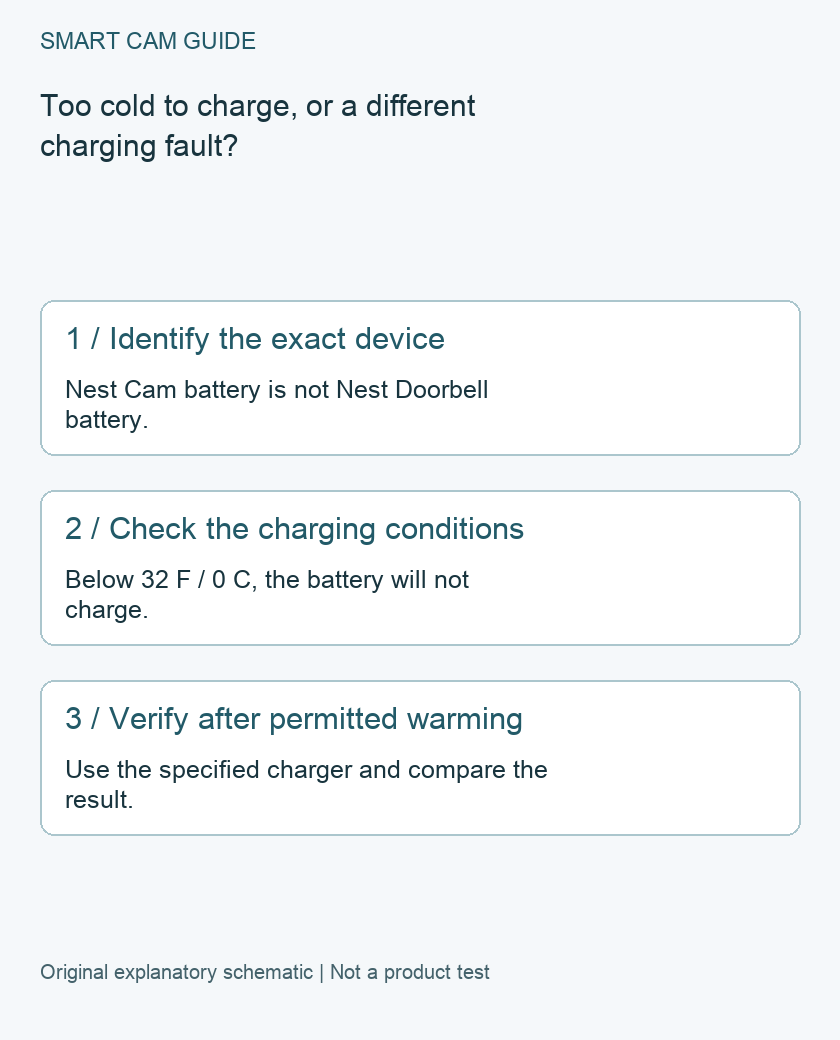
Cold weather can explain a Nest Cam battery that is not charging: Google’s battery guidance says the camera and doorbell batteries will not charge below 32°F (0°C). That is a charging limit, not proof that every cold-weather camera fault is normal. Identify the exact device and charging arrangement before buying a replacement.
Do not mix up the camera and doorbell
This guide concerns Nest Cam (battery). Nest Doorbell (battery), doorbell chime wiring and other Nest camera generations have different arrangements. A doorbell troubleshooting step that involves a chime circuit should not be copied onto a camera merely because both products contain a battery.
Write down the model, whether it is running on battery or an approved connected-power arrangement, and the cable or adapter being used. Keep any solar accessory separate in the record. The presence of a cable does not by itself explain whether the battery should be gaining charge under the observed conditions.
Record the conditions before changing several things
- Note the temperature and whether the device has been outside in freezing conditions.
- Record the app’s exact battery or charging message, rather than only the icon color.
- Identify the power equipment and any visible damage without opening or modifying it.
- Note whether the problem began with colder weather or also occurs in ordinary indoor conditions.
An outdoor weather reading is useful context, but it is not a direct measurement of the battery’s internal temperature. A device brought inside may need time to reach suitable conditions. Do not invent a universal warm-up duration or judge the charger from an immediate before-and-after photograph.
Recheck only under manufacturer-permitted conditions
Use the current instructions for safely removing and charging the exact camera. Choose a dry, suitable indoor location and the specified charging equipment. Let a cold unit return to appropriate conditions naturally; do not use an improvised heater or alter the battery to force charging.
If reaching the camera requires unsafe access, arrange appropriate help rather than climbing to conduct this check. If the housing or power parts are damaged, or moisture is present where it should not be, stop the charging experiment and seek manufacturer guidance. This article is not a battery-repair procedure.
Separate charging from the rest of the system
A new charging indication does not prove Wi-Fi, remote viewing or saved-video history is working. Conversely, an offline camera does not establish a failed battery. Keep each observation separate so the next action addresses the actual symptom.
After any approved charging and reinstallation, verify the intended view and create a permitted new event. Play the resulting saved footage using your selected recording service. An old clip in the app is not evidence that the camera has resumed normal operation today.
When support is the better next step
If charging still fails under suitable conditions with the specified equipment, provide Google support the exact model, power accessory, app message and the cold-versus-indoor observation. Do not repeatedly buy chargers based on connector shape alone. A diagnosis should establish whether the problem concerns conditions, power equipment or the camera itself.
Do not open the housing to service the built-in battery or bypass a temperature-related restriction. If replacement is advised, confirm the selected package and the power plan before ordering another unit.
A buying decision for a cold location
If recurring indoor charging trips would make the camera impractical, treat that as an installation requirement before buying. Review the exact supported power options and local weather conditions with the manufacturer. Another unit of the same battery design does not turn a freezing location into a suitable charging environment.
The product link below is an option for an appropriate new or replacement installation, not a promised repair for cold-weather charging. We have not tested charging time, winter battery life or the reliability of your individual camera.
Compare the exact US buying options
Check current details and price on Amazon. These are previously verified matching product destinations, not confirmation of current stock, price, seller, delivery or included accessories.
Google Nest Cam battery, previously matched US option
Consider a new camera only if its power, service and installation match the intended job. Another battery camera does not remove freezing-temperature charging limits; confirm the current selected quantity and included power parts.
Check Google Nest Cam battery on Amazon
Related guides
- Nest Cam Battery Offline Recording: What the One-Hour Backup Means
- Nest Camera Status Light: Brightness, Green Signals and Recording Limits
- Security Cameras During a Power Outage: What Needs Backup Power?
Sources and research scope
Reviewed November 6, 2026. Google Home and Nest Help: Save battery for Nest cameras and doorbells; Google Home cold-weather charging guidance; current page includes device-specific doorbell sections; Google Nest Cam battery technical details. This is document-based guidance by Smart Cam Guide. The decision worksheet and proposed owner checks are editorial recommendations, not hands-on test results. Exact model, hardware revision and current instructions govern where details differ.