By Smart Cam Guide
As an Amazon Associate I earn from qualifying purchases. Purchases through our links may earn us a commission at no extra cost to you.
Shortlist eufy SoloCam S340 when bringing continuous external power to the camera is difficult and event-based recording meets your needs. Shortlist Tapo C120 when you have a suitable power route and want a fixed view with a planned local recording timeline. Solar charging does not make S340 a 24/7 recorder.
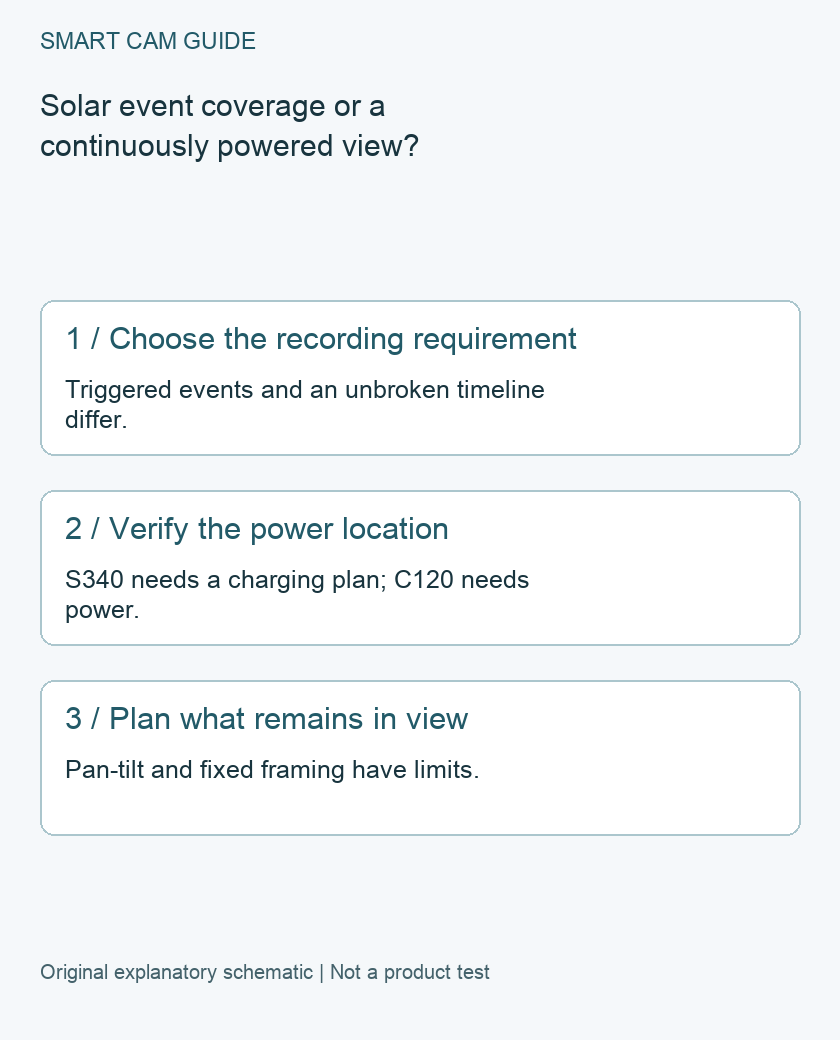
Set the recording requirement first
eufy’s S340 FAQ explicitly says it does not support 24/7 recording, including when connected to HomeBase 3. It describes a built-in rechargeable battery and a solar panel that can sit on the camera or nearby through its cable arrangement. HomeBase storage expansion is a different capability from changing the camera’s recording mode.
C120 is a plug-in fixed-view camera with local microSD recording and optional cloud storage. Configure the recording schedule and verify actual saved footage; card presence alone is not evidence of an uninterrupted archive. A power or storage failure still creates a different problem from a setting that records only events.
An event camera can leave a question unanswered
Ask what you will need to know after an incident. “Did an enabled detection create a useful clip?” is not the same requirement as “What happened during the whole fifteen-minute interval?” If the latter matters, reject an event-only approach before comparing zoom, resolution labels or promotional prices.
Do not infer an event camera’s exact coverage from a single successful walk test. Event timing and subject position affect the record. We have not measured missed-event rates or compared the two cameras’ recognition performance.
Power feasibility is a site decision
For S340, identify a panel position with useful sunlight, then separately locate the camera for a useful scene. eufy notes that collected energy depends on weather and available sunlight. Plan how the camera will be reached if charging or maintenance is needed; solar is not a promise that you will never service it.
For C120, identify the outlet and the complete power route. The camera’s published IP66 rating is not a rating for every included or optional power component. Check the adapter’s permitted location, cable and connector protection and the installation instructions before choosing an exposed site.
If neither power plan is viable, neither product is a responsible recommendation for that location. Moving the camera or changing the installation plan can be more important than selecting a different brand.
Pan-tilt does not replace simultaneous coverage
S340 offers a motorized viewing arrangement; C120 keeps a fixed installed frame. A movable view can help inspect different parts of an area, but the critical entrance may leave the frame when a camera turns. Do not interpret movement range as proof that every direction is recorded at once.
Sketch the property boundary and the one entrance that must remain visible. Mark where each candidate would look in its default position. If two independent areas must remain visible at the same instant, plan enough views instead of assuming one turning camera supplies both.
Keep important video somewhere usable
Decide where saved footage lives and how you will retrieve it. For S340, compare the standalone recording arrangement with the separate HomeBase option only if additional storage or system management is useful. For C120, select a compatible card or another documented recording route and test playback.
Neither device’s local storage, by itself, ensures a copy survives removal of the camera. Include exporting important footage in the ownership routine. Optional services and separate hardware should be counted in the complete budget, with current eligibility checked before purchase.
The decision we would make
For a location without practical plug-in power and a clearly accepted event-recording requirement, S340 is the conditional candidate. For an approved powered location where fixed framing and a recording timeline are more important, C120 is the conditional candidate. Verify both the intended daytime view and a newly saved clip after setup; the result should match the job that justified the purchase.
Compare the exact US buying options
Check current details and price on Amazon. These are previously verified matching product destinations, not confirmation of current stock, price, seller, delivery or included accessories.
eufy SoloCam S340 single camera with solar panel
For event-based coverage where solar placement and maintenance access are realistic. It is not a continuous-recording substitute, even with HomeBase 3.
Check eufy SoloCam S340 single camera with solar panel on Amazon
Tapo C120, white one-camera option
For an approved powered location and a fixed view, with compatible storage configured separately. The camera weather rating does not approve every adapter or cable route.
Related guides
- eufy SoloCam S340: Solar Panel Placement Around Shade
- eufy SoloCam S340: Is HomeBase 3 Worth Adding for Storage?
- Tapo C120 vs Wyze Cam v4: Recording, Power and Full Cost
- Tapo C120 During an Internet Outage: Recording vs Remote Access
Sources and research scope
Reviewed November 6, 2026. eufy US SoloCam S340 power and recording FAQ; TP-Link US Tapo C120 specifications. This is document-based guidance by Smart Cam Guide. The decision worksheet and proposed owner checks are editorial recommendations, not hands-on test results. Exact model, hardware revision and current instructions govern where details differ.