By Smart Cam Guide · Research checked September 29, 2026. This is a document-based guide, not a hands-on test.
Affiliate disclosure: As an Amazon Associate I earn from qualifying purchases.
Back up every powered device needed for the outcome you want. Keeping a camera on can preserve local recording, but remote viewing may also need the Wi-Fi access point, router, modem or ONT—and working service outside your home. A PoE camera may depend on its switch or NVR for power as well as recording.
Start by choosing the outcome: evidence stored at the camera, footage on a local recorder, or a live connection while away. This guide maps those paths and gives you a load worksheet. It does not promise that one UPS will keep an unspecified system online for a fixed number of hours.
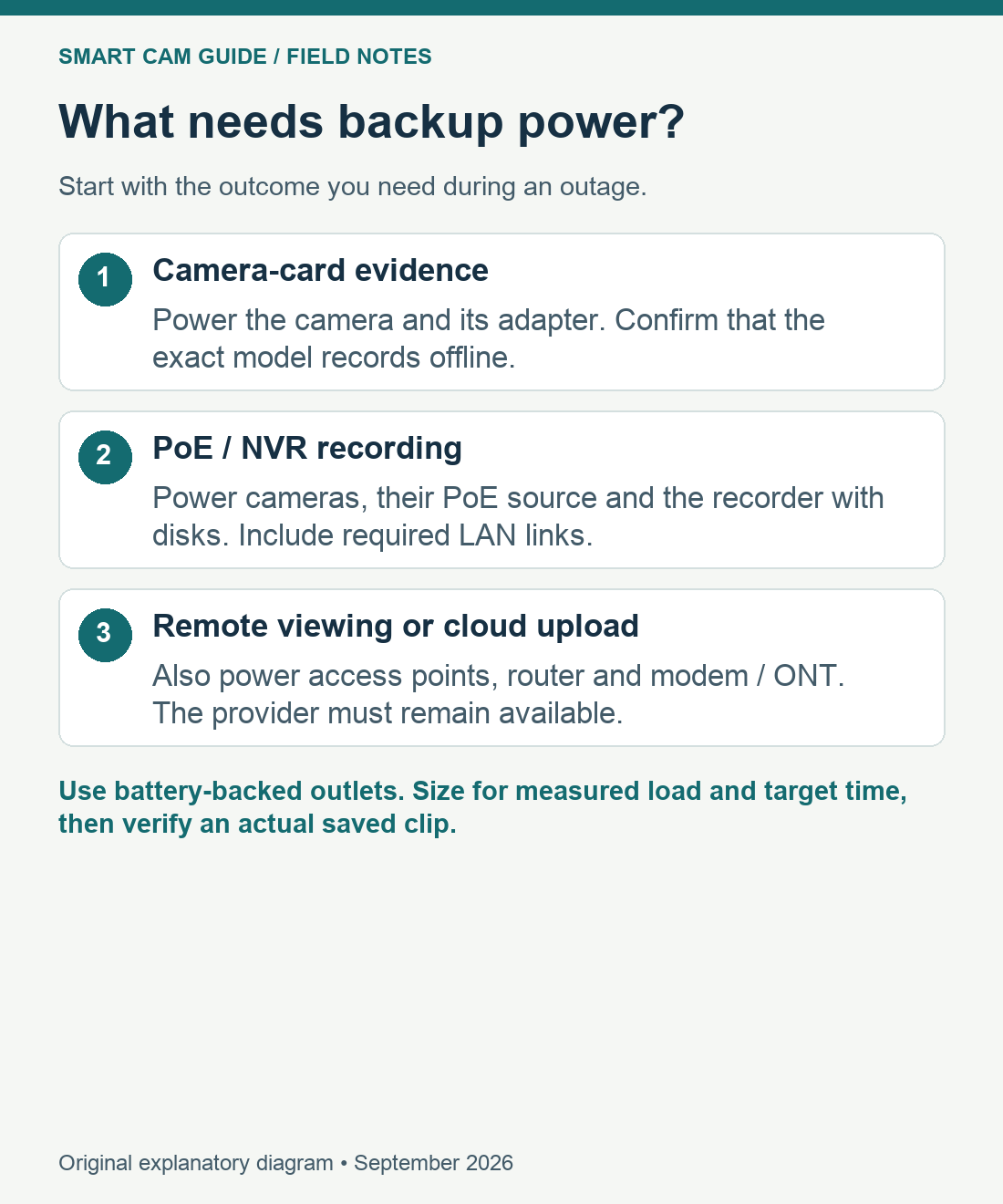
Choose the minimum system that must remain working
| Required outcome | Devices to account for | Remaining limit |
|---|---|---|
| Camera-card footage | Camera and its supported power supply; initialized storage and recording settings. | Remote viewing can still fail; confirm your exact model records without internet. |
| PoE cameras to a local NVR | NVR and disks, PoE switch/injector or NVR PoE supply, plus needed LAN links. | A backed-up recorder cannot record a camera whose separate switch lost power. |
| Remote viewing or cloud upload | Camera, necessary recorder/hub, access point, router, modem/ONT and WAN service. | A home UPS cannot guarantee the ISP or cellular tower remains available. |
| Battery camera with a hub | Camera charge plus powered hub/network devices required by that model. | A camera battery does not power its base station or your internet equipment. |
A combined modem/router may be one box; a mesh system can be several. Trace the camera’s actual connection rather than assuming the main router is the only device involved. If a remote access point supplies its own power, it needs a protected supply too. For a PoE NVR with built-in ports, its own power input may cover the cameras attached to those ports; a separate PoE switch is an additional load.
An internet outage is not the same as a power outage
The Tapo C120 is a useful example because it is a plug-in camera with optional camera-card storage. Its US specification lists a 5 V DC adapter; it does not have the independent camera battery assumed in many “wireless” discussions. A working local recording configuration needs the camera to stay powered. See C120 recording when internet service fails for the separate network-loss case.
Battery-equipped cameras have their own limits. Some store a limited set of events during a service interruption and upload later; this is model-specific, not an unlimited continuous archive. Our Nest Cam battery offline-buffer guide explains one example. Do not infer that any battery camera plus a solar panel will cover an entire outage.
Build a load list before choosing a UPS
| Equipment / location | What to record | Avoid this mistake |
|---|---|---|
| Camera adapters | Quantity, measured watts and where each plugs in. | Using adapter maximum output as an exact measured camera load. |
| PoE switch or injector | Total AC input with the actual attached cameras. | Adding the same camera watts again if already included in switch input. |
| NVR / NAS / hub | Recorder and disks, including startup and night operation. | Backing up cameras but leaving the recorder on an ordinary outlet. |
| Router / access points / modem / ONT | Each device and the required path to the camera. | Leaving a mesh node or separate ONT power supply unprotected. |
| UPS | Supported watts and VA, outlet count, runtime curve, temperature and battery condition. | Reading VA as hours, or treating a surge-only socket as battery backup. |
Add the measured loads that will actually sit on the UPS and compare both watt and VA limits. Allow for equipment startup and higher operating loads such as night illumination or disk activity. Use the UPS maker’s runtime information at the relevant load, then verify the real setup. Capacity and runtime are different questions: a device can fit below the watt limit and still have too little backup time for your goal.
Write down a target duration and the orderly shutdown point for any recorder that supports it. For a long outage, prioritize the critical cameras and recorder instead of assuming more sockets mean more runtime. If the required devices are in different buildings or rooms, cable routing and separate backup units may determine the design.
For a remote building, trace both ends of the connection
If a powered outbuilding connects to the house through a wireless bridge, the required path includes equipment in both buildings. Backing up the camera alone does not keep the far-end radio or the home-side network running. List those loads separately and decide whether your minimum goal is local footage or access from away.
Choose the underlying connection with our powered outbuilding without internet guide. For a camera at a gate rather than inside a powered building, start with the long-driveway and remote-gate power/network checks. Distance, available power and the required camera view are separate decisions.
A small-system example: APC BE600M1
The US BE600M1 is a 120 V, 600 VA / 330 W UPS with five battery-backed outlets and two surge-only outlets. It is a candidate for a modest camera/network load that fits those limits and the required runtime; it is not an automatic choice for a larger PoE installation. Its published watt rating is a maximum load rating, not a duration claim.
Connect only the necessary compatible equipment to the battery-backed outlets. Keep the UPS indoors within its environmental limits and follow the manual’s direct-wall-outlet requirement. The manual calls for connecting the shipped battery and completing the initial charge before expecting full runtime. Do not substitute an outdoor-rated camera’s weather protection for protection of the indoor UPS or adapter.
Check APC BE600M1 outlet layout and current offer on Amazon
A larger or differently specified UPS may be the correct answer once your measured load, supply compatibility and duration are known. We have not runtime-tested the BE600M1 with your equipment, and the example is not a recommendation to put a high-power system on an undersized unit.
Test the whole path, including the recording you will need
- Preserve important existing footage, charge the backup and document the connected loads before testing.
- Use the UPS maker’s self-test or approved outage-test procedure. Do not disturb safety-critical equipment or defeat grounding.
- Create a harmless event during the test and confirm it is stored at the intended destination. Check timestamps and all required channels.
- If remote access is required, test from a phone using its cellular data, not the same home Wi-Fi. Record whether live view, alerts and playback actually work.
- After normal power returns, confirm every camera and recorder reconnects and resumes the intended schedule. Save the test result and repeat after equipment or battery changes.
Budget for the backup hardware and eventual battery replacement as well as recording services. The camera ownership-cost guide separates one-time and ongoing costs; its inputs can also be used for backup equipment. A camera is one part of the power path, and a successful saved test clip is stronger evidence than a collection of glowing status lights.
Sources reviewed: APC/Schneider Electric BE600M1 specifications and user manual 990-5679; TP-Link C120 US specifications and offline recording guidance; model-specific Nest documentation referenced in our existing guide. Diagram and load checklist are original editorial work. No hands-on outage or UPS runtime results are claimed.