You need a 4G car camera when remote access or a supported parking notification is valuable enough to justify its service, coverage and power requirements. You do not need cellular connectivity merely to save driving video or, on a suitably configured camera, local parking footage.
Street parking alone does not make LTE essential. Decide whether you need to receive information before returning to the vehicle, whether you could act on it, and how the camera will remain powered. This is a purchase decision guide; our car-camera setup guide compares installation types.
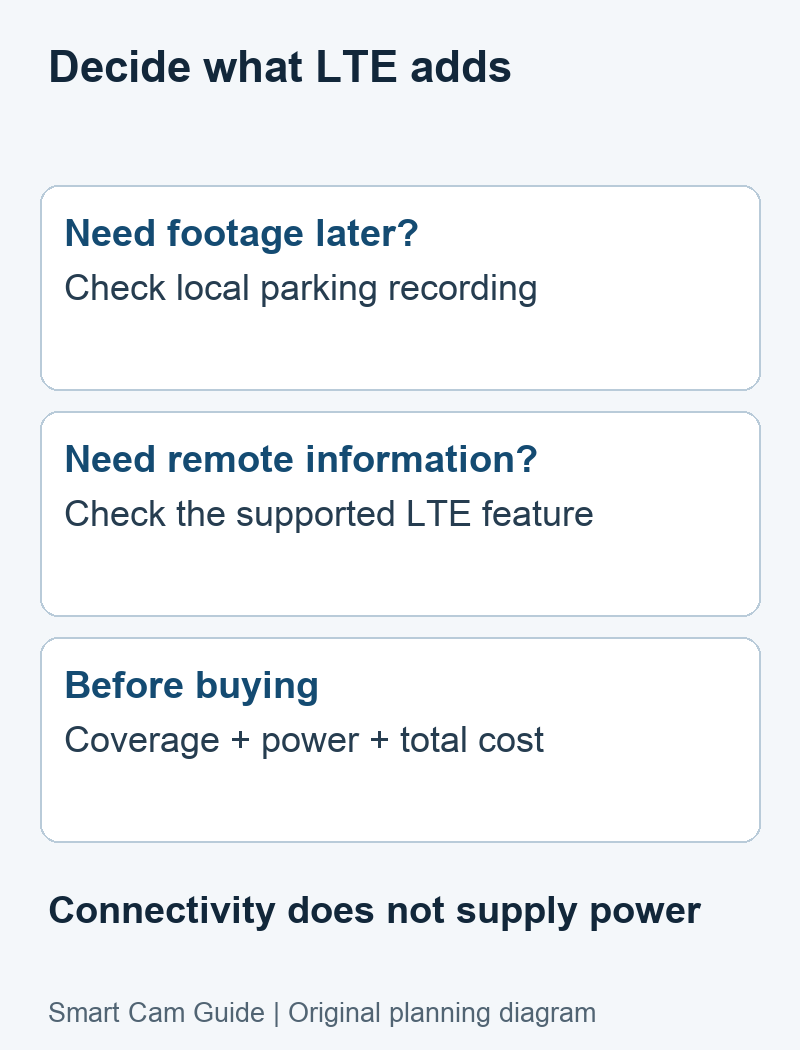
Which job are you buying it for?
| Your main need | Is LTE essential? | What still matters |
|---|---|---|
| Save driving footage | No, if a local dash cam meets the task | Suitable storage, mounting and power |
| Review supported parking recordings later | No, if the selected camera records them locally | Parking mode and an approved parked-power arrangement |
| Open live view away from the car and home network | Cellular is a candidate communications path | Model support, active service, coverage and power |
| Receive a parking-event alert while away | Useful if the exact camera supports that connected function | Detection, phone notifications and a practical response |
| Record indefinitely while a car stands unused | LTE does not solve this | A sustainable energy source and supported recording mode |
When the remote function is worth paying for
LTE can be useful when the car is beyond a trusted Wi-Fi network and you want to check a supported live view or receive a qualifying event notification. Its value increases when the alert reaches someone who can take an appropriate action or retrieve evidence sooner.
If you mainly need footage after discovering damage, a suitable local parking-mode camera may meet that need at lower ongoing complexity. An app used for nearby downloads is different from remote internet access, so read the exact model’s connected-feature requirements.
For a multi-day absence, first settle power and servicing. A car powered camera may stop at a configured cutoff; an independent battery needs enough capacity and a way to recharge. Neither gains operating time just because the camera includes LTE.
A model-specific example: Garmin Dash Cam Live
Garmin Dash Cam Live documents live view and other connected features with an optional active LTE subscription outside Wi-Fi. Its Parking Guard documentation describes recorded events and notifications when a suitable connection is available. Garmin also identifies power, reception and cellular connectivity as factors affecting connected messages.
Use that as an example of conditions to verify, not a promise that every 4G dash cam stays connected or reports every incident. Match the current subscription, supported market and parked-power method to the exact device. This page does not rank alert speed, app quality or battery draw without comparable measurements.
Check parked power before comparing subscriptions
A vehicle socket may switch off with the ignition. An always-on outlet, approved hardwire arrangement or compatible dedicated battery can change how long a supported parking mode operates. Verify the accessory and vehicle requirements rather than selecting a generic power kit by connector shape.
Garmin’s general Parking Guard guidance requires a constant power source for the feature. The Dash Cam Live manual also describes the camera turning off on an ignition-switched outlet. A vehicle-powered camera therefore cannot be assumed to record all night just because it is connected to a cable.
A low-voltage cutoff trades monitoring time for protection of starting power; it does not promise unlimited runtime. Do not lower a threshold or modify vehicle wiring simply to extend footage. Compare the supported options in our OBD, hardwire and dedicated-battery guide.
Check the actual parking places
Open, underground and enclosed parking areas can have different reception. Test the camera in its mounted position with the service you intend to use, after the vehicle enters the supported parked state. A coverage map or a phone call in the lot is useful context but does not prove a working camera connection.
Keep local recording and remote delivery separate in the test. Whether local footage continues during a connection failure depends on the model and configured mode. Retrieve an actual clip and note whether a phone notification arrived; neither result should be inferred from the other.
Put a value on the function you will actually use
Compare the full recurring cost: the required connectivity plan, any optional cloud service and the charging or installation accessories. Use current quotes in the same currency and billing period. Do not pay for remote features you cannot use at your normal parking location.
Illustrative calculation, not a market quote: a hypothetical $15 monthly service adds $180 over 12 months before hardware or accessories. If you would never check live view or act on an alert, that $180 may offer little value compared with a local-recording setup. Enter the actual plan price before using this comparison for a purchase.
Write down the desired function and acceptable limitations: how often you need remote checks, who should receive an event, how long the car normally stands and how you will retrieve footage. That makes service comparisons more useful than a broad list of “best 4G cameras.â€
Use a simple buying gate
- The exact camera supports the remote function you want.
- The regional model and service are suitable for your regular parking places.
- A supported power arrangement fits the vehicle and intended parking duration.
- A saved parking-event check and a separate remote test meet your needs.
- The recurring cost makes sense for how you will use the feature.
If one of these is unresolved, settle it before buying LTE hardware. If local footage is sufficient, compare parking-mode camera requirements instead. For the distinction between later evidence and remote notifications, see our overnight parking decision guide.
Common purchase questions
Does 4G stop the camera draining the car battery?
No. LTE describes connectivity, not the energy source or its protection. Power consumption and runtime need model- and installation-specific evidence.
Is a solar outdoor camera a replacement for a dash cam?
Not automatically. Vehicle mounting, heat, views through glass, driving recording and parked-power behavior are different requirements. Choose a camera designed and documented for the intended installation.
Must every street-parked car have LTE?
No. A supported local recording setup may meet an evidence requirement. LTE is a conditional choice for remote functions, not a universal requirement of street parking.
Research basis: Garmin Dash Cam Live LTE Features, Parking Guard and power-off documentation; Garmin’s constant-power guidance. Reviewed October 10, 2026. This is a documentary buying decision, without a comparative physical test of dash-camera reliability or power consumption.