By Smart Cam Guide
As an Amazon Associate I earn from qualifying purchases. Purchases through our links may earn us a commission at no extra cost to you.
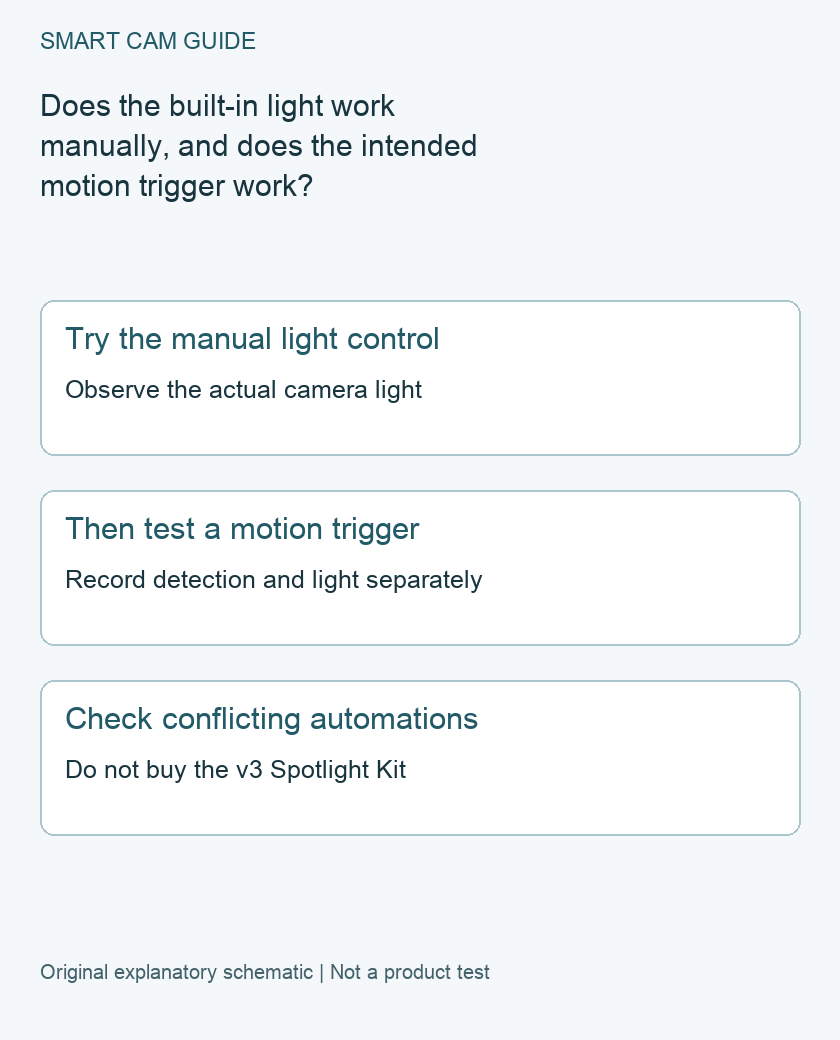
If the Wyze Cam v4 spotlight does not turn on with motion, first test its built-in light using the manual control. Then investigate the motion-triggered behavior separately. Do not buy the Wyze Cam v3 Spotlight Kit to solve this: Wyze says that kit is not compatible with Cam v4, which already has an integrated spotlight.
Identify the exact camera and power setup
Confirm this is Cam v4, not Cam Pan v4, Cam v3 or another similarly named camera. Note the app and camera firmware versions, and whether the camera is using its documented power arrangement. A live image establishes some camera operation; it does not by itself verify the light’s motion settings.
Keep the outdoor power and cable checks separate from the spotlight test. If there is visible damage, moisture at an electrical connection or an unsuitable power arrangement, stop treating the symptom as a settings-only problem and follow the product’s safety and support guidance.
Make the manual-light comparison
Wyze’s procedure includes loading the camera’s live view and using its spotlight control. Observe the real light at the camera, rather than relying only on an icon changing color. Record whether the light switches on and off, fails entirely or behaves intermittently.
Choose a short test time that will not point light at a neighbor unnecessarily. Do not stare directly into the light while checking it. If someone helps at the camera, agree on the test before operating the control.
Compare the motion path only after that result is clear
Wyze separately directs owners to check Event Recording, Spotlight Settings, detection settings and potentially conflicting Automations. That separation matters: a working manual light with no automatic response is a different observation from a light that never operates.
Note your starting settings before changing anything. Make an ordinary, consenting test movement inside the intended detection area, then record three outcomes: was the movement detected, did the light operate, and was an expected new recording available? A phone alert or a bright video image is not proof that the physical spotlight switched on.
Use a small test record
- Manual light works; motion is not detected: investigate detection conditions before buying lighting hardware.
- Manual light and detection work; no automatic light: inspect the supported spotlight trigger and any state changes or automations.
- Manual light does not work: retain the exact version, power and test details for the manufacturer’s troubleshooting branch.
These observations narrow the next question; they do not diagnose a failed LED or prove the camera requires replacement. Keep the same camera, test position and time conditions when comparing two settings.
Change one setting at a time
Follow the current v4 procedure for the available motion and spotlight controls. If a temporary change broadens detection, note it and restore the intended coverage after the test. Do not leave the camera recording more area than the household agreed to merely because a broad test was useful.
Inspect relevant automations for commands that change the light or camera state. Preserve their intended behavior before any temporary test. A repeatable manual result and one isolated motion test are more informative than simultaneously changing sensitivity, zones and every automation.
When further troubleshooting is needed
Wyze’s full official sequence includes software checks, a power cycle and eventually a reset. Do not jump to a disruptive reset before preserving needed footage and recording the failing branch. Use the exact current model instructions if support directs you to proceed.
Send support the exact camera, app and firmware, power setup, manual-light result, motion result and test time. The v3 accessory is not a supported v4 upgrade, so an unverified shopping listing should not replace this diagnosis.
We have not measured light output, detection reliability or nighttime image quality. This document-based guide helps separate control and trigger problems without pretending that a configuration check is a hardware test.
Buying option: match the exact product
If the diagnostic outcome and manufacturer advice justify replacing the camera, compare this Cam v4 option. Verify included power parts and the mounting location. It is a camera, not the older v3 Spotlight Kit or a guaranteed repair for an Automation setting.
Wyze Cam v4, white, one camera
Check Wyze Cam v4, white, one camera details on Amazon
Product link and model mapping reviewed November 4, 2026. Check the selected model, package, seller and current offer before ordering. No live price, stock or delivery is asserted.
Related guides
- Wyze Cam v4 Outdoor Setup: Power Adapter, Cable Route and Wi-Fi Checks
- Wyze Cam v4 Smart Focus: Digital Zoom, Playback and Coverage Limits
- Wyze Cam v4 Recordings Have No Audio: Separate Playback from Record Sound
Sources and research scope
Reviewed October 28, 2026. Wyze Cam v4 spotlight not turning on when motion is detected; Wyze Can I add a spotlight kit to my Wyze Cam v4?. This is document-based guidance by Smart Cam Guide. The decision worksheet and proposed owner checks are editorial recommendations, not hands-on test results. Exact model, hardware revision and current instructions govern where details differ.
For an audible command rather than light output, use our Wyze Cam v4 siren Automation audit. Check the trigger, exact destination and off action without changing unrelated recording or notification choices.