By Smart Cam Guide
As an Amazon Associate I earn from qualifying purchases. Purchases through our links may earn us a commission at no extra cost to you.
Ring Motion Warning is a spoken announcement from a compatible Ring device; Motion Alerts are notifications to your phone. Decide which sound you want to change before using a recording or snooze setting. Turning off the camera’s warning should not be treated as proof that video recording has stopped.
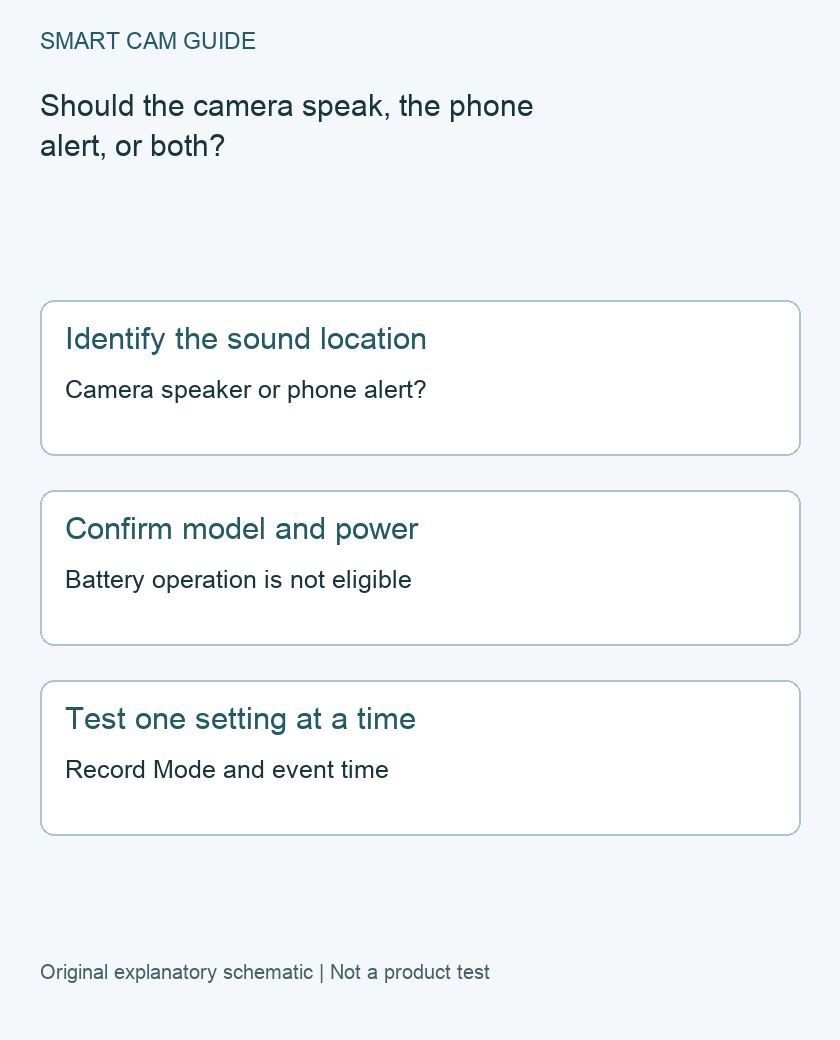
Name the sound you are trying to change
Record where you hear it: outside at the camera, on the phone, or on another notification device. Ask a household member to describe the sound without showing them the setting you suspect. A spoken announcement and a phone notification may happen near the same event, but they are separate observations.
Ring describes Motion Warning as a voice announcement triggered by detected motion on select devices. Its current support page requires plug-in or hardwired power and excludes battery-powered operation. Check the exact device against the current supported list; a familiar product-family name or the presence of a speaker is not enough.
Check compatibility before buying an accessory
Find the exact camera or doorbell identity and its current power arrangement in the device documentation and app. If the expected control is absent, do not assume a subscription, replacement speaker or generic power adapter will add it. Confirm eligibility with the model-specific guidance first.
A battery camera that can use an optional adapter still needs its own confirmed feature support and approved power setup. This article does not promise that attaching any cable makes Motion Warning available. A siren or two-way conversation is also not a substitute for the documented automatic announcement feature.
Use the appropriate setting branch
For an eligible device, Ring’s current app route places Motion Warning in Smart Responses. Inspect that control for the exact camera. Ring also documents linking its behavior to Modes; note the active Mode when checking an unexpected announcement.
For a phone notification problem, inspect the alert controls rather than assuming the speaker setting controls the phone. Our Motion Snooze guide explains the separate notification decision. For a recording problem, use the per-device Mode and capture checks instead of judging by whether you heard speech.
Make a small, considerate test
- Choose a short test time when an audible announcement will not disturb others unnecessarily.
- Note the camera, power arrangement, current Mode and intended warning state.
- Have a consenting household member make an ordinary movement in the intended detection area.
- Record the camera sound, phone notification and any resulting video as separate outcomes.
- Change only the relevant warning control, then repeat the same movement and note the new time.
Do not use the camera’s speaker loudness as a measurement of detection quality, nor assume that a silent walk-through guarantees privacy. It is one check under the current setup. Restore the intended settings and tell household members what behavior to expect after the test.
If the results disagree with the setting
First confirm which physical device spoke. With several cameras or other speakers near an entrance, the closest phone screen may not identify the sound source. Recheck the saved setting and active Mode for that actual device.
Keep the app version, exact product, power setup, setting state and test time for support if the warning remains unexpected. A short description of the sound source and event is more useful than resetting multiple devices at once. Preserve any needed footage before disruptive troubleshooting.
Choose behavior around the actual location
A shared entrance, narrow walkway or busy delivery area may need a different audible-warning decision from a private driveway. Select the behavior deliberately with the household and account owner. This guide does not establish that an announcement satisfies any notice or permission requirement, and it does not measure deterrence.
The final check is simple: can you explain which device speaks, which phone alerts and which camera records? If one of those remains unknown, keep investigating that branch rather than buying new hardware to solve a sound you have not identified.
Buying option: match the exact product
If you need a supported hardwired outdoor Ring camera, compare this Wired Plus option after confirming the exact Motion Warning feature and power requirements. A mobile alert and an audible warning remain different features; buying a camera does not configure either one.
Ring Floodlight Cam Wired Plus, white
Check Ring Floodlight Cam Wired Plus, white details on Amazon
Product link and model mapping reviewed November 4, 2026. Check the selected model, package, seller and current offer before ordering. No live price, stock or delivery is asserted.
Related guides
- Ring Camera Still Records in Disarmed Mode: Check Each Device Action
- Does Ring Motion Snooze Stop Recording? Alerts vs Capture
- Ring Linked Events: Why a Camera Records Without Local Motion
Sources and research scope
Reviewed October 26, 2026. Ring Set up Motion Warning for compatible devices; Ring Managing alerts for doorbells and cameras. This is document-based guidance by Smart Cam Guide. The decision worksheet and proposed owner checks are editorial recommendations, not hands-on test results. Exact model, hardware revision and current instructions govern where details differ.