As an Amazon Associate I earn from qualifying purchases. Purchases through our links may earn us a commission at no extra cost to you.
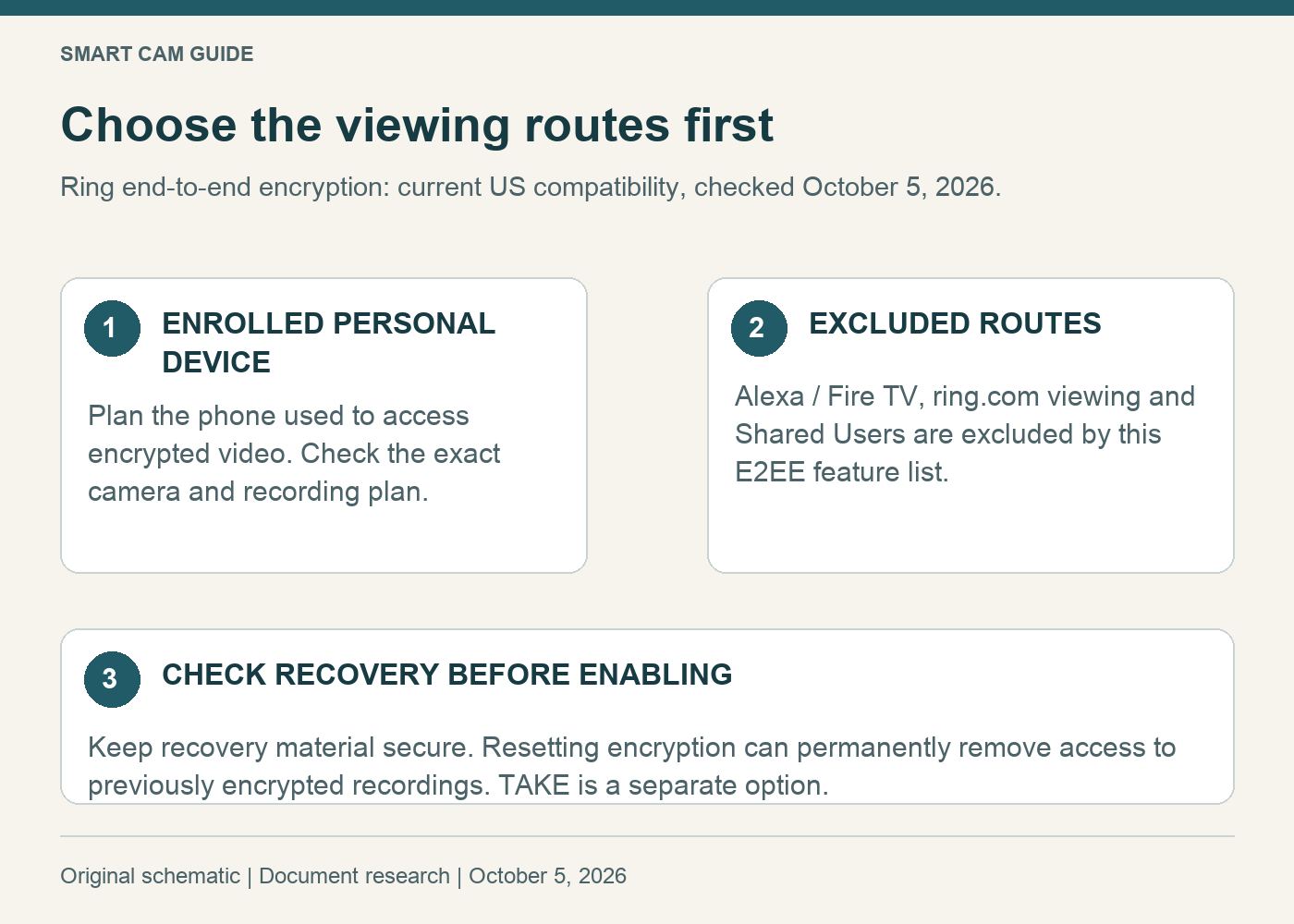
Before enabling Ring end-to-end encryption, decide who needs to watch the camera and on which screens. The current US feature list excludes Alexa/Fire TV viewing, ring.com viewing and Shared Users for encrypted cameras. A household that relies on those routes needs to weigh the tradeoff first.
This is a viewing-and-recovery decision. It is separate from closing a camera’s privacy cover or assigning an ordinary Shared User role.
Use the current feature list
Ring’s current end-to-end encryption guidance differs from legacy instructions still found online. It lists Live View, downloads, Rich Notifications and eligible 24/7 Recording as available. Device, subscription and configuration conditions still apply. Do not assume encryption grants a recording feature your camera or plan lacks.
The important buying lesson is to check a complete combination: exact camera, recording plan, encryption setting and intended viewing screen. A camera specification by itself cannot answer that combination.
Make a household viewing checklist
- Owner’s phone: which personal device will be used to view recordings?
- Another household member: do they depend on their own Shared User access?
- Kitchen display: does the household regularly use an Echo screen instead of a phone?
- Computer: is browser viewing part of the intended routine?
- Replacement phone: how will the owner restore access after loss or replacement?
For example, a buyer who checks a pet from one personal phone has a different requirement from a household where several people watch the entrance on shared screens. Write those requirements down before comparing another camera. Extra hardware will not solve a deliberate access restriction in the chosen configuration.
Keep end-to-end encryption and TAKE separate
Ring also documents TAKE, short for Throw Away the Key Encryption. It is a different option with a different approach to feature access and recovery. Ring’s TAKE guidance includes Alexa and Shared User support; availability is being rolled out. Check the options actually offered in your app.
Do not read “encrypted” on two settings and assume they have identical access rules. If preserving a particular viewing route is essential, check that route explicitly in the corresponding current documentation. This guide is a practical compatibility check, not an independent audit of either encryption design.
Plan recovery before changing the setting
Ring describes a 12-word recovery passphrase and cloud-backup options. Store recovery material securely. Its documentation warns that resetting account encryption makes previously encrypted videos permanently inaccessible.
That makes a casual reset a poor troubleshooting step. First identify the affected account, camera and personal viewing device. If you cannot determine which recovery option applies, seek account-specific support before taking an action that can remove access.
For an owner review, record only that recovery arrangements have been checked and where you would find your own instructions. Do not put the passphrase in a shared household checklist, support screenshot or camera-placement note.
Does an Indoor Cam fit the plan?
The white Ring Indoor Cam (2nd Gen) is a plug-in indoor 1080p model with a manual privacy cover. It can be considered for a defined indoor viewing position after power, network, access and recording requirements are settled.
Check Ring Indoor Cam — white, 1080p
Choose the 1080p one-camera package deliberately; the newer 2K model is a separate choice. Do not purchase another camera just because an encrypted recording cannot be opened on an excluded screen. Resolve the access requirement first.
For household roles, see our Ring Shared User permissions guide. For stopping capture at the device, see the Indoor Cam privacy-cover guide. Those controls belong at different points in the decision.
A useful check after setup
Use an ordinary, non-sensitive scene and note the time. Confirm that the intended authorized viewer can open the expected saved clip on the intended device. Separately confirm the household’s other essential viewing routes against the chosen configuration. A successful live view is not proof that a stored clip or recovery process has been verified.
Research scope: Ring’s current US encryption, TAKE and Indoor Cam documentation, checked October 5, 2026. No account encryption was changed and no security or recording-reliability test was performed.