As an Amazon Associate I earn from qualifying purchases. Purchases through our links may earn us a commission at no extra cost to you.
Yes: Ring says closing the manual privacy cover on the Indoor Cam (2nd Gen) turns off both the camera and microphone. Opening the cover reactivates them. That is a different action from silencing phone notifications or masking one part of a video image.
The distinction makes this model worth considering for a room that should be monitored only at certain times. The cover is a manual household control, however—not an automatic privacy schedule and not a promise that previously saved recordings disappear. This guide concerns the second-generation 1080p Indoor Cam, checked September 17, 2026, rather than every Ring product with a similar name.
Three controls that should not be confused
| Control | Purpose | What you must not assume |
|---|---|---|
| Manual privacy cover on Indoor Cam 2nd Gen | Ring states that closing it turns off camera and microphone. | That it erases old recordings or can physically close itself on a schedule. |
| Privacy zones | Obscure a chosen portion of the image. | That a visual mask also switches off the microphone. |
| Notification settings | Control alerts delivered to a phone. | That silencing an alert stops all viewing or recording. |
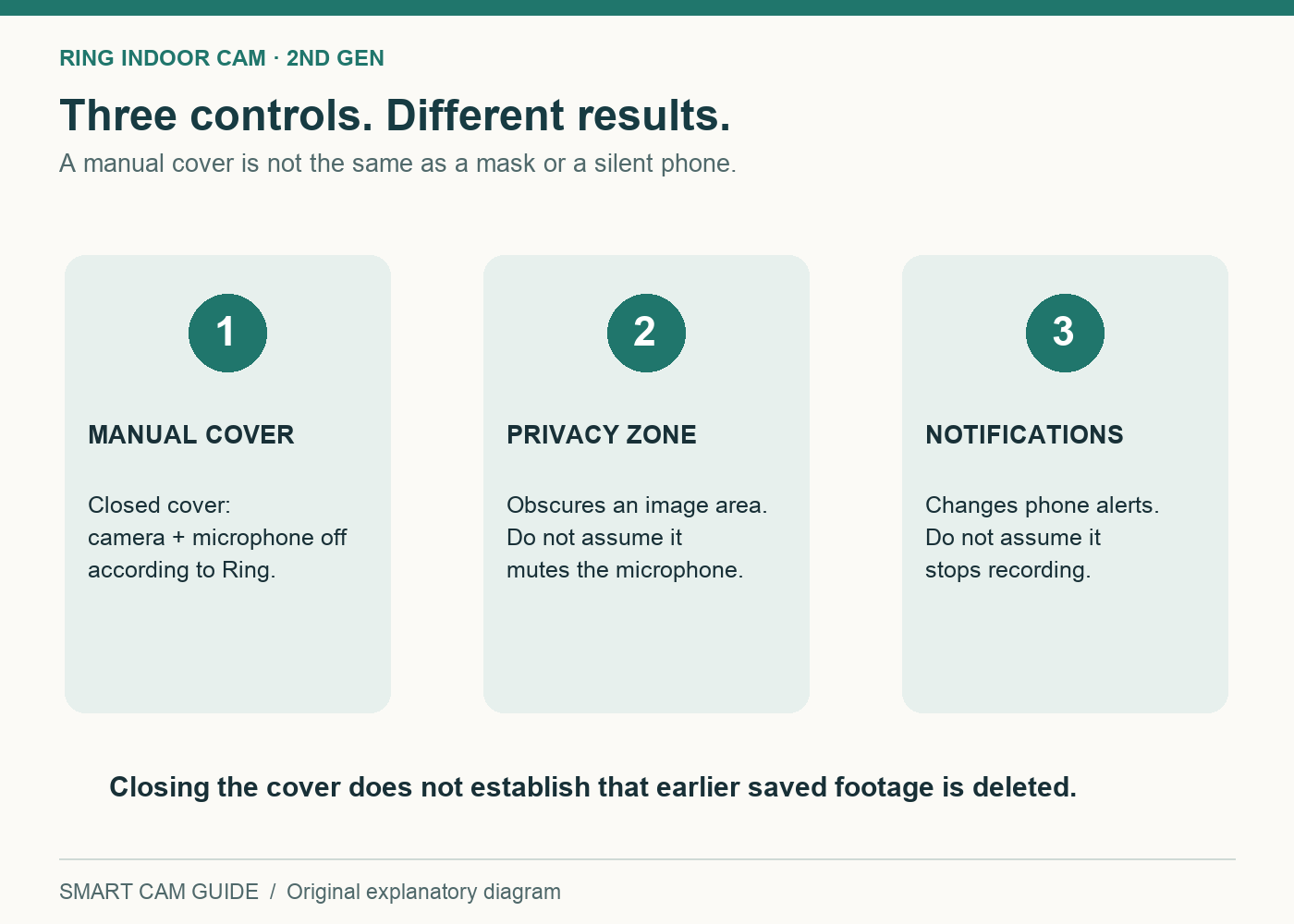
Think about the result you need. If no activity in the room should be captured while you are home, a small mask over one window does not solve that requirement. If you need the entryway visible but want part of a scene hidden, a full camera-off routine may be unnecessarily broad. If the issue is only too many phone alerts, that is a notification problem rather than a privacy setting.
Changing one of these controls should not be treated as changing the others. Check the current state explicitly, especially after a setup change or when another household member uses the app.
A manual cover works only if the routine is realistic
Place the camera where an adult can reach the cover without a chair, ladder or awkward pull on the power cable. A high shelf may provide a useful view but make a daily privacy routine inconvenient. If closing the cover becomes a chore, the household may stop using the feature that justified the purchase.
Agree on a simple rule: for example, the cover stays closed during normal use of a shared room and is opened by the last person leaving when monitoring is wanted. That is an example of a routine, not a device automation. Ring describes the cover as manually operated; do not buy it expecting a remote command to rotate the physical cover for you.
The visible closed cover can make the camera’s intended state easier for people in the room to understand. Still, demonstrate the behavior together rather than asking others to rely on a vague “privacy mode” description. Make clear who can use Live View and who manages saved recordings.
Ring Indoor Cam (2nd Gen) — 1080p model with manual privacy cover
Check price on AmazonWhat closing the cover does not settle
The cover addresses the current camera and microphone state on this model. It does not answer how long previously saved footage is retained, which account users can access it, whether someone exported a copy, or what happens to footage held elsewhere. Review those questions separately in the chosen account and storage arrangement.
It also does not make a connected device electrically unplugged or establish a universal security guarantee. We would not describe it as air-gapped or impossible to misuse. A useful physical control should be credited for its documented behavior without making claims about every part of the system.
Recording plans are another separate purchase decision. A cover does not grant a subscription or determine the history available under your chosen plan. Decide whether you need saved clips, how you will retrieve them and what the full recurring cost is before comparing camera prices.
Check the actual delivered camera
- Confirm the model. Match Indoor Cam (2nd Gen), the selected variation and the included manual cover. Similar-looking product names are not enough.
- Set a respectful field of view. Position the camera for the agreed household purpose, with the cover reachable and the cable secure.
- Establish an open-cover baseline. With everyone involved aware of the test, check the intended Live View and audio behavior.
- Close the cover fully. Confirm the app’s indication and that the expected camera and microphone behavior matches Ring’s description.
- Reopen and verify. Confirm the view is restored without a changed angle that exposes an unintended area.
- Review storage and account access. Check saved footage and authorized users separately from the physical-cover test.
This is an acceptance checklist for an owner to perform. We have not remotely inspected a delivered unit or verified your account configuration. If the observed behavior does not match the documentation, leave the device out of the intended private setting until the discrepancy is resolved.
Who should shortlist it?
A good fit: a household that already wants a Ring indoor camera, values a visible manual camera-and-microphone control and can place it within easy reach. The cover is a concrete reason to compare this model with a camera that relies entirely on app settings.
A poor fit: someone who needs the physical shutter to close itself automatically, cannot access the camera comfortably, or has not accepted the selected recording arrangement. Do not let the low device price settle a decision that depends on the whole storage and privacy workflow.
For a broader comparison of indoor-camera ownership choices, read Kasa EC70 versus Ring Indoor Cam. That comparison is the place to weigh the different systems; this guide isolates the privacy-cover question.
Taking an indoor camera on a trip? A privacy cover does not establish that recording is permitted or that the camera will connect to a hotel network. Read our hotel-room camera permission, Wi-Fi and recording checklist before packing or buying; it separates local footage from remote alerts and explains the setup checks for a temporary room.
Before ordering
Write down three requirements: when the camera may operate, who controls it and how footage will be stored. If the manual cover satisfies the first two while the recording arrangement satisfies the third, this Ring model deserves a place on the shortlist. If any requirement relies on an undocumented assumption, resolve it before purchasing.
Ring Indoor Cam (2nd Gen) — check the exact model and package
Check price on AmazonSources: Ring Indoor Cam (2nd Gen) US product information and privacy-cover explanation; Ring second-generation installation support. Checked September 17, 2026. No hands-on privacy, network or security testing is claimed. The household checklist does not imply that any privacy control deletes earlier footage.
Considering the newer model? Our Indoor Cam 2K versus 2nd Gen comparison explains an important change: the 2K lens cover blocks the view but does not switch off the microphone; microphone disabling is a separate app control.
A closed cover controls capture, while account permissions control who can access the camera. Ring now documents Limited, Standard and Advanced household roles with different notification, download and management powers. Use our Ring camera sharing and handover checklist to select the intended devices and verify the invited account; the role name alone is not a privacy check.
A quiet phone is a different goal from a private camera. Ring Alerts Snooze suppresses ordinary motion notifications while compatible event recording can continue. Read the Snooze, schedules and recording-control comparison before using a notification setting as a privacy routine; verify the actual camera cover or recording state instead.