As an Amazon Associate I earn from qualifying purchases. If you buy through our links, we may receive a commission at no extra cost to you.
Wyze Cam v4 can be used outdoors, but its IP65 camera body is only one part of the installation. Wyze specifies its Outdoor Power Adapter for outdoor use. The standard camera package includes an indoor USB power adapter, and the camera needs continuous wired power plus a usable 2.4 GHz Wi-Fi connection.
It is a good candidate for a porch, entrance or similar location where those services are available. It is the wrong starting point for a remote gate with no power and no Wi-Fi. This is a document-based planning guide checked September 16, 2026, not an electrical installation manual or a field-tested weatherproofing claim.
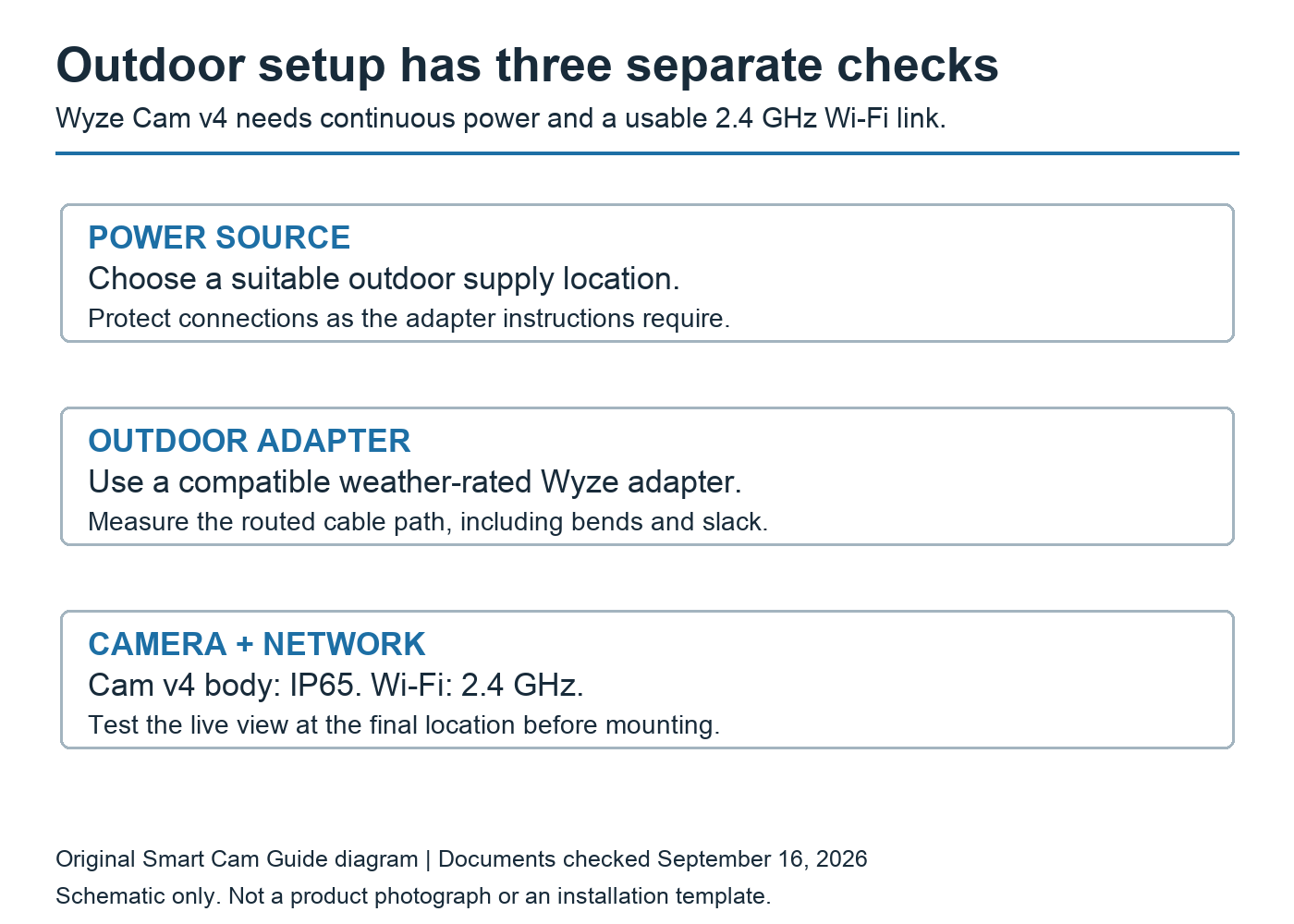
IP65 does not describe the whole power chain
The camera’s rating does not make an indoor adapter, a loose connector or the wall outlet equally protected. Wyze’s product information explicitly lists an outdoor adapter requirement. Treat the camera, its power accessory and the supply location as separate checks when planning the total cost.
A roof over the camera can be useful for placement, but it is not a reason to assume the supplied indoor adapter is suitable outside. Use the specified compatible outdoor accessory and follow its connection instructions. Have a qualified installer assess the supply if making the chosen location usable would require new electrical work.
Choose the exact adapter kit and length
Wyze currently lists two relevant versions: the original Outdoor Power Adapter kit with a total cable length of 12.5 feet, and the Universal Outdoor Adapter at 19.68 feet. Both list Cam v4 compatibility. They are different kits, so do not assume a listing photo or the word “outdoor” tells you which length is included.
Cam v4 uses microUSB at the camera. Check that the selected kit supplies the compatible connector or adapter and that the seals can be assembled as instructed. Wyze advertises the outdoor power accessory as IP67, but that does not upgrade the camera body from its own IP65 rating.
Measure the route, not the straight line. Start at the proposed supply, follow the route around trim and corners, then allow for the bends and slack the installation needs. A camera eight feet from an outlet can require more than eight feet of cable once the route is accounted for. Avoid choosing a kit that only just reaches under tension.
For a route longer than the selected kit accommodates, revisit the mounting or supply position before improvising a chain of generic extensions. Compatibility and outdoor suitability need to apply to the complete connection, not merely to a plug that physically fits.
Test the camera where it will actually sit
Set up the camera indoors first. Wyze’s setup guide calls for the app, a 2.4 GHz network and Bluetooth access during setup. Then test the intended outdoor position before drilling permanent mounting holes.
- Use the planned power accessory and hold or temporarily support the camera safely at the proposed location.
- Open live view and check that the important area is visible, rather than merely that the camera connects.
- Check the feed with doors and windows in their usual closed positions.
- Walk through the area and review an actual saved sample using the recording method you intend to keep.
- Recheck after dark if nighttime coverage is part of the purchase decision.
These are acceptance checks for your site, not a promise of a particular range, image quality or license-plate-reading distance. A phone showing Wi-Fi bars near a wall is only a preliminary clue; the camera in its final position is the useful check.
Keeping the camera indoors creates a different test
Pointing the camera through a window avoids some outdoor power exposure, but adds glass to the optical path. Infrared light or the spotlight can reflect back toward the lens. A clear daytime view therefore does not prove that the same position will produce useful night recordings.
Before buying a mount or moving the power setup, follow the through-window reflection checklist. Test the saved clip with camera lights disabled where supported and with normal household lighting. That test also needs usable exterior light; turning illumination off does not make a dark scene visible.
Mounting, temperature and model traps
Wyze documents magnetic mounting, a screw kit and a ¼-inch-20 threaded mounting option. Choose a method suitable for the actual surface and exposure. Confirm the framing and power route before fastening it, and leave the card slot accessible if you plan to use local recording.
Temperature claims are not fully consistent: the official Cam v4 technical page lists an operating range of −4°F to 122°F, while the Amazon listing checked for this guide states −4°F to 113°F. For a site approaching those limits, confirm the specification on your unit and with Wyze before buying. An outdoor rating is not a guarantee for every climate or sun-exposed location.
Do not confuse Cam v4 with Cam Outdoor, Battery Cam Pro, Cam Pan v4 or Solar Cam Pan. Wyze’s compatibility table does not list its Solar Panel as compatible with Cam v4. “Wireless” Wi-Fi communication also does not make this camera battery-powered.
Budget for the installation you want
Your cost comparison should include the camera, the compatible outdoor power kit, any suitable mounting hardware and your chosen recording method. A microSD card is a separate local-storage purchase unless explicitly included in the bundle; a cloud service is a separate recurring decision.
If a local archive is enough, read our Wyze Cam v4 without a subscription guide. If you only need an indoor camera, our Kasa EC70 versus Ring Indoor Cam comparison covers a different buying choice without assuming outdoor suitability.
Our purchase rule: choose Cam v4 for an outdoor location only after the supply, adapter route and camera’s Wi-Fi test make sense together. Solve a missing power or network connection first; the camera alone cannot fix either.
Documents checked
Wyze Cam v4 Tech Specs (March 3, 2026), Setup Guide (June 3, 2026), Mounting Guide (March 3, 2026), accessory compatibility table (April 28, 2026), Cam v4 product information, Outdoor Power Adapter product variants, and US Amazon B0CJ9YX7DG. Reviewed September 16, 2026.
If a cable-powered installation does not suit the location, our eufy SoloCam S340 solar-panel placement guide explains the separate camera and panel positions, shade checks and event-recording limits to evaluate before choosing that alternative.
Compare the complete camera budget
Before buying another outdoor camera, compare Wyze Cam v4 with Tapo C120 for local recording, paid detection and installation costs. Both need a suitable wired power route, even when the camera body is rated for outdoor use.
For a slow-changing project with intermittent Wi-Fi, Wyze documents a preconfigured time-lapse workflow. Use our Cam v4 offline time-lapse setup and saved-file checklist to check the card, schedule and continued power. Sampled stills are not a substitute for full-motion footage of a brief incident.