By Smart Cam Guide
As an Amazon Associate I earn from qualifying purchases. Purchases through our links may earn us a commission at no extra cost to you.
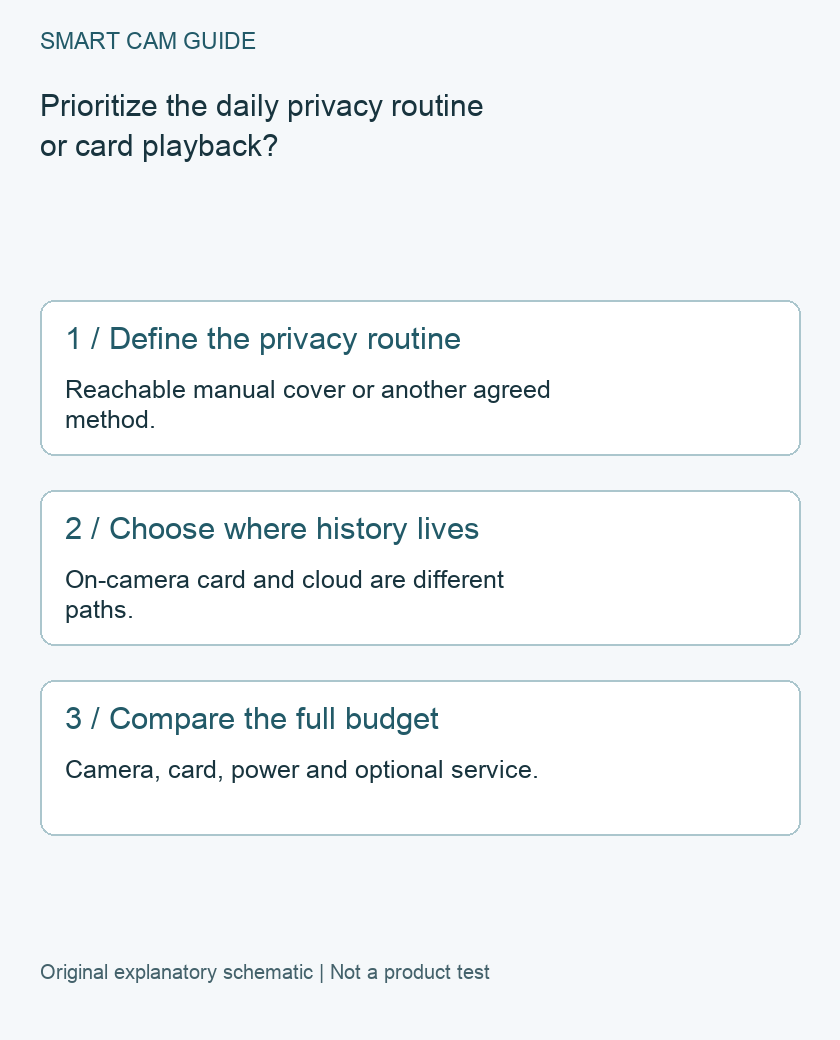
Choose Ring Indoor Cam (1080p, 2nd Gen) when a reachable manual privacy cover and an existing Ring household are your priorities. Choose the fixed-view Wyze Cam v4 when keeping video history on a microSD card is the stronger requirement. Compare those ownership routines before comparing camera resolution or a temporary sale price.
Buy the exact generation
This comparison concerns Ring’s second-generation 1080p Indoor Cam and the fixed Wyze Cam v4. It does not cover Ring Indoor Cam 2K, Indoor Cam Plus or Wyze Cam Pan v4. Similar names do not establish identical privacy controls, storage or accessories.
Ring’s second-generation support page lists plug-in power, a built-in privacy cover and 2.4 GHz Wi-Fi. Wyze’s support matrix includes Cam v4 among cameras with local storage. Neither a product family name nor a bundle photograph is sufficient to identify the unit you will receive.
First decision: how the room becomes private
Ring describes its manual Indoor Cam privacy cover as disabling both camera and microphone recording when closed. The person using it must be able to reach it comfortably. Putting the camera high on a shelf can defeat the convenience of a daily cover routine even if it improves the viewing angle.
Write down who closes the cover, when the room should become private and how another household member recognizes that state. Do not treat muting notifications as disabling capture. Previously saved video is a separate question from stopping new recording.
For Wyze, decide on an explicit household privacy method supported by the exact setup rather than assuming it has Ring’s physical cover behavior. If a tactile, visible manual control is non-negotiable, that can settle the purchase without any image-quality comparison.
Second decision: what you want to review later
Wyze distinguishes microSD history from cloud Event videos. Local card recording is the relevant route if you want saved footage without purchasing a cloud recording plan. A compatible card and correctly enabled recording are necessary; owning a camera with a slot does not by itself create an archive.
Ring’s product FAQ distinguishes live use from saved video available through a compatible paid subscription. Do not choose the second-generation Indoor Cam expecting to insert a card directly into it. Check the current service and exact camera eligibility if video review, retention or exporting is part of your requirement.
We do not quote a subscription price or promise a fixed retention period here. Those terms can change. The practical comparison is a working local-card route versus a planned compatible service, not “free camera” versus “paid camera.”
Compare the complete budget on paper
- Camera: exact generation, color, quantity and included power parts.
- Storage: compatible card where supported, or the service needed for the intended saved-video feature.
- Installation: outlet access, mounting and a safe cable route.
- Ongoing work: checking recording health, exporting important footage and reviewing the household privacy routine.
For a one-year comparison, use the actual current camera quote plus required accessories plus the service payments you would make during that year. Do not add an optional subscription to one option while ignoring an equivalent requirement you have chosen for the other. An existing plan only counts as covering the new camera after you check its eligibility.
Do not confuse storage with evidence security
A card remains with the camera and can be lost with it. A cloud account brings different dependencies, including network access, service eligibility and account control. Decide which loss scenario matters in your room. Neither choice makes every important event recoverable, and neither eliminates the need to export an important saved clip while it is available.
Test the reason you bought it
For Ring, verify the cover routine with the exact delivered camera and confirm the intended live and recording state. For Wyze, create a permitted new event and play it from SD Card history; opening a cloud Event subscription prompt is not the same test. Keep the original privacy settings and avoid recording anyone who has not been appropriately informed.
Our conditional choice is Ring for the specified manual-cover routine, Wyze for a planned local-card archive. If your existing camera already meets the requirement, a configuration or storage check may be more useful than replacing it.
Compare the exact US buying options
Check current details and price on Amazon. These are previously verified matching product destinations, not confirmation of current stock, price, seller, delivery or included accessories.
Ring Indoor Cam, 1080p 2nd Gen, white
For an indoor Ring setup where the reachable manual privacy cover is a deciding feature. Check the exact generation and recording-service eligibility.
Check Ring Indoor Cam on Amazon
Wyze Cam v4, fixed-view white single camera
For a powered installation that will use compatible microSD recording. This is not Cam Pan v4, and the card does not unlock paid cloud features.
Related guides
- Ring Indoor Cam Privacy Cover: Does It Turn Off Audio Too?
- Wyze Cam v4 Without a Subscription: SD Recording vs Cloud Events
- Kasa EC70 vs Ring Indoor Cam: Local Recording or Ring Convenience?
- Save Wyze Cam v4 microSD Footage Before It Is Lost
Sources and research scope
Reviewed November 5, 2026. Ring US Indoor Cam second-generation support specifications; Ring Indoor Cam product privacy and recording FAQ; Wyze local storage support matrix; Wyze Cam Plus versus microSD comparison. This is document-based guidance by Smart Cam Guide. The decision worksheet and proposed owner checks are editorial recommendations, not hands-on test results. Exact model, hardware revision and current instructions govern where details differ.