By Smart Cam Guide
As an Amazon Associate I earn from qualifying purchases. Purchases through our links may earn us a commission at no extra cost to you.
The Tapo C120’s digital zoom enlarges part of its image; it should not be treated as an optical zoom lens or a promise of distant identification. Decide what detail you need at the actual location, then judge a saved recording under realistic lighting. A larger face on the phone screen is not automatically a more informative recording.
Read the zoom label with the hardware version
TP-Link’s US C120 page labels the feature digital zoom. Its support and product information have version selectors, so match the documentation to the unit you receive. Do not assume that every numerical specification on the current landing page applies to an older hardware revision.
The reviewed V1 datasheet describes a fixed 3.17 mm lens and a 120-degree diagonal view. Those are optical framing specifications for that revision. Digital enlargement selects a portion of the captured image; it does not change the lens into a variable-focal-length optical zoom.
Separate an overview from an identification task
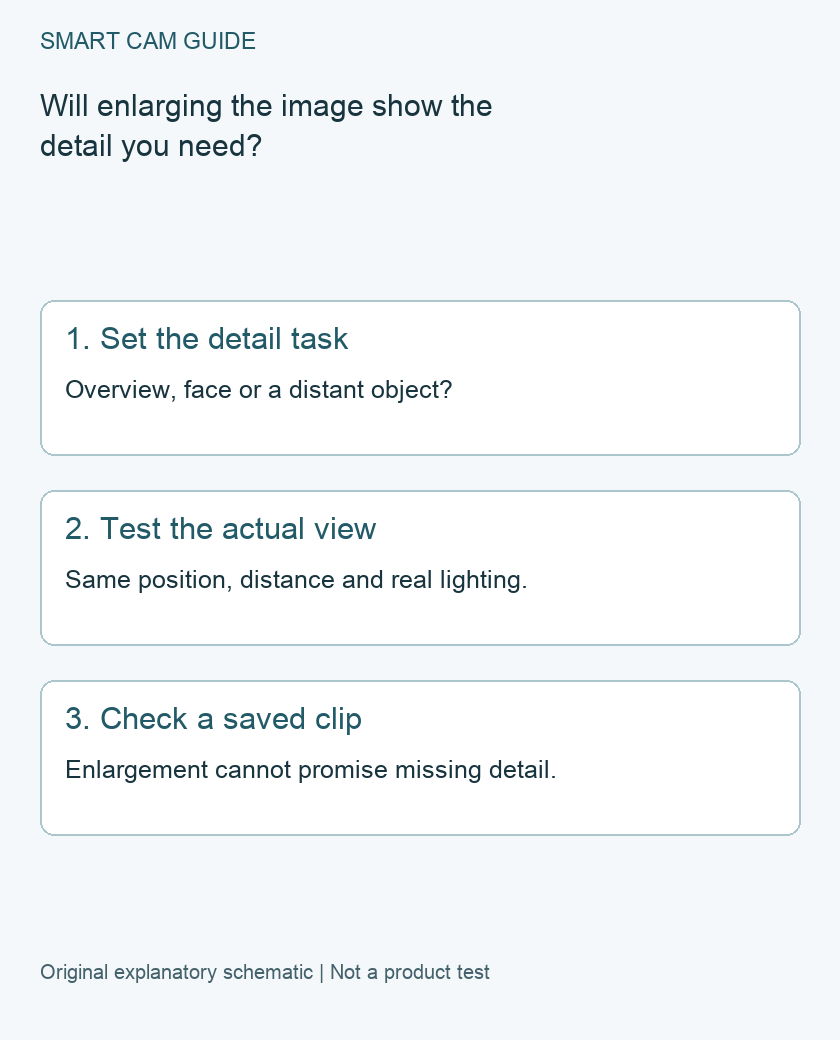
An overview might tell you that someone crossed a patio. Identifying a face, reading a small label or distinguishing an object farther away demands more scene detail. Write down which result matters before choosing the position or comparing cameras.
Make the question concrete: “Can I distinguish this object at the far end of this path in a saved night clip?” is testable. “Does the camera have lots of zoom?” leaves the important distance, lighting and motion unspecified. We have not measured a reliable identification distance for this camera.
Why cropping has a tradeoff
A digital crop shows a smaller part of the original frame at a larger display size. Interpolation can make that display look smoother, but enlargement cannot guarantee recovery of scene detail the original recording did not resolve. Low light, moving subjects, focus, compression and placement can all affect the usable result.
Do not calculate guaranteed face or plate recognition from the advertised resolution alone. There is also no single distance at which every face becomes identifiable. The width of the view at the subject, the angle and real illumination matter as well as the file’s dimensions.
A repeatable owner acceptance check
- Choose a permitted scene and a harmless test target at the distance that matters. Avoid recording private areas or people without the required permission.
- Install temporarily in a safe position using the appropriate mounting instructions. Keep the proposed power route and Wi-Fi location realistic.
- Record the ordinary wide view, then inspect the target with the app’s available enlargement controls.
- Save a supported clip and play that file independently. Compare useful detail, not just the size of the app preview.
- Repeat in the relevant daytime and night conditions, with a still target and ordinary movement where practical.
Record the position, approximate target distance, lighting, recording settings and what you could actually distinguish. Keep the original exported clip. This is a proposed acceptance procedure, not a report of tests performed by Smart Cam Guide.
Do not sacrifice the rest of the view unnoticed
If you move the camera closer to improve one target, check what no longer appears in the frame. A better close view of a doorway may lose the approach path you originally wanted to monitor. Revisit mounting clearance, night reflections and the power route after moving it.
If one position cannot provide both overview and required detail, consider a second suitable view or a camera with optics intended for the task. A camera with optical zoom still needs a real scene test; its label alone is not a guarantee either. We have not selected an alternative telephoto product for this article.
When the C120 remains a sensible candidate
Consider the C120 when a powered fixed view meets your location and recording needs and the actual detail test is satisfactory. Check our separate storage and mounting guides before ordering. The affiliate link below identifies the existing US single-camera destination; it does not confirm live stock or a particular delivered hardware revision.
If distant detail is the deciding requirement and you cannot verify it, pause the purchase rather than treating digital magnification as evidence. Likewise, do not replace an otherwise suitable camera merely because a phone preview looks small before checking the saved file.
Compare the exact US buying options
Check current details and price on Amazon. These are previously verified matching product destinations, not confirmation of current stock, price, seller, delivery or included accessories.
Tapo C120 indoor/outdoor Wi-Fi camera, single camera
Consider for a powered fixed view only after checking useful detail at your actual distance. Digital zoom is not an optical telephoto lens, a guarantee of readable plates or proof of detail across the whole image.
Check Tapo C120 indoor/outdoor Wi-Fi camera on Amazon
Related guides
- Tapo C120 vs Wyze Cam v4: Recording, Power and Full Cost
- Tapo C120 Mounting: Magnet, Adhesive Plate or Screws?
- Tapo C120 Night Vision: Invisible IR, Color and Status Lights
- Tapo C120 with a NAS or NVR: RTSP, ONVIF and Recording Limits
Sources and research scope
Reviewed November 10, 2026. TP-Link US Tapo C120 product specification, version selector applies; Tapo C120 V1 datasheet. This is document-based guidance by Smart Cam Guide. The decision worksheet and proposed owner checks are editorial recommendations, not hands-on test results. Exact model, hardware revision and current instructions govern where details differ.