By Smart Cam Guide
As an Amazon Associate I earn from qualifying purchases. Purchases through our links may earn us a commission at no extra cost to you.
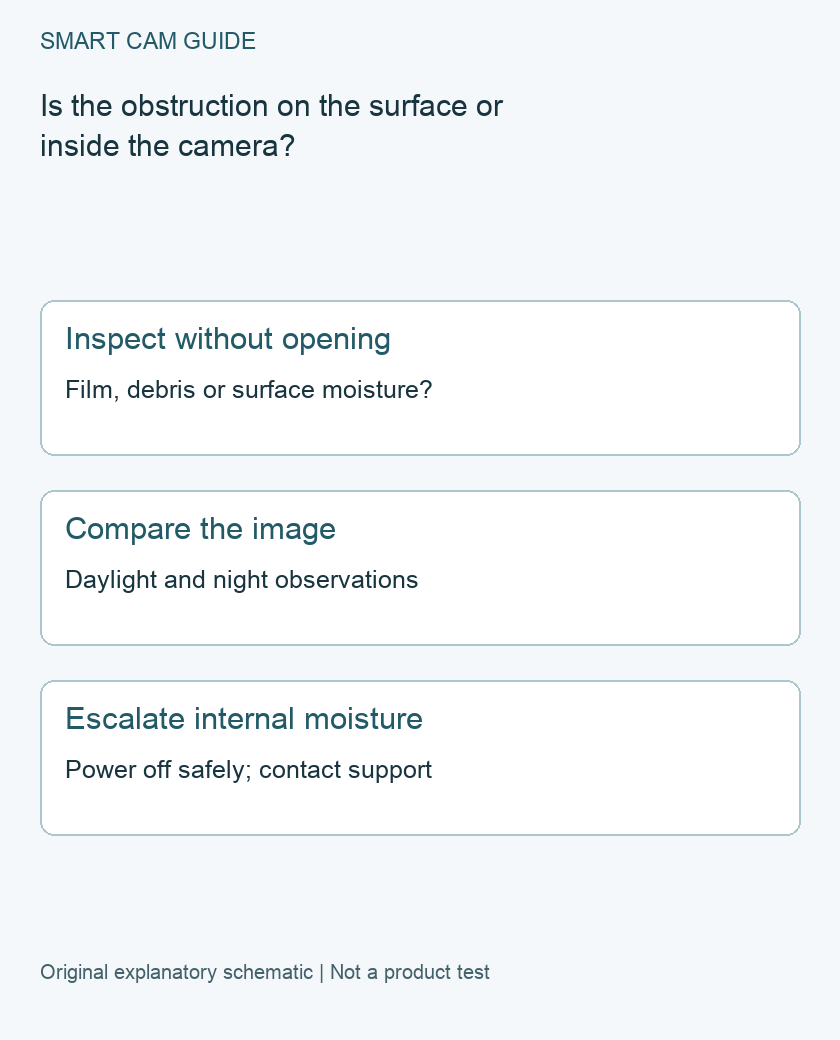
For a foggy Ring camera image, inspect the accessible lens surface and compare daytime with nighttime before changing network settings. If moisture appears to be inside the lens or body, use Ring’s water-damage support path. Internal condensation is a different problem from a camera looking through a reflective window.
Preserve the evidence before changing anything
Save a representative clip or screenshot, the device name and the time. Note recent weather and whether the haze is present all day or appears only with nighttime lighting. Photograph the device from a safe position if you can see moisture, a crack or a lifted cover.
Keep two observations separate: what is visible on the physical lens and what is visible in the saved image. A white-looking image cannot on its own prove that water is inside the camera. If the device is out of safe reach, do not climb an unsuitable support merely to complete this checklist.
Rule out a surface obstruction gently
Ring’s physical-damage guidance starts with checking for remaining installation film, webs, dirt and debris and gently wiping the lens with a dry cloth. It then calls for checking internal condensation and visible lens damage. Follow that limited inspection; do not pry off a lens cover or apply an unverified coating.
Take an image afterward from the same view. If the obstruction clears, record what you removed and whether it returns. If it does not clear, repeated rubbing is not better evidence. Scratches, chips or cracks belong in the support record rather than becoming a reason to polish harder.
Why night-only haze needs its own comparison
Our window guide addresses reflections when a camera views a scene through glass. Use it if a pane is between the lens and the subject. Also record nearby surfaces and lighting in a night-only complaint. These details help describe an optical problem without declaring that every bright patch is condensation.
For a useful comparison, retain one daylight image and one nighttime image of the same view. Do not change location, lighting and every video setting at once. A single controlled comparison is easier to interpret than several screenshots taken after unrelated changes.
When moisture appears to be inside
Ring treats excessive internal moisture as possible water damage and advises powering off a suspected affected device. Outdoor Ring cameras are described as water-resistant for normal weather, not waterproof for submersion or high-pressure washing. Ring’s separate statement about expected condensation in Smart Lights should not be generalized to a camera lens.
Use the appropriate safe power-isolation method for the actual device; hardwired equipment may require qualified help. Contact Ring with the photographs and model. Do not open the housing, heat the camera, fill seams with sealant or assume that drying it restores its original weather protection. This guide establishes neither a field repair nor a replacement entitlement.
If no physical obstruction is established
Ring’s video troubleshooting also examines settings, connectivity and the viewing device. Follow that branch after the visible lens check, while retaining the original image. A low-quality stream and a localized physical smudge can look different, but we have not diagnosed your device remotely.
- Surface film or debris identified: document the gentle cleaning result.
- Night-only problem with glass in the view: compare the reflection setup using the related guide.
- Internal moisture or visible damage: stop use as directed and obtain model-specific support.
- No visible cause: retain the comparison and continue official video troubleshooting.
Do you need a cover or replacement?
No accessory is established as necessary from a foggy screenshot alone. Ask whether a proposed overhang or placement change preserves the intended view and follows the installation instructions. A cover that obstructs the camera is not an improvement simply because it shelters the case. We have not tested anti-fog chemicals, accessory covers or weather sealing, so none is recommended as a proven fix here.
Buying option: match the exact product
If support has confirmed replacement is appropriate, compare this battery-powered outdoor Spotlight Cam Plus. Check the mounting exposure, charging plan and subscription separately. Do not replace an indoor or wired camera with it without reviewing those differences; surface condensation alone does not establish hardware failure. The current selected destination is a two-camera pack, not a single replacement; compare the total package only if you need two views.
Ring Spotlight Cam Plus Battery, white, 2-camera pack
Check Ring Spotlight Cam Plus Battery, white, 2-camera pack details on Amazon
Product link and model mapping reviewed November 4, 2026. Check the selected model, package, seller and current offer before ordering. No live price, stock or delivery is asserted.
Related guides
- Security Camera Through a Window: Fix Night Reflections Before Buying
- Ring Floodlight Cam Wired Plus for a Driveway: Light Zones vs Camera View
- Why Your Security Camera Keeps Going Offline (And How to Fix It in 2026)
Sources and research scope
Reviewed October 29, 2026. Ring Physically damaged devices, US support; Ring Fixing audio and video issues. This is document-based guidance by Smart Cam Guide. The decision worksheet and proposed owner checks are editorial recommendations, not hands-on test results. Exact model, hardware revision and current instructions govern where details differ.