By Smart Cam Guide
As an Amazon Associate I earn from qualifying purchases. Purchases through our links may earn us a commission at no extra cost to you.
Blink Snooze pauses motion notifications; with a working storage option, motion clips can continue to be saved. Alexa announcements are a separate output and can continue during Snooze. Decide whether you want fewer interruptions or no motion capture before changing controls.
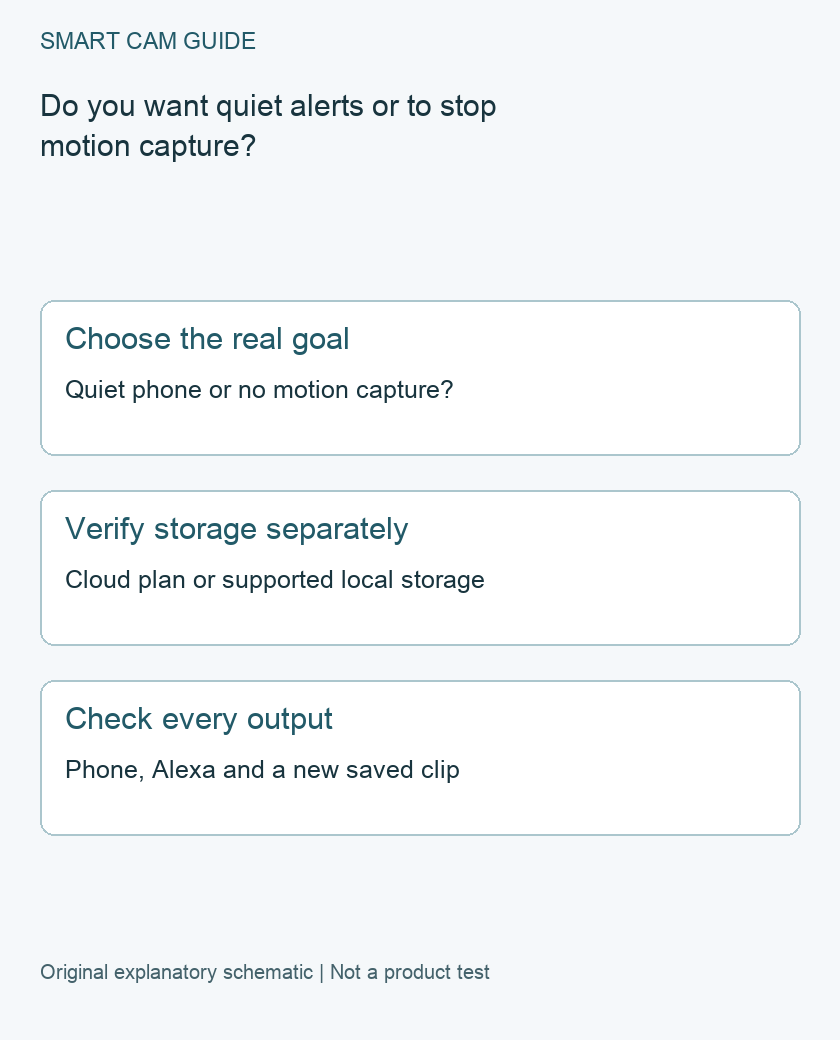
Use the control that matches the goal
Blink distinguishes notification Snooze from switching off Motion Detection and disarming a system. The latter controls affect motion-event capture, while Snooze is for a temporary break from notifications. None should be substituted for an agreed privacy routine without checking the actual device behavior.
- Keep coverage, quiet the phone temporarily: inspect Snooze for the intended camera.
- Stop motion-event capture on one camera: inspect that camera’s Motion Detection setting.
- Change an entire system’s armed state: use the system control and review its schedule.
These are motion-event distinctions, not a claim that every possible camera function is disabled. Our schedule guide addresses which cameras belong to the same system; use it before changing several rooms together.
Confirm what can actually save a clip
Blink’s Snooze guidance says recording can continue with an active subscription or trial, or supported local storage. Its storage documentation identifies Sync Module 2 with USB and Sync Module XR with microSD; Sync Module Core does not provide local storage. The presence of a camera thumbnail or a Live View is not evidence that a storage path is ready.
Check the currently selected storage and a new saved clip. For a no-plan system, do not infer that a locally inserted drive is functioning merely because it is physically present. Keep local capture separate from a periodic backup of cloud clips; the related backup guide explains that distinction.
Apply Snooze to the intended scope
Blink’s current procedure starts from More on the camera thumbnail and the Snooze control. Check whether the option to apply the change to all devices is selected. Record the duration and which camera or system is affected, so a temporary change does not silently suppress the wrong notifications.
Custom-duration wording differs across Blink’s support pages and plan descriptions. Verify the option available under your current account and plan rather than buying an upgrade from an old screenshot. This guide does not quote subscription prices or promise custom controls for every account.
Why Alexa may still speak
Blink’s Snooze page explicitly says Alexa can continue event announcements. If silence on that output is also intended, inspect the relevant Alexa device’s Motion Announcements setting separately. Record that change: those announcements must be re-enabled in Alexa when you want them back.
Muting every household speaker is a much broader action than pausing one camera’s phone alerts. Agree which output should be quiet, and avoid changing unrelated routines. A quiet phone alone cannot establish that Alexa is quiet or that motion capture has stopped.
A controlled check without losing the starting state
- Record the starting armed state, Motion Detection, storage and notification settings.
- Apply only the intended temporary notification change.
- Make one harmless, consenting motion test in the intended view.
- Check phone behavior, Alexa behavior and a newly saved event as three separate results.
- End Snooze or let the chosen interval expire, then restore any Alexa change explicitly.
Do not delete clips or disconnect storage to simulate a quiet system. If privacy is the goal, use the appropriate capture control and verify it with the people affected; this notification checklist is not a physical privacy cover.
If the results do not match
Send support the camera model, module, active storage route, app version, test time and the three observed outcomes. Keep missing recording, missing notification and unexpected speaker output as separate faults. We have not tested delivery latency or capture reliability, and a Snooze setting alone does not establish that new hardware or a paid plan is required.
Buying option: match the exact product
For a first Blink system needing both camera and doorbell views, compare this specific bundle. It is not necessary to buy it to change Snooze. Core does not provide local recording storage, and the package does not remove the need to check subscription and Alexa settings separately. The current destination identifies Video Doorbell, not a verified 2K+ doorbell; confirm the exact selected generation and package before ordering.
Blink Video Doorbell + Outdoor 4 + Sync Module Core bundle
Check Blink Video Doorbell + Outdoor 4 + Sync Module Core bundle details on Amazon
Product link and model mapping reviewed November 4, 2026. Check the selected model, package, seller and current offer before ordering. No live price, stock or delivery is asserted.
Related guides
- Blink Cameras on Separate Schedules: One System or Two?
- Blink Notifications Have No Image Preview? Check Model, Storage and Timing
- Blink Clip Backup on a Computer: Eject, Copy and Verify the Recording
Sources and research scope
Reviewed October 30, 2026. Blink How to Snooze motion notifications, US support; Blink Understanding Motion Detection, US support; Blink Storage Options, US support. This is document-based guidance by Smart Cam Guide. The decision worksheet and proposed owner checks are editorial recommendations, not hands-on test results. Exact model, hardware revision and current instructions govern where details differ.