By Smart Cam Guide · Research checked September 29, 2026. This is a document-based guide, not a hands-on test.
Affiliate disclosure: As an Amazon Associate I earn from qualifying purchases.
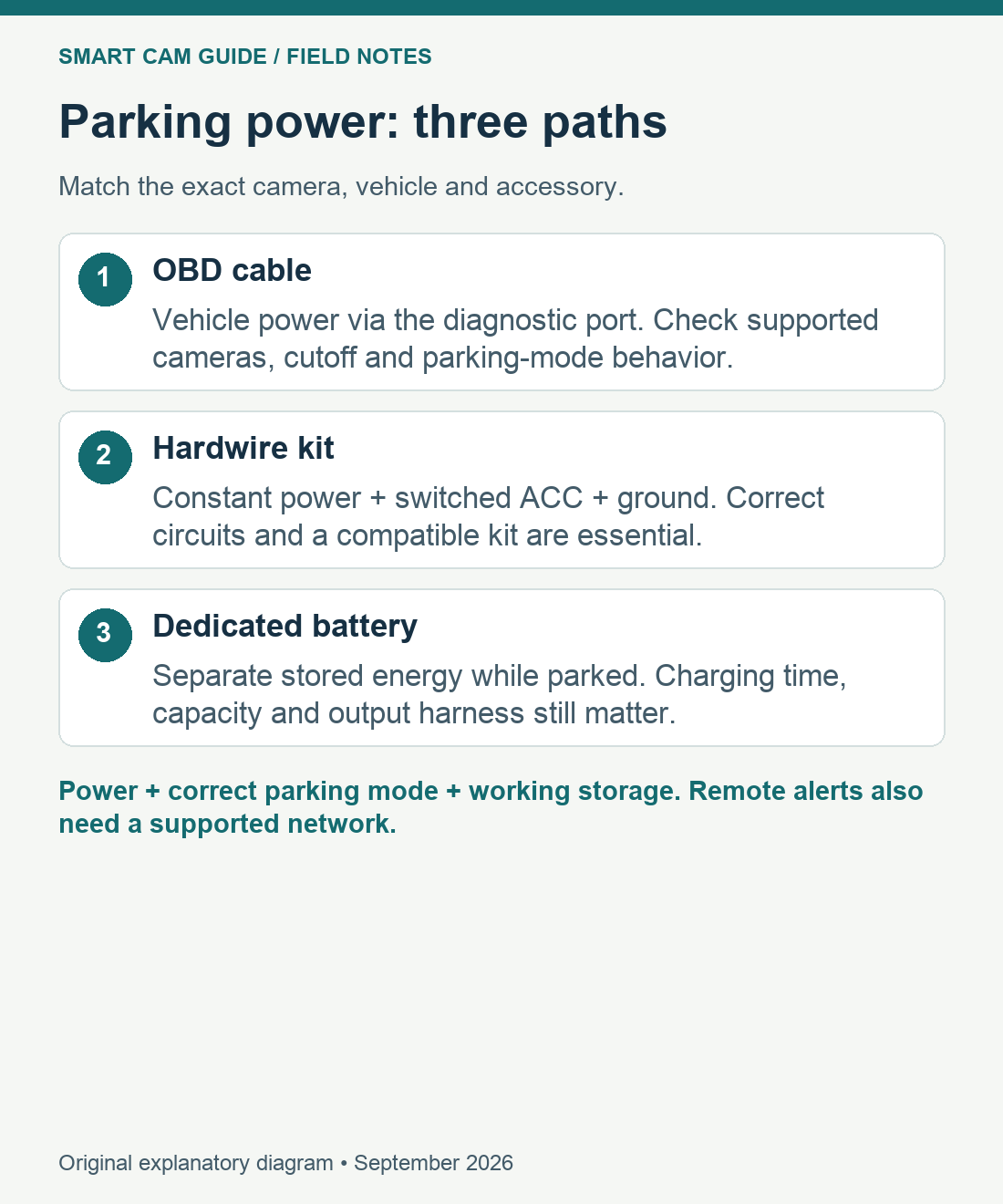
Choose a power path that your exact dash cam and vehicle support. A compatible OBD cable can avoid fuse-box work; a hardwire kit can supply a dedicated ignition signal; a purpose-built battery pack can power parked recording from a separate store of energy. None automatically gives every camera the same parking features.
Start with two questions: what tells the camera that driving has ended, and what powers it afterward? The connector shape answers neither. This guide compares those two functions; our A229 Plus and HK4 guide covers that specific pairing in more detail.
| Power path | Choose it when | Main limit |
|---|---|---|
| Compatible OBD cable | The camera maker lists your model and the vehicle connection is suitable. | Uses vehicle power; a time switch or constant output is not a universal ACC signal. |
| Compatible hardwire kit | You want the supported ignition/parking transition and can arrange a correct installation. | Fuse selection, wiring and battery protection need vehicle-specific checks. |
| Dedicated dash-cam battery | You want parked recording to draw from a separate charged pack. | More cost and space; charging opportunity and the output harness still matter. |
OBD power: convenient access, model-specific behavior
An OBD-II power adapter uses the vehicle diagnostic socket as its power connection. That can reduce installation work, but it occupies the port and still draws from the vehicle electrical system. Check clearance around pedals, cable restraint and whether a service visit requires removal. Do not assume an adapter suits a commercial vehicle or an EV merely because a plug appears to fit.
For a concrete example, Garmin’s Constant Power Cable documentation specifies 12–16 V input, compatible Garmin dash cameras, a low-voltage protection threshold of 12 V, and 10-minute, 24-hour or always-on switch positions. Those are facts about that accessory, not specifications for every OBD lead. The timer settings describe when power may be supplied; they do not promise a healthy starter battery or a recorded event for the entire interval.
Ask how your camera enters parking mode with the proposed cable: an ignition signal, a supported motion-based transition or a specific camera setting? If the documentation only promises constant USB power, treat automatic parking-mode compatibility as unresolved. Disconnect and seek the manufacturer’s advice if a supported adapter affects vehicle operation.
Hardwire kits: power and ignition are different connections
A supported three-wire arrangement uses a constant supply, a switched ACC signal and ground. The camera can then distinguish parked operation from driving while retaining access to power. A low-voltage cutoff reduces continued draw when the measured voltage reaches the setting; a camera timer may stop recording earlier. Neither is a guarantee that a particular battery will start the vehicle afterward.
VIOFO lists the HK4 for A229 Plus among its compatible models. For that combination, verify the exact kit, cable length and fuse taps. The selected US Amazon HK4 listing includes eight taps in its title but also contains a generic instruction to prepare two taps. Confirm the selected package contents, and treat vehicle fuse fit as a separate question. USB-C on another camera is not sufficient evidence of compatibility.
Check the VIOFO HK4 kit and included taps on Amazon
This is the lower-cost accessory route in the checked example, but installation labor can change the total. If the vehicle’s appropriate circuits, fuse ratings or airbag-safe cable route are unclear, use a qualified installer. This article deliberately does not identify fuse positions for an unspecified car.
Battery packs: separate stored energy, not unlimited runtime
A dedicated dash-cam battery charges from a supported vehicle supply while driving and provides stored energy while parked. The input arrangement matters as much as the output: a short commute may not replenish what a long parking period consumed. Some packs support a switched accessory-socket charging cable; others also offer a hardwire charging option. Follow the pack and vehicle requirements.
BlackVue’s B-130X documentation illustrates a useful distinction: it includes a socket-style output and a three-wire output that can connect to a camera’s own hardwiring harness for ignition-based parking. That does not establish compatibility with every third-party dash cam. Match output voltage, connector, current needs and parking signal before choosing a pack or adapter. A generic phone power bank is not an interchangeable approved in-car solution.
Do not compare advertised hours without the camera load, number of channels, parking mode, usable capacity, conversion losses and temperature conditions. If usable output energy and measured load are known, watt-hours divided by watts gives an initial estimate. A real parking test must still confirm when the pack stops, whether the camera saves its last file and whether normal driving recording resumes.
A purchase and installation acceptance checklist
- Record the exact camera, vehicle, power accessory and harness versions. Obtain written compatibility evidence for the whole chain.
- Confirm the intended parking mode starts after the vehicle shuts down. A lit screen alone does not prove the mode changed.
- Create a harmless test event, then inspect the saved clip, timestamp and all required camera channels.
- Check the end of a representative parking interval and the restart transition. Do not intentionally discharge the vehicle battery to prove a cutoff.
- Account for card capacity, overwrite behavior and a routine for exporting important footage.
For camera choices and recording limits, return to the parking-mode buying guide. For the starter-battery question, use the overnight battery-drain checklist. These power options enable a recording system; remote alerts additionally require a supported network and service.
For street parking, also check network coverage, the saved camera view and alert workload at the locations you actually use. Changing parking positions or night glare can matter even when the parking-power arrangement is correct.
Sources reviewed: Garmin Constant Power Cable owner documentation; VIOFO HK4 product and parking-mode documentation; BlackVue B-130X cable/charging documentation; exact US HK4 listing. Model facts were checked September 29, 2026. We have not measured runtime or compared failure rates.