As an Amazon Associate I earn from qualifying purchases. This page contains affiliate shopping links.
You do not need HomeBase 3 just to start using local storage on the eufy SoloCam S340. The camera has 8GB built in. HomeBase 3, also called S380, is worth considering when you need expandable storage or want compatible cameras organized around a base station. It does not turn the S340 into a continuous-recording camera.
For one camera with modest event traffic, starting with the standalone configuration lets you learn how much history you actually need. For several cameras or a busy approach, decide on retention and base placement before buying extra storage.
Check SoloCam S340 single-camera package on Amazon
This button opens the single SoloCam S340 camera package. HomeBase 3 and an expansion drive are separate purchases; they are not included merely because this article explains that upgrade.
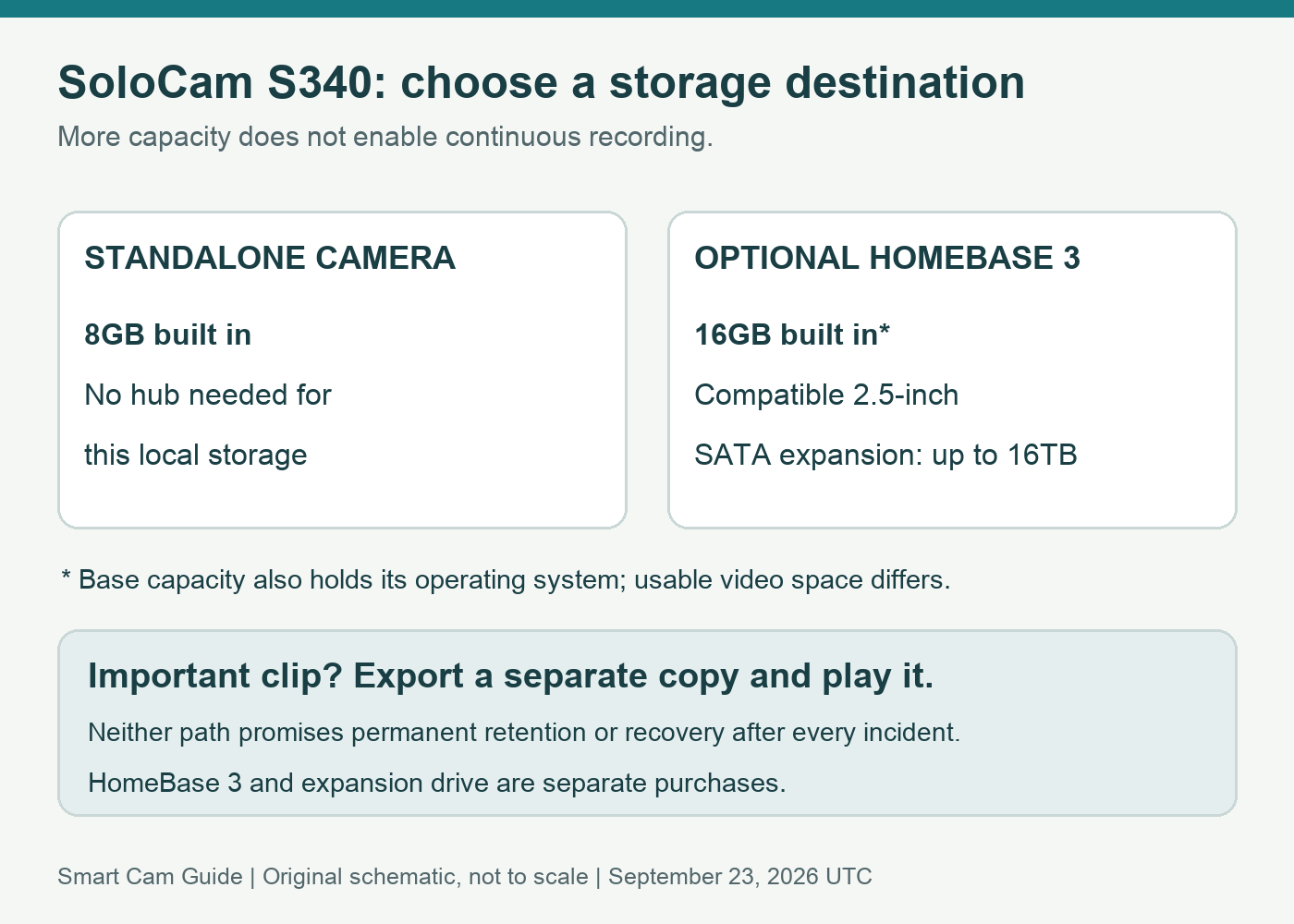
Compare the storage paths
| Configuration | Documented storage | Reason to choose it |
|---|---|---|
| S340 standalone | 8GB built into the camera | A simpler starting point for one camera; no separate base needed for this local storage |
| S340 connected to HomeBase 3 | 16GB built into the base, shared with its operating system and recordings | Base-based storage and supported additional features |
| HomeBase 3 with expansion | Compatible 2.5-inch SATA HDD or SSD, up to 16TB according to eufy’s guidance | More capacity after you identify a real retention need |
Do not add 8GB and 16GB and describe the result as one guaranteed 24GB video pool. They are different storage locations, and advertised capacity is not the same as available recording space. Confirm the active storage destination in your configured system.
eufy’s drive guidance specifies the SATA interface and 2.5-inch format. A drive with the right capacity but a different connector or form factor is not an equivalent purchase. Check the exact drive against current compatibility and installation guidance before ordering.
Buy for a retention target, not an impressive capacity number
First decide how long you need to be able to go back. Someone who checks clips each evening has a different requirement from someone reviewing an incident after a week away. Then observe the event volume and recording settings at your own location.
For a simple workload illustration, 10 clips of 20 seconds each represent 200 seconds of video a day; 100 such clips represent 2,000 seconds. That is ten times as much recorded time before accounting for clip size, resolution or other cameras. It is not a storage-duration prediction and cannot be converted into guaranteed days from the capacity label alone.
eufy’s HomeBase storage guidance says older recordings are overwritten as storage fills. Its examples of long retention depend on stated event assumptions. A larger drive delays the capacity limit; it does not make every clip permanent. Keep a separate exported copy of an important event and verify that the exported file plays.
What HomeBase 3 does not change about the S340
It does not enable 24/7 recording. The S340 product FAQ explicitly says that this camera does not support continuous recording even when connected to HomeBase 3. A larger drive therefore stores more of the footage the camera records; it does not fill the time between motion events.
It does not recharge the camera. The S340 still relies on its battery and solar charging arrangement. A storage upgrade cannot correct a shaded panel position. Our S340 solar panel placement guide covers that separate decision.
It is not a complete backup plan by itself. Moving storage to an indoor base separates the storage hardware from the outdoor camera, which can be useful physically. We have not verified every reset, account-removal or camera-theft scenario. Do not treat that separation as a promise that all footage survives every incident.
Additional recognition features are a separate reason to upgrade
eufy lists native human and vehicle detection for S340 and enhanced recognition with HomeBase 3. Those are manufacturer-described capabilities, not our measured accuracy results. If recognition is your main reason to add the base, evaluate actual notifications after setup rather than assuming that storage capacity improves detection.
This guide concerns HomeBase 3/S380. Compatibility for other base generations should be checked in the current model-specific compatibility guide and app; a claim about S380 should not be carried over to every eufy hub.
A practical commissioning checklist
- Update and connect the exact devices. eufy’s S340 page specifies supported S380 firmware. Check the current app guidance before judging whether an older installation is compatible.
- Confirm the recording destination. Check base storage status and that any installed drive is recognized. Back up wanted material before following any storage-initialization prompt.
- Create an ordinary test event. Walk through the intended detection area, allow recording to complete and open the saved clip. Live View alone is not proof that storage works.
- Review retention after normal use. Check the oldest available event and the space used. Add capacity because that evidence falls short of your target, not because the largest supported drive exists.
- Test an export. Save one clip to another device and play the file. Recording and retaining an accessible copy are separate checks.
If your requirement is a continuous timeline or a different storage location, compare recording architectures before committing. Our Tapo C120 NAS guide describes a powered-camera alternative with different network and recorder requirements; it is not a drop-in replacement for a solar S340 installation.
Check SoloCam S340 single-camera package on Amazon
Research scope
Reviewed September 23, 2026 (UTC): eufy US SoloCam S340 product FAQ, HomeBase S380 storage guidance, HomeBase 3 drive-selection guidance, current HomeBase compatibility guide and the selected US S340 package. We have not tested recording retention, theft/reset recovery, drive compatibility or recognition accuracy. Workload calculations are illustrative; they are not benchmark results.