As an Amazon Associate I earn from qualifying purchases. This page contains affiliate shopping links.
The white 1080p Ring Outdoor Cam Battery is a motion-event camera in its battery-powered configuration. Do not buy it—or add a solar panel—on the assumption that it can then enable 24/7 recording. Ring requires compatible continuous power and the appropriate subscription arrangement to turn that feature on.
The product discussed here is the Outdoor Cam also labelled Stick Up Cam, ASIN B0C5QRZ47P. It is not the Outdoor Cam Plus or the newer Outdoor Cam 2K. Similar product names and comparison tables can make the wrong version look like the one you selected.
Check Ring Outdoor Cam Battery, white on Amazon
The button opens the battery package. If uninterrupted recording is the requirement, settle the compatible power supply and subscription before choosing a package.
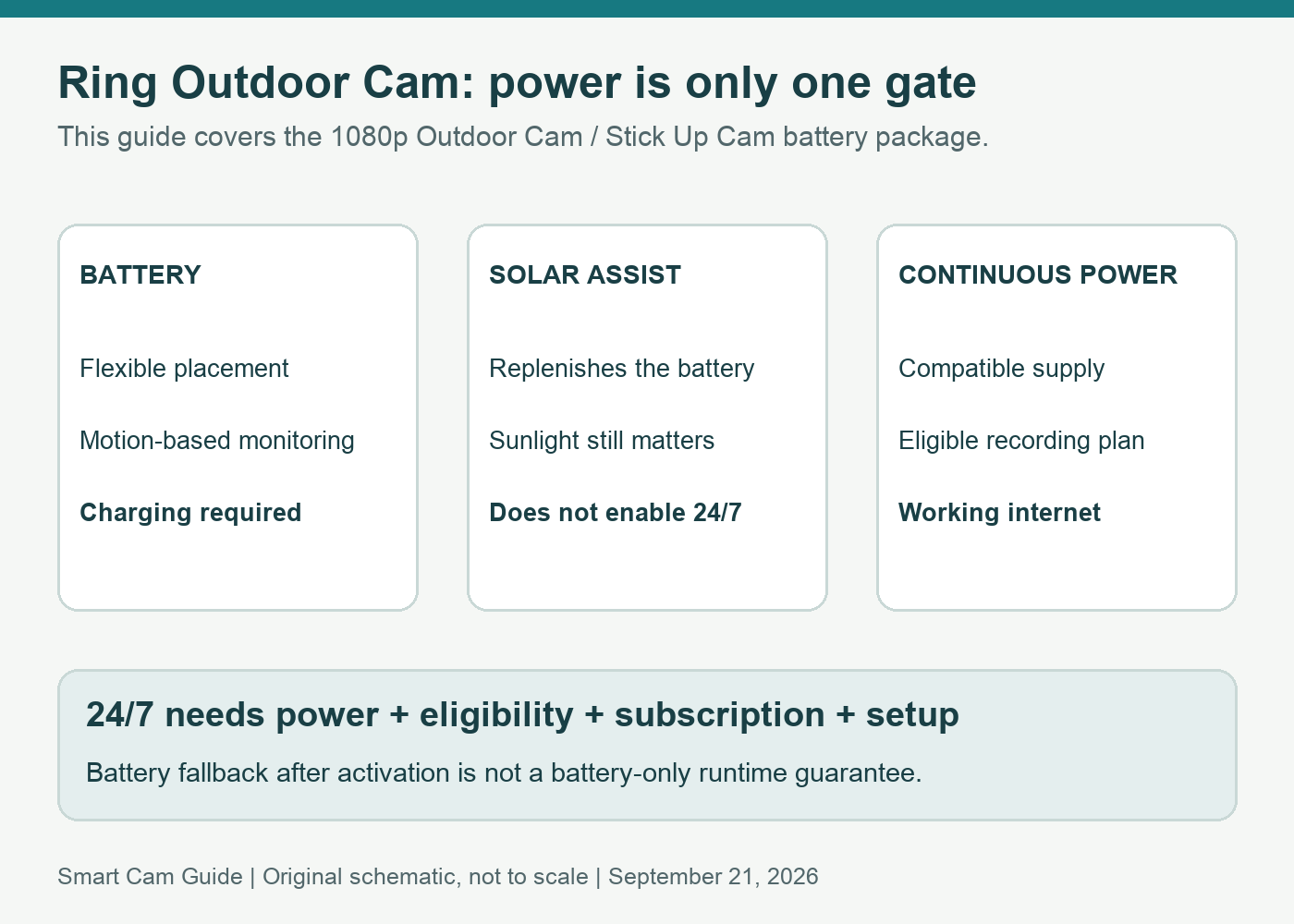
Separate the three things people mean by “always on”
| What you want | What it means | Buying implication |
|---|---|---|
| A camera ready to detect activity | Battery-supported motion monitoring, subject to charge and connection | Does not imply a continuous saved timeline |
| Power without routine battery swaps | A compatible plug-in supply, or solar assistance under suitable sunlight | Solar charging and continuous plug-in power are different arrangements |
| Saved video between motion events | 24/7 Recording on an eligible, continuously powered camera with the required plan | Check power, account eligibility, settings and ongoing cloud access together |
A useful purchase question is therefore: “Do I need a clip when motion is detected, or do I need to inspect an arbitrary minute when no event was detected?” The second requirement is where a continuous timeline matters.
What is in the selected battery package?
The selected retail listing identifies the battery-powered 1080p Outdoor Cam in white. Ring’s product documentation lists a Quick Release Battery Pack and charging cable, plus mounting hardware. The standard package is not a promise of an included outdoor plug-in adapter, solar panel or recording subscription.
The camera uses 2.4 GHz Wi-Fi. It does not gain cellular connectivity from its battery. If you are looking at a remote building with no network connection, solve connectivity before buying a battery camera merely because no outlet is nearby.
With a normal battery installation, the attraction is placement flexibility. The trade-off is ongoing charging and an event-based recording workflow. A busier view can also mean more events to review. We do not estimate battery life from the seller’s headline or promise that every passing object produces a useful clip.
Why a solar panel does not unlock the continuous mode
A compatible solar panel helps replenish the battery when sunlight permits. That can reduce manual charging, but it is not equivalent to connecting the camera to a continuously available supply. Shade, season and activity still matter to the charging balance.
Ring’s current 24/7 Recording guidance says the mode cannot be turned on while using battery or solar power. Buying a larger panel is therefore not a solution to a missing 24/7 setting. Choose solar because it fits an event-camera installation, not because it is an undocumented route to a continuous recorder.
What the plug-in route needs
Ring describes an optional compatible Indoor/Outdoor Power Adapter for this Outdoor Cam Battery. Its documentation explains that, when connected to the adapter, the camera uses that supply and can use the battery as backup. Confirm the adapter’s compatibility with this precise Outdoor Cam; an adapter for a different Ring generation is not automatically interchangeable.
For continuous recording, the current US support page requires an eligible camera, compatible continuous power, a Ring Protect subscription and the 24/7 Recording add-on for the camera. Confirm the available option in the correct account and region before committing to a power installation or subscription. We are not quoting a fixed subscription price here.
Power is only part of the system. The camera must have a reliable route to the internet because continuous recordings are uploaded to Ring’s cloud. A powered camera cannot supply a cloud timeline through a failed internet connection. Plan the outlet, cable route and network together.
If you are considering a hardwired floodlight instead, our Ring Floodlight Wired Plus driveway guide covers the separate lighting and field-of-view decision. Do not choose a light fitting solely to avoid checking the recording plan.
Check the actual saved timeline, not just Live View
After setting up an eligible powered camera, select the intended recording mode in the app. Look at an interval when there was no deliberate motion event. A picture appearing in Live View proves current access; it does not prove that an earlier quiet interval was saved.
Ring distinguishes temporary continuous-video retention from motion-event history. Its current guide describes up to 14 days for the continuous timeline. Export an important interval before its retention expires; do not assume that a longer motion-event setting extends every minute of continuous footage.
Also inspect the camera’s Home/Away/Disarmed recording choices if you use Modes. A deliberately disabled recording period can explain a gap without any hardware fault. Confirm the privacy and recording behavior you actually want, rather than enabling every option just to make the timeline look full.
Battery backup is a fallback, not a runtime promise
Ring notes that a previously enabled continuous mode may keep recording after a switch to battery power, with faster battery drain. That exception does not mean you can start a new battery-only installation in 24/7 mode, and it does not establish how long your individual battery will last.
A practical acceptance check is to verify both the normal powered setup and the fallback behavior at a convenient time, then restore power and inspect for gaps. Keep camera power, router power and internet service as separate checks. Losing one of them can change the result even if the others stay available.
Which configuration makes sense?
Buy the battery package when flexible placement and motion-based monitoring meet your needs and you accept charging and the recording-plan conditions. A suitable solar accessory can be considered later for that same event-camera use.
Plan continuous power first when reviewing activity between events is essential. Include the adapter or appropriate powered package, the subscription and the network in your comparison. If you prefer local card recording, the Tapo C120 recording options describe a different ecosystem and storage approach.
Check Ring Outdoor Cam Battery, white on Amazon
Research scope
Reviewed September 21, 2026: Ring’s US Outdoor Cam product specifications and power FAQ, 24/7 Recording support article, and the selected US battery-package listing. This is a configuration and purchase assessment. We did not measure runtime, test outage recovery or compare video quality in person.
If you are considering Spotlight Cam Plus for another location, our two battery slots versus two-camera pack guide explains its separate battery configuration, standard package contents and charging-spare choices.
If the issue is a live session ending at ten or thirty minutes, compare Ring Live View, Extended and Continuous viewing modes. Session duration, saved history and compatible power are separate checks.
If the goal is context before motion rather than all-day history, compare Ring Advanced Pre-Roll and its lead-up timeline. Check the exact compatible wired camera and recording arrangement in that guide; a battery-camera listing or a 24/7 feature label does not establish Advanced Pre-Roll support.