As an Amazon Associate I earn from qualifying purchases. Purchases through our links may earn us a commission at no extra cost to you.
The eufy Indoor Cam E30 is worth shortlisting for an Apple Home household, but it will not give you 4K video inside HomeKit. eufy specifies native 4K capability and a 1080p ceiling for HomeKit. Decide which app will be your everyday viewing and recording destination before paying for a resolution you may not use.
This guide is about the Indoor Cam E30, the white single-camera model. eufy also uses E30 in other product names, including outdoor devices and locks; their compatibility cannot be transferred to this camera. We checked the model’s US product information, eufy integration guidance and Apple’s HomeKit Secure Video documentation on September 17, 2026. We have not bench-tested a paired system.
Treat native eufy use and Apple Home as different paths
| Path | What to expect |
|---|---|
| eufy app and local storage | The camera has native 4K capability and supports local storage. A microSD card is sold separately; compatible HomeBase storage is another option. |
| Apple Home live view | The documented HomeKit resolution limit is 1080p. The 4K label on the camera does not override it. |
| HomeKit Secure Video | A compatible Apple home hub and iCloud+ plan enable Apple’s recording service. Plan eligibility is separate from eufy local recording. |
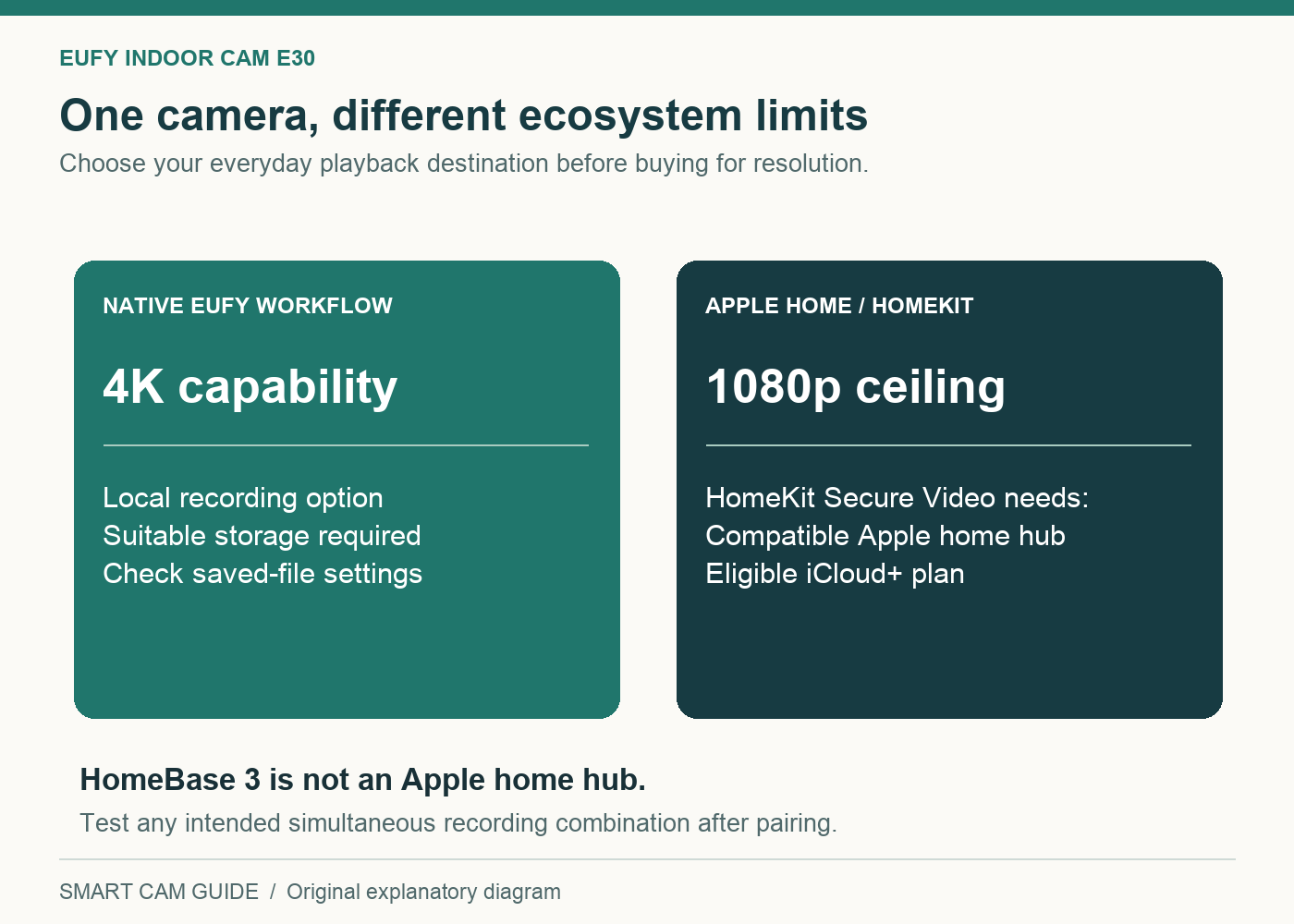
This does not make the camera’s higher resolution pointless. A household may want native-app footage for one task and Apple Home convenience for another. It does mean that an Apple-only buyer should evaluate the actual Home view and workflow rather than assuming the headline specification describes every output.
We would also avoid promising that every firmware and storage combination produces simultaneous native 4K and HomeKit 1080p recordings. If that combination is a requirement, verify the settings after pairing, export samples from the intended recording destinations and check their actual dimensions. A live-view quality menu alone is not proof of the saved file’s resolution.
eufy Indoor Cam E30 — white single-camera model
Check price on Amazon“No monthly fee” does not mean every cloud path is free
eufy’s local-recording proposition and Apple’s cloud service are different budgets. Using local storage without a eufy recording subscription does not make iCloud+ unnecessary for HomeKit Secure Video. Equally, an existing iCloud+ plan does not provide the camera’s separately purchased microSD card.
Apple currently describes the following HomeKit Secure Video camera allowances: one camera with the 50 GB plan, up to five with 200 GB, and unlimited cameras with 2 TB or higher plans. It provides the last 10 days of activity, and that camera footage does not count against the plan’s ordinary iCloud storage capacity. These are service terms checked on the research date, not a prediction that the terms will never change.
A compatible Apple TV or HomePod acting as the home hub handles the HomeKit Secure Video workflow. A eufy HomeBase 3 is a different device in a different system. Although the E30 supports HomeBase 3, purchasing one should not be treated as a substitute for the Apple hub required for Apple’s service.
Compare the cost you would actually add
- You already have the Apple hub and a sufficient iCloud+ plan: camera count may fit within what you currently pay. Check the allowance and existing cameras before assuming there is no additional plan cost.
- You have an iPhone but no home hub: include compatible hub hardware in the project budget if you want the full HomeKit Secure Video path.
- You want only local eufy recording: budget for suitable storage and choose the eufy workflow on its own merits. Apple cloud recording may add little to your goal.
- You want both local and Apple copies: price and test each path separately. Two apps do not automatically establish two complete archives.
We do not quote a fixed monthly rate here because plans and regions change. The useful comparison is camera + any missing hub + storage + the incremental subscription cost for your household.
Choose a room before choosing a specification
The Indoor Cam E30 needs a powered indoor position and 2.4 GHz Wi-Fi. Its motorized view and human/pet tracking can be attractive for checking a room. Rotation, however, is not the same thing as seeing every direction simultaneously. A subject behind the current view or an obstruction is a coverage question, regardless of the resolution label.
Make a simple room sketch: the doorway, the sofa or other blind spot, the pet’s usual area and the available outlet. Decide whether one rotating camera actually serves the activity you want to observe. If the central requirement is uninterrupted coverage of two separated doorways, two fixed views may be a clearer design than expecting one camera to look both ways at once.
Consider what the image should exclude as well. Aim away from private neighboring spaces or household areas that do not need monitoring. Discuss placement with the people sharing the room. Inspect both the eufy app settings and Apple Home permissions rather than assuming a privacy choice in one app necessarily changes every other recording path.
The built-in spotlight enables a color-night-vision option, but a light coming on can be undesirable in a bedroom or beside a sleeping pet. Check the actual room at night and choose the appropriate mode. Do not judge the purchase only from bright daytime live view.
Apple convenience does not guarantee identical controls
The manufacturer lists Apple HomeKit support, but that is not a promise that every native feature has a matching Apple Home button. Before committing, identify the actions you personally need: view a live image, retrieve an event, adjust the camera direction, talk through the speaker or use a particular detection category.
Some of those functions may belong to the native app or depend on the integration’s current implementation. We do not claim a fully tested control-parity matrix. A buyer who dislikes switching apps should make that a return-window acceptance condition, not discover it after permanently mounting the camera.
If your priority is sending a stream to an independent recorder instead of Apple’s ecosystem, read our Tapo C120 NAS/ONVIF guide. “Supports HomeKit” and “supports the recorder I own” are separate requirements.
A checklist before and immediately after buying
- Confirm the exact product. The listing should say Indoor Cam E30 and the selected pack/color should match your order.
- Choose your primary recording destination. Write down “eufy local,” “HomeKit Secure Video,” or the specifically tested combination.
- Inventory what you already own. Check Wi-Fi coverage, continuous power, the Apple hub and plan allowance, and storage accessories.
- Update through the official app. Follow the model’s current setup instructions and check for firmware updates before evaluating the integration.
- Check saved footage in each chosen destination. Find a known event, export where supported, and verify the quality and timestamp.
- Test household access. Confirm an invited person’s permissions and remote viewing with an authorized device, rather than sharing your main account password.
- Repeat at night. Check glare, spotlight behavior, motion coverage and whether the scene remains useful.
Common questions
Can I unlock 4K inside HomeKit with a larger iCloud+ plan?
The documented E30 HomeKit limit is 1080p. A higher plan changes the eligible camera count; it is not documented as a 4K upgrade for this camera in Apple Home.
Does HomeBase 3 replace the Apple home hub?
No. They serve separate systems. HomeBase compatibility should not be used as proof that Apple’s hub requirement is satisfied.
Can I use it without a eufy recording subscription?
The model supports local recording without a monthly eufy recording fee. You still need the appropriate storage, and choosing Apple’s cloud recording brings Apple’s plan and hub requirements.
Our recommendation
Shortlist the Indoor Cam E30 if you value Apple Home compatibility, want a flexible indoor view and accept the distinction between its native capability and HomeKit output. Pass if your non-negotiable requirement is 4K inside Apple Home or every native control available there. For a simpler comparison of basic indoor recording choices, see our Kasa versus Ring indoor guide.
eufy Indoor Cam E30 — verify 1-Pack White
Check price on AmazonResearch notes: eufy Indoor Cam E30 US product page; “Indoor Cam E30: Smart Home Integration”; eufy’s HomeKit and HomeKit Secure Video documentation; Apple’s “Store encrypted security camera footage in iCloud with HomeKit Secure Video.” Checked September 17, 2026. No hands-on image-quality or simultaneous-recording test is implied.