As an Amazon Associate I earn from qualifying purchases. If you buy through our links, we may receive a commission at no extra cost to you.
Wyze Cam v4 can record to a microSD card and play that local footage without a paid subscription. You need a working card, local recording enabled, continuous power and a properly set-up camera. The confusing part is that the app’s cloud Events feed is a different playback path: Wyze’s current support instructions say free Events show thumbnail images, while Event videos require an active service subscription.
Choose it without a plan if you are comfortable reviewing footage from a card in the camera. If you want cloud video backup or plan-dependent smart detections, include a subscription in the buying decision. This guide covers the fixed-view Cam v4, not Cam Pan v4, using US documentation checked September 16, 2026. We have not tested the current firmware ourselves.
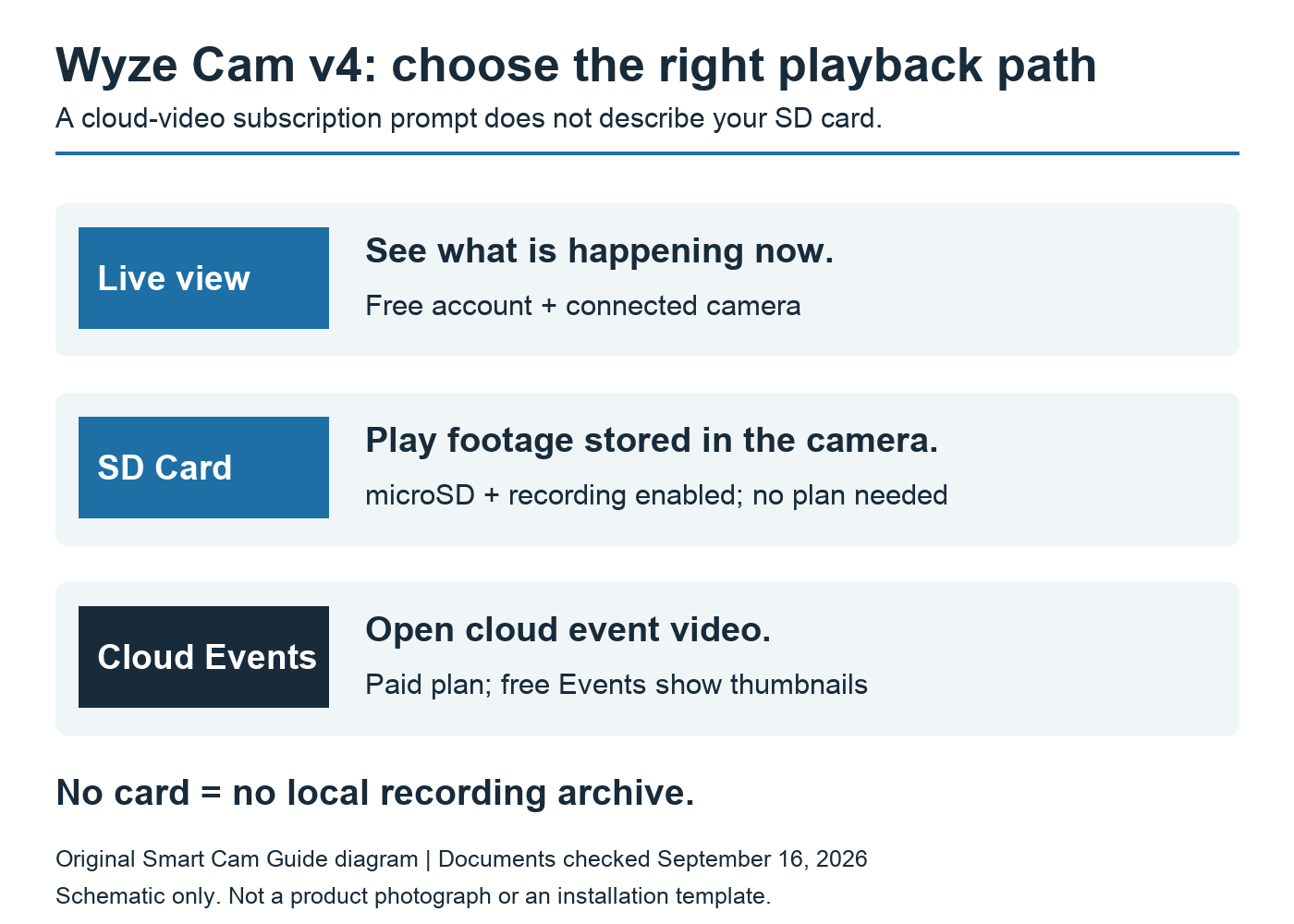
What you get, and what you do not
| What you want | Without a paid plan |
|---|---|
| Live view in the app | Available with a free account and connected camera |
| Local video history | Available with a microSD card and recording enabled |
| Cloud Event videos | Requires a service subscription; free Events show thumbnails |
| Person Detection and Fast Notifications on Cam v4 | Listed by Wyze as paid features |
“No subscription required” is therefore a useful but incomplete buying description. The card gives you a local archive. It does not turn every button in the app into a free cloud service, and it does not make an absent or failed card start recording.
Wyze’s Edge AI explanation specifically distinguishes the v4 from some other models: on-device processing does not mean the v4’s Person Detection is free. Do not carry a v3 Pro feature assumption across to this camera.
Use SD Card playback, not the cloud-video button
- Open the camera in the Wyze app to reach its live view.
- Select SD Card below the stream.
- Move along the recorded timeline to a time when recording was enabled.
- Return with Go Live when finished.
Those labels follow Wyze’s current microSD playback instructions. App versions can change their placement. A request to subscribe after opening a cloud Event video is not, on its own, evidence that local playback has become paid. Equally, finding the right SD screen is not proof that footage exists.
Separate two checks: first, are you in the local playback view; second, does that view contain a recording for the time you need? If it is empty, check card recognition, recording mode and the time selected before drawing a conclusion about subscriptions.
Choose the card conservatively: the documents disagree
There is a real capacity conflict. The Amazon listing and a Wyze Cam v4 product bundle page advertise up to 512 GB. Wyze’s Cam v4 technical-support page and its card-capacity guide updated June 12, 2026 list 256 GB for Cam v4; the latter lists 512 GB for Cam Pan v4.
Until Wyze reconciles those statements for your hardware and firmware, our conservative purchase choice is a suitable recording card of 128 or 256 GB. Do not buy a 512 GB card solely on this article’s recommendation. The one-camera Amazon option linked here is not the manufacturer’s 32 GB card bundle; budget for the card separately unless the selected package explicitly includes one.
Capacity also does not promise a fixed number of retained days. Recording settings and the actual stream determine storage use. After setup, check the oldest available footage over several days and decide whether your chosen recording mode gives the history you need.
Continuous versus events-only local recording
Wyze’s local-playback guidance supports Continuous and Events Only recording choices. Continuous recording is the better starting point when you want to review what happened before and after a detected movement. Events-only recording makes more sense when you prefer a shorter local history to browse and accept that recordings depend on detection.
Neither choice makes the cloud feed free. Think of the recording mode as what gets written onto the card; think of the subscription as a separate service decision. This distinction also helps when comparing another indoor camera, such as the one in our Kasa EC70 local-recording guide.
Run a small acceptance check before relying on it
- Confirm the app recognizes the card and the intended local recording mode is enabled.
- Make a brief, ordinary movement in view, note the time, and later find it through SD Card playback.
- If using Continuous mode, also inspect a quiet interval rather than only a triggered event.
- Save a short sample you may need to keep and confirm it is usable. Preserve any important footage before formatting or replacing a card.
A card stored inside the camera is not an independent backup if that camera is removed or damaged. No subscription also does not mean no internet or account is needed: setup and normal remote app use rely on connectivity. We are not promising an offline-only system or uninterrupted recovery after a power outage.
For a porch or exterior position, settle the power route before buying: our Wyze Cam v4 outdoor-power guide separates the weather-resistant body from its adapter requirements.
Sources and scope
Wyze: Do I need a subscription; Cam v4 Event-video troubleshooting (April 27, 2026); microSD playback instructions (March 4, 2026); card-capacity guide (June 12, 2026); Cam v4 Tech Specs; Edge AI explanation; Cam v4 product bundle and US Amazon B0CJ9YX7DG. Checked September 16, 2026. No hands-on recording, alert-latency or reliability test is claimed.
Local playback is only the first part of keeping an important event. Before relying on the card, practice preserving Wyze Cam v4 footage as an independent playable copy. Keep original files and verify the copied interval before formatting or reusing a card; camera theft can also remove its only local copy.