
Do You Really Have to Pay Every Month for a 4G Camera?
It’s one of the most common questions people ask — right before deciding whether to buy one.
You finally find a security camera that actually works without WiFi.
It uses 4G. It fits your car. It solves your problem.
👉 And then you notice something:
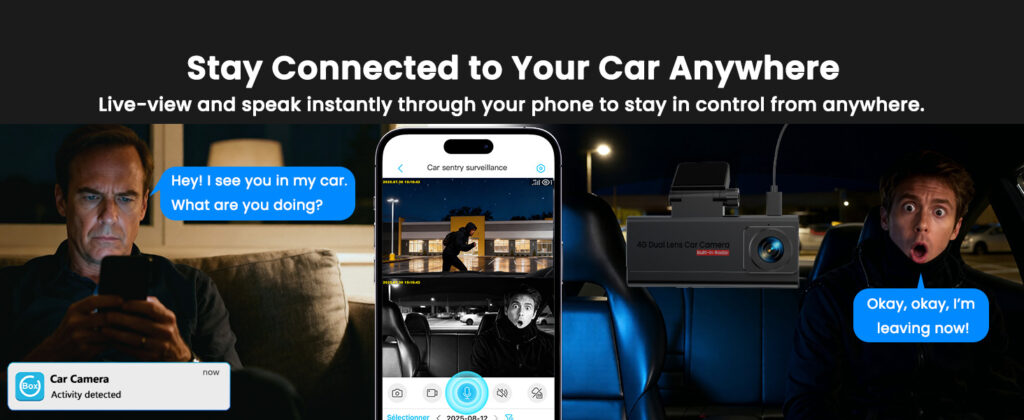
Real-time remote access is what makes 4G cameras different
That’s usually the moment people pause.
Do I really have to pay every month?
Or is this just another hidden cost?
The short answer is simple:
👉 Yes — but not for the reason most people think.
A 4G security camera works more like a phone than a traditional camera.
It needs a SIM card and mobile data to send alerts, stream live video, and stay connected wherever your car is parked.
In other words, you’re not really paying for the camera —
👉 You’re paying for the connection that makes it actually work
If you’ve ever wondered why WiFi cameras fail in real parking situations:
👉 Do Security Cameras Work Without WiFi? →This is also why most people searching for car security cameras that work without WiFi eventually end up choosing 4G systems.
👉 So the real question isn’t whether you pay — it’s what you’re actually paying for.
Do 4G Security Cameras Require a Subscription?
Yes — but not always in the way people expect.
👉 You’re not paying for the camera — you’re paying for the connection
A 4G security camera doesn’t rely on WiFi. Instead, it connects through a mobile network using a SIM card — just like your phone.
That connection is what allows the camera to actually function as a remote monitoring system.
- ✔ Send motion alerts in real time
- ✔ Let you view live footage remotely
- ✔ Upload or access recorded video
- ✔ Stay connected wherever your car is parked
If you remove the data connection, the camera doesn’t just “lose internet” —
👉 It loses the features that make it useful
✔ What you’re actually paying for
There are usually two different types of “subscription”:
- Mobile data (required): allows the camera to connect and send alerts
- Cloud storage (optional): used for storing footage online
👉 Most people only need the first — and that’s often much cheaper than expected
This is where many buying decisions go wrong.
👉 People assume “subscription” means expensive — but in reality, it depends entirely on the setup you choose
If you’re unsure how these systems work without WiFi, start here:
👉 Do Security Cameras Work Without WiFi? →This is also why most people looking for car security cameras without WiFi or complete 4G monitoring systems focus more on reliability than just price.
👉 The real cost isn’t the subscription — it’s whether your camera actually works when you need it
What You Actually Pay for a 4G Security Camera
Once you break it down, the cost is simpler — and usually lower — than most people expect.
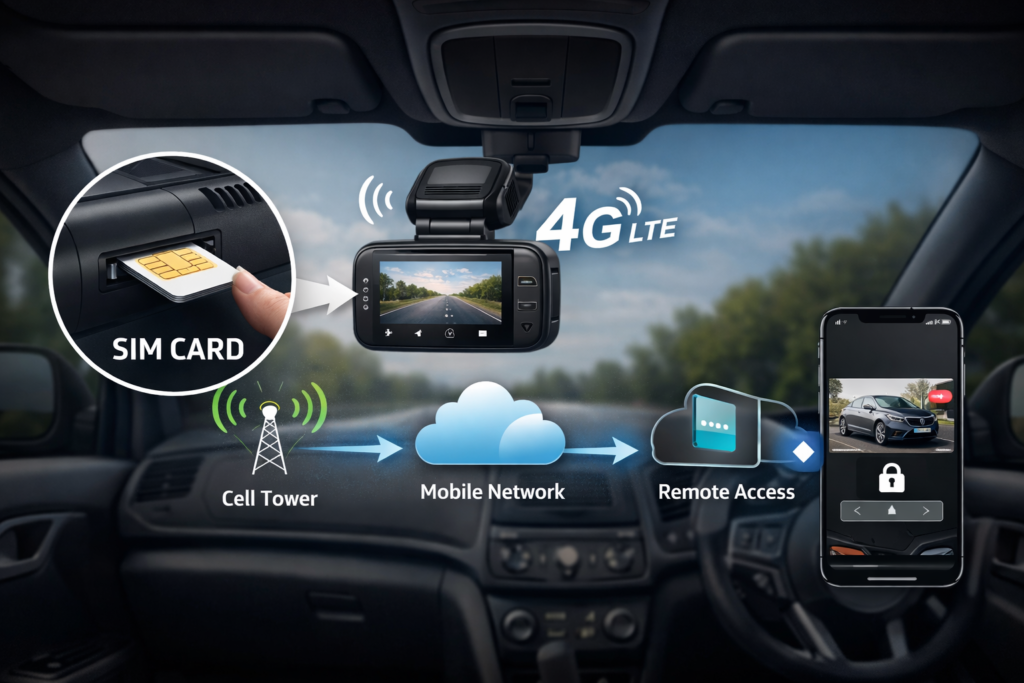
A 4G camera works through a SIM card — just like a phone
1. Mobile Data Plan (Required)
This is the only cost you can’t avoid.
A 4G camera uses a SIM card to send alerts, stream video, and stay connected — just like your phone.
2. Cloud Storage (Optional)
Some cameras offer cloud plans to store and review footage online.
But this is usually optional — many cameras support SD card storage instead.
3. The Camera Itself (One-Time Cost)
This is the upfront purchase. Once installed, the only ongoing cost is the data connection.
💡 What this really means
In many cases, keeping your camera connected costs less than a coffee per week — but it gives you full visibility of your car 24/7.
In simple terms:
👉 You’re paying a small monthly fee so your camera actually works everywhere
Compared to the cost of a break-in, theft, or hit-and-run damage, this is a very small trade-off.
👉 The real difference isn’t the cost — it’s whether your camera still works when something happens
If your camera has ever stopped working unexpectedly:
👉 Why 4G Security Cameras Stop Working →This is why choosing the right setup matters more than just looking at price.
👉 See reliable 4G cameras that actually work in real conditions
Why “No Subscription” Cameras Don’t Work the Way You Expect
This is where most people get misled — and why many end up buying a camera that doesn’t actually protect their car.
❌ “No subscription” means no ongoing cost
In reality, these cameras still need a connection — they just don’t include it. Without WiFi or mobile data, most features simply stop working.
❌ You can monitor your car remotely for free
Remote access always requires a network. No WiFi + no data plan = no alerts, no live view, no remote access.
❌ A one-time purchase covers everything
The camera is only the hardware. The connection — which makes it actually useful — is a separate system.
Once you separate these two things, everything becomes clear:
👉 A camera records — but a connection makes it a security system
✔ What’s actually happening
A security camera is just hardware.
But real protection — alerts, live view, remote access — depends entirely on the network.
👉 And networks always have a cost (either WiFi or mobile data)
Think of it like your phone:
Without a data plan, it still works — but only offline
The same applies to security cameras.
👉 “No subscription” usually means “no real remote monitoring”
Want to understand your options more clearly?
• See how cameras work without WiFi
• Compare portable vs 4G cameras
So the real question isn’t “Can I avoid a subscription?”
👉 It’s whether your camera still works when your car is unattended
Best 4G Car Cameras (Real Cost + What You Actually Get)
Not all 4G cameras are the same — and the difference shows up when your car is parked and unattended.
💡 About the monthly cost
Most 4G cameras require a small data plan — similar to a basic phone SIM.
👉 Typically around $3–$10/month depending on usage
ENTRY LEVEL
LAMTTO 4G Camera
A simple starting point if you want to try 4G monitoring without a high upfront cost.
- ✔ Basic 4G connectivity
- ✔ Lower initial cost
- ✔ Suitable for light or occasional use
BEST OVERALL (MOST RECOMMENDED)
Veralyxa 4G LTE Car Camera
This is the option most people end up choosing after comparing — because it balances reliability, usability, and cost.
- ✔ Stable 4G connection for real-time monitoring
- ✔ Instant alerts when motion is detected
- ✔ Works anywhere without WiFi
- ✔ Reliable for overnight parking
FocuWay 4G Camera (Balanced Option)
A middle-ground choice if you want something more stable than entry-level without going premium.
- ✔ Reliable monitoring performance
- ✔ Good for daily + overnight use
- ✔ Easy to set up
Volam 4G Camera (Advanced Use)
Better suited for users who want more consistent performance over longer unattended periods.
- ✔ Works well for extended parking
- ✔ Stable 4G connection
- ✔ More suited for continuous monitoring
How to Choose the Right 4G Camera Setup (Without Overpaying)
Once you understand how these systems actually work, the decision becomes much simpler — and much harder to get wrong.
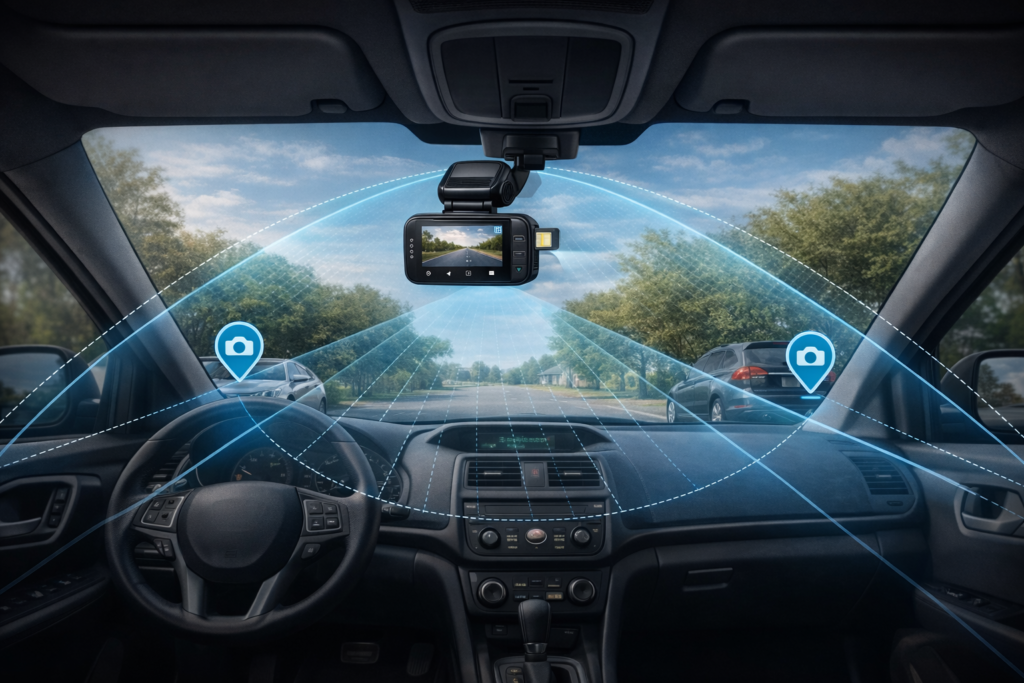
Placement matters: coverage + positioning directly affect real-world performance
For car monitoring, the goal isn’t complexity —
👉 It’s choosing a system that actually works when your car is unattended
Follow this simple 3-step decision path:
✔ What actually matters in real use
A simple, stable setup will protect your car far better than a feature-heavy camera that fails when you need it most.
⚠️ Common mistakes to avoid
- Choosing WiFi-only cameras for outdoor parking
- Paying for large data plans you don’t need
- Using setups that stop working when the car is off
Still unsure which setup fits your situation?
If you want real protection — not just recording —
👉 You need a camera that stays connected overnight
👉 See Real 4G Camera Options →Tested setups that work in real parking situations
Common Questions Before You Decide on a 4G Camera
These are the key questions most car owners ask right before choosing a 4G security camera — and the answers will help you pick the right setup without wasting money.
Can I use a 4G security camera without paying monthly?
Not for full remote monitoring. Without a mobile data plan, the camera cannot send real-time alerts or stream live video. Local recording may work, but you won’t know what happens while away from the car.
What’s the cheapest way to run a 4G camera?
Most users only need a small data plan for motion alerts and short clips. Even the lowest-tier plan is usually sufficient — unlimited data is rarely necessary.
Is a 4G camera worth it compared to WiFi cameras?
If you want your car monitored outside your home network, yes. WiFi-only cameras fail when the connection drops. Check out our full comparison here: 4G vs WiFi security cameras for cars .
What happens if the mobile signal is weak?
Alerts may be delayed, and uploads can fail. This is almost always a signal issue, not a camera problem. Learn more about how to avoid this: why 4G cameras sometimes stop working .
After reviewing these questions, the answer is clear:
👉 A 4G camera without a data plan is like a phone without service — it simply cannot do what it was designed to do.
Ready to choose a 4G camera that actually works for your car?
👉 See the Best 4G Cameras for Car Monitoring →Real-world tested options, reliable connection, easy setup
Disclosure: As an Amazon Associate, we earn from qualifying purchases. This comes at no extra cost to you. We only recommend products based on real use cases, research, and user feedback.
Pingback: Best 4G Car Camera for Street Parking (Real-World Test: What Actually Works Without WiFi)
Pingback: 4G vs WiFi Security Cameras for Cars: What Actually Works in Real Life (2026 Guide)
Pingback: Best Camera for Parked Car Overnight (Real-World Test: 4G vs Portable Cameras)