By Smart Cam Guide
As an Amazon Associate I earn from qualifying purchases. Purchases through our links may earn us a commission at no extra cost to you.
On the VIOFO A229 Plus, a missing front-camera 60fps option can reflect HDR or the connected channel combination rather than a faulty camera. Compare the exact configuration with its manual before resetting the system, replacing the card or disconnecting a useful camera.
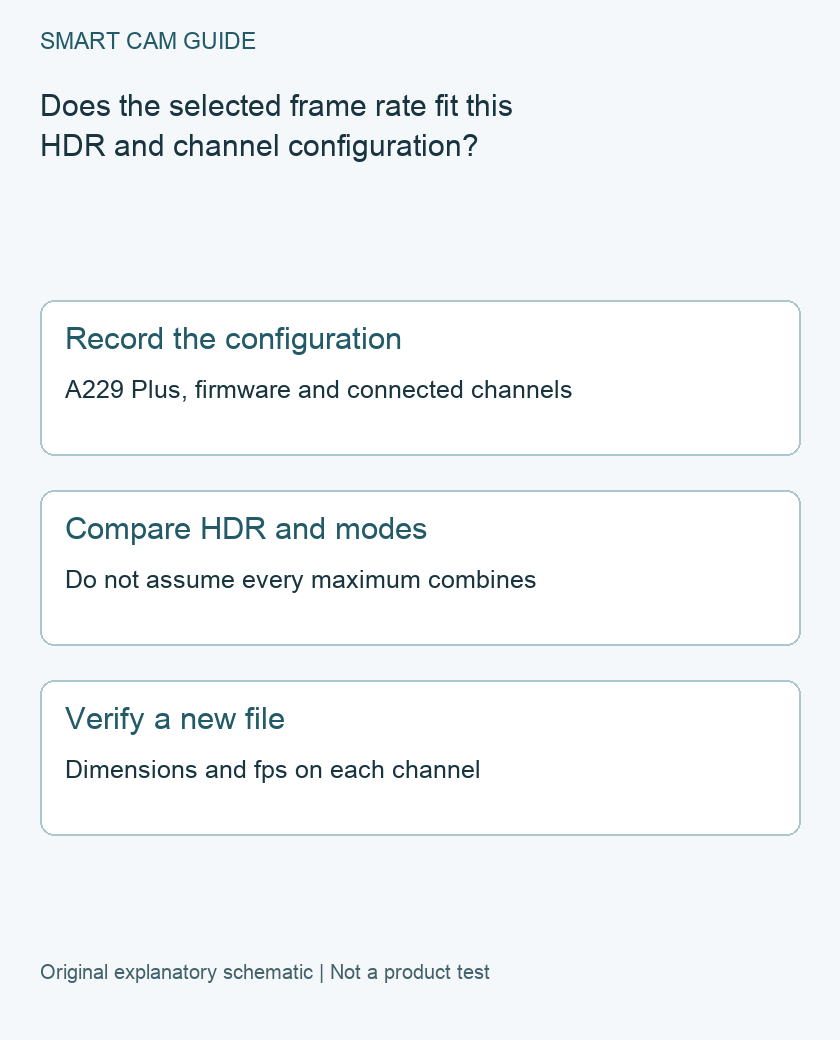
The manual’s limits belong together
The current English manual linked from VIOFO’s official directory states that front 1440p at 60fps is unavailable with HDR enabled; enabling HDR changes the frame rate to 30fps. Its resolution table also separates one-, two- and three-channel arrangements. The two-channel options differ according to the connected rear or interior camera, and the three-channel table lists a different set of combinations.
Do not combine a single-channel maximum, a different camera’s menu and HDR into a configuration the table does not list. A229 Plus is also not A229 Pro or A229 Ultra. Similar names do not make manuals or firmware interchangeable.
Write down what is actually installed
- Main unit: exact model and displayed firmware version.
- Other channels: rear, cabin, waterproof rear or telephoto hardware identifiers, as applicable.
- Current settings: resolution combination, HDR mode and whether the observation is from normal driving or parking recording.
- Observed result: the menu option shown and the properties of an original file recorded under it.
Keep one original sample from each active channel before changing settings. Do not format the card as part of this comparison. If footage needs preserving, copy and verify it first.
Make the change while safely parked
VIOFO’s manual says to stop recording before entering settings. With the vehicle safely parked, inspect the available options for the connected system. Compare the HDR state with the frame-rate limit instead of assuming a missing choice must be unlocked by an accessory.
If you deliberately compare HDR off with HDR on, change only the relevant setting, save it and resume recording. Do not remove a cabin or rear camera merely to reproduce a screenshot from a single-channel review. Coverage you need is part of the decision, not an inconvenience to discard for a larger number.
Treat Auto and parking settings as additional context
VIOFO’s historical V1.3 release notes describe rear HDR following the front Auto timer and separate parking HDR controls. They are evidence of version-dependent behavior, not a claim that V1.3 is today’s latest firmware or a promise that every menu automatically restores 60fps at a particular time.
If the result differs across day and night or driving and parking, record both contexts. Check the instructions matching your installed version. This guide does not perform a firmware update, recommend a downgrade or infer that an old forum sequence is still supported.
Verify the newly saved recording
After resuming recording, obtain a new original file from every installed channel. Check its dimensions and frame rate with a player or file-information tool that reports those properties. Do not use an older clip or a social-media transcode as the only evidence of the new setting.
Then compare whether the available combination serves your actual need. A menu label alone does not prove better readable plates, low-light detail or complete coverage. We have not road-tested these settings. If a documented combination remains unavailable, send VIOFO the model, firmware, channel list and relevant menu record before ordering replacement hardware.
Buying option: match the exact product
If you are buying an A229 Plus system, compare the exact two-channel package here. Verify camera channels, included accessories and current firmware information before ordering. An existing camera switching frame rate with HDR does not by itself require replacement; hardwire accessories are a separate choice.
VIOFO A229 Plus 2-channel dash camera
Check VIOFO A229 Plus 2-channel dash camera details on Amazon
Product link and model mapping reviewed November 4, 2026. Check the selected model, package, seller and current offer before ordering. No live price, stock or delivery is asserted.
Related guides
- VIOFO A229 Plus Parking Mode: Is the HK4 Kit the Right Buy?
- Best 3 Channel Dash Cam in 2026: Front, Rear and Inside Recording Compared
- Best 4K Dash Cam in 2026: What Actually Matters for Clear License Plates and Night Driving?
Sources and research scope
Reviewed November 2, 2026. VIOFO current official manual directory; VIOFO A229 Plus English Manual, exact case-sensitive current link, printed pages 35–36; VIOFO firmware V1.3 historical release notes: HDR and channel controls. This is document-based guidance by Smart Cam Guide. The decision worksheet and proposed owner checks are editorial recommendations, not hands-on test results. Exact model, hardware revision and current instructions govern where details differ.
For reflected dashboard glare, use our A229 Plus front CPL fitting and comparison checklist. Follow the physical alignment marks and compare original files separately from HDR menu changes.
For sound-related settings, use our A229 Plus voice-control, notification and audio-recording checklist. Camera announcements and sound saved in a clip are separate checks.