By Smart Cam Guide
As an Amazon Associate I earn from qualifying purchases. Purchases through our links may earn us a commission at no extra cost to you.
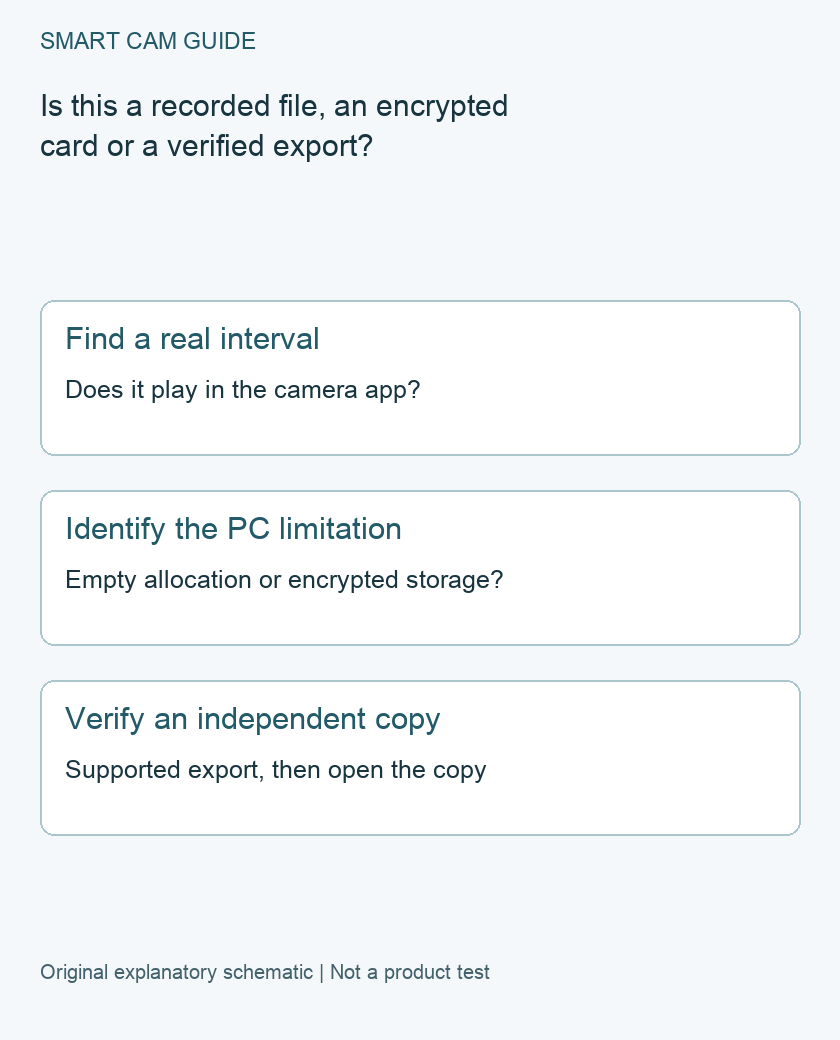
A Tapo microSD entry that will not open on a computer is not automatically a lost recording. First identify a known recorded interval in the app, check whether card encryption applies and verify a supported export. Empty allocated entries, encrypted storage and an independently playable video are different things.
Start with one time that should contain footage
Write down the camera, date, time and selected local-storage playback route. Try to play that interval in the Tapo app before diagnosing a file found in a card reader. A cloud-event thumbnail is not proof that the same interval exists on the microSD card.
If the original interval matters, prioritize preservation. Do not format the card, delete unfamiliar entries or run a repair utility simply because a computer asks you to fix a drive. If the card appears to be failing and the footage is irreplaceable, stop repeated experiments and seek appropriate recovery help.
Why an allocated entry can look like a video
TP-Link’s FAQ describes multiple numbered entries created when the app formats a card, using names that end in a pattern such as tp00001.mp4. It says empty entries cannot be played because they contain no recording yet and are filled as recordings are made.
A familiar extension therefore does not establish useful footage. Match your check to a known time rather than selecting a random entry and concluding the entire card is unreadable. Our full-card guide addresses whether new intervals are being saved and old intervals reused; this page addresses the separate computer-access question.
Check model-dependent encryption
Tapo’s SD Card Encryption FAQ, updated September 29, 2026, says encrypted recordings are viewable through the Tapo app. Support varies by model. Check the exact camera and whether encryption is enabled before treating a PC’s inability to play the card as corruption.
The FAQ describes a controlled original-camera process for using a card elsewhere and password-based access on another supported Tapo camera. This is not a universal promise that any card reader can decrypt it. Preserve access to the original camera and your private recovery information; do not publish passwords in a support screenshot.
Do not disable encryption as a routine playback fix. It protects footage if the card is removed. If a change is genuinely necessary, understand its privacy and data consequences with the current product instructions before proceeding. Formatting is destructive, not an export method.
Use the supported export route when available
TP-Link’s app FAQ describes Playback and Download, selecting a recorded video and downloading it. For microSD downloads it says the phone and camera should be on the same Wi-Fi network. It distinguishes the app’s Download area from saving a copy to the phone’s photo library.
After export, open the saved copy independently and check the beginning, end and needed content. Record its filename, camera and original interval. A successful button press, thumbnail or progress bar does not establish that the final copy is playable on the device where you need it.
A three-result comparison
- App playback works and the export plays: keep the verified copy; a direct-reader limitation is a separate issue.
- App playback works but the export does not: record the export route, app version and destination before trying unrelated storage changes.
- The expected interval does not play in the app: investigate recording, storage status and schedule rather than assuming a PC codec explains everything.
Use one interval and one camera for the comparison. Changing the card, formatting it and changing the recording schedule together destroys the ability to tell which condition mattered.
Before buying another card
A replacement is not established as necessary merely because an encrypted card or an empty allocated entry will not play on a computer. Check the required export workflow and preserve any needed footage first. If replacement is recommended after diagnosis, use the exact model’s supported requirements and the related endurance guide. We have not recovered this card, tested encryption or validated a guaranteed evidence-retention process.
Buying option: match the exact product
For a new local-storage installation, compare this C120 option and match a separately selected compatible microSD card to its current hardware instructions. Buying another camera will not decrypt or restore existing files from a different device; confirm export and playback before relying on the setup.
Tapo C120, white, one camera
Check Tapo C120, white, one camera details on Amazon
Product link and model mapping reviewed November 4, 2026. Check the selected model, package, seller and current offer before ordering. No live price, stock or delivery is asserted.
Related guides
- Tapo C120 microSD Card Full: Loop Recording or a Recording Fault?
- Tapo C120 Sends Alerts but Has No Recordings: A Decision Tree
- High-Endurance microSD for Security Cameras: Capacity Is Not Lifespan
Sources and research scope
Reviewed October 31, 2026. TP-Link US Tapo Cameras Setup Features and Settings FAQ2742, playback/export and card sections; Tapo US SD Card Encryption FAQ, September29 2026 update. This is document-based guidance by Smart Cam Guide. The decision worksheet and proposed owner checks are editorial recommendations, not hands-on test results. Exact model, hardware revision and current instructions govern where details differ.