By Smart Cam Guide
As an Amazon Associate I earn from qualifying purchases. Purchases through our links may earn us a commission at no extra cost to you.
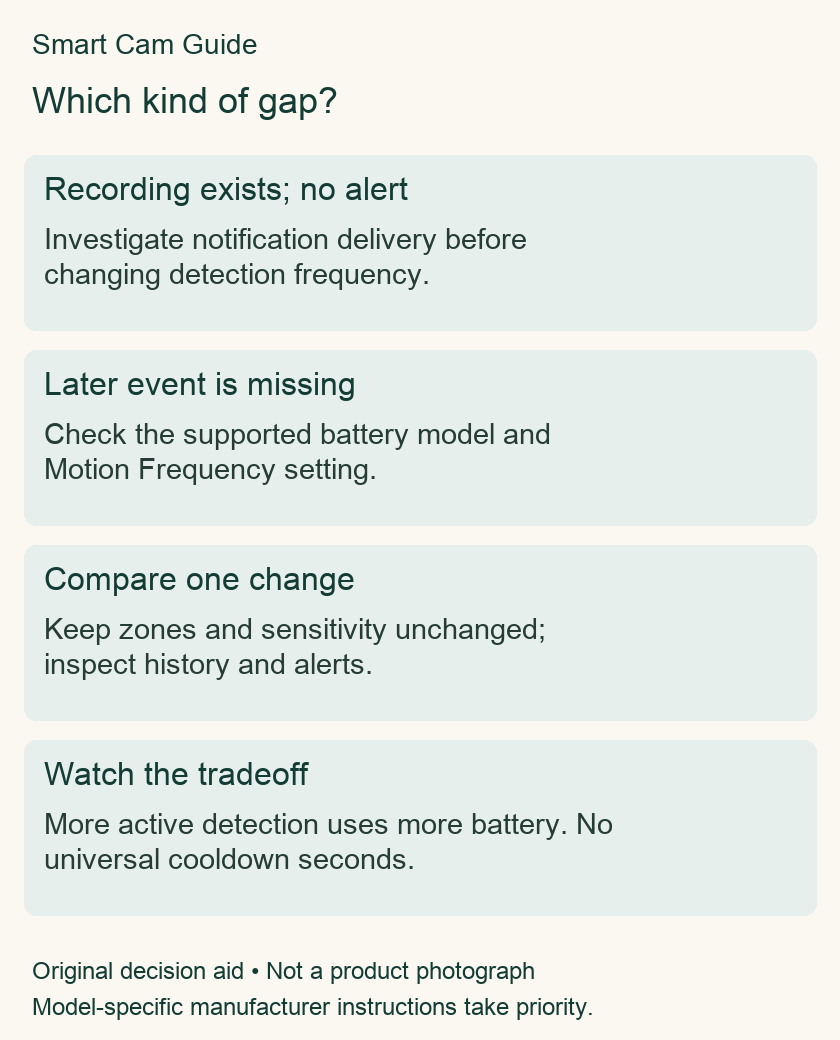
On a supported battery-powered Ring device, Motion Frequency changes the breaks between motion detections. It is worth checking when a first approach is detected but another nearby event is missing. It is not a guarantee that every event will be captured, and it is not the same control as motion sensitivity.
The three choices
Ring describes Frequently as keeping detection active, Regularly as taking a short break after an alert, and Periodically as taking a longer break. The battery tradeoff runs in the opposite direction: more active detection uses more power. The guide does not give a universal number of seconds for those breaks.
Check whether your exact device exposes the setting under Motion Settings and Advanced Settings. Do not assume that every wired or battery model has the same controls. Power accessories also do not justify assuming a camera now behaves like a different hardware family.
Before changing it, ask what is actually missing
| Observation | First investigation |
|---|---|
| A recording exists, but the phone did not alert | Phone/app notification settings and alert controls. |
| The first event records, a later approach does not | Frequency is one plausible setting to investigate. |
| No motion events appear at all | Device connectivity, detection state, zones and recording arrangement. |
| You need the entire interval between events | Assess recording capability; this control is not continuous recording. |
Use a controlled comparison
Choose a permitted area on your own property and note the camera, current battery reading, current setting and observation time. Keep zones and sensitivity unchanged while evaluating frequency. Record an initial approach and a later separate approach, then inspect event history as well as phone alerts. Do not test by entering someone else’s private area.
If you change zones, sensitivity and frequency together, a better result will not tell you which change mattered. Keep the comparison simple. Write down missed events as well as successful ones; a single success is not proof that the issue has disappeared.
Choose by the consequence of the gap
For a busy entrance where successive approaches matter, Frequently is a reasonable setting to evaluate if battery use is acceptable. In a quieter area where charging access is difficult, compare the other settings against the actual events you need. These are conditional starting points, not a ranking of image quality.
Track battery over a comparable period and similar activity. One unusually busy day is a poor comparison with a quiet week. If the feature increases charging demand, decide whether the additional recorded events justify that cost in your installation.
Illustrative check: if the arrival appears in event history but the phone stays silent, frequency is not the first setting to blame. If a separate later approach has no event entry, investigate detection and its other dependencies. This example describes a decision method, not an observation from our own test.
What it cannot fix
Frequency does not correct a badly placed camera, an excluded area, a connectivity problem or a missing recording entitlement. It also does not add earlier footage to a clip, extend live viewing or turn snapshots into continuous video. Use the separate Pre-Roll, Live View and snapshot guides for those needs.
Keep a short test log
Date/time: ____; exact model: ____; setting: ____; battery before/after: ____; event history result: ____; notification result: ____; other settings unchanged: yes/no. Use several ordinary observations before deciding to keep or revert a change. This is a suggested owner check, not a test we performed on your camera.
Purchase check after the diagnosis
If you are choosing a battery Ring camera for an area where successive events matter, confirm that the exact Spotlight Cam Plus package and its current app settings fit the plan. This destination is reused from our existing battery guide without a live price or availability claim.
Ring Spotlight Cam Plus Battery — exact model used in the existing battery guide
Check current Ring Spotlight Cam Plus details on AmazonRelated guides
- Ring Live View Stops at 10 or 30 Minutes: Which Mode Do You Need?
- Ring Advanced Pre-Roll: What the Six Seconds Before Motion Mean
- Does Ring Motion Snooze Stop Recording? Alerts vs Capture
- Ring Snapshot Capture vs Video: What the Timeline Actually Saves
- Ring Spotlight Cam Plus: Two Battery Slots vs a Two-Camera Pack
Research scope
Prepared from manufacturer documentation checked October 20, 2026. This is a document-based guide, not a hands-on product test. Model-specific instructions take priority.
If the problem is where a saved motion clip ends, use the Video Recording Length and early-stop checklist. Event duration, re-detection frequency, pre-roll and Live View limits are separate timing questions.