By Smart Cam Guide. Research checked September 29, 2026. This is a document-based buying guide, not a hands-on test.
Disclosure: As an Amazon Associate I earn from qualifying purchases.
Tapo currently lists C120 V1 as compatible with its H200 and H500 camera hubs. For C120 owners, the important distinction is capacity: H200 supports up to four connected cameras and four continuous recordings; H500 supports up to sixteen connected cameras, but still only four continuous recordings at once. Buying the larger hub does not create sixteen uninterrupted C120 timelines.
Which hub should a C120 owner buy?
For one C120, start by asking whether you need a hub at all. The camera supports recording to its own microSD card, so a hub is an optional way to move supported recording into a central Tapo device. For up to four compatible C120 cameras recording continuously, H200 can meet the camera-count requirement. H500 becomes more interesting for expandable drive storage, additional event-recording cameras or its monitor-viewing features.
If your plan is six C120 cameras all recording continuously, neither a single H200 nor a single H500 is the right complete purchase. Count simultaneous continuous streams before choosing storage capacity.
Check the Tapo H200 hub on Amazon
Check the Tapo H500 hub on Amazon
Check the camera revision first
Tapo’s US compatibility matrix specifically lists C120 V1 and instructs users to update the camera and hub firmware. Check the hardware version in the camera’s Device Info or on its label, then match it to the current matrix. “C120” in a retailer title alone does not confirm the revision of the unit you will receive.
The camera listing below is the white, single-camera C120 configuration we checked. We verified the model and live purchase option, not the hardware version inside a delivered box. If hub compatibility is the reason for the purchase, confirm that revision before committing to the hub setup. Tapo’s H100 and H110 sensor hubs are not substitutes for these camera-recording hubs.
Check the white Tapo C120 camera configuration
Connected cameras versus continuous recordings
| Capacity or storage | H200 | H500 |
|---|---|---|
| Connected C120 cameras | Up to 4 | Up to 16 |
| Simultaneous continuous recordings | Up to 4 | Up to 4 |
| Storage in the hub | microSD, up to 512 GB; card sold separately | 16 GB built-in eMMC, with less space usable |
| Expansion | Choose a supported microSD card | One 2.5-inch SATA HDD or SSD, up to 16 TB; drive sold separately |
| Best reason to consider it | A small central recording setup | More storage options or more connected cameras using a mix of continuous and event recording |
On a phone, swipe the table sideways to see every column.
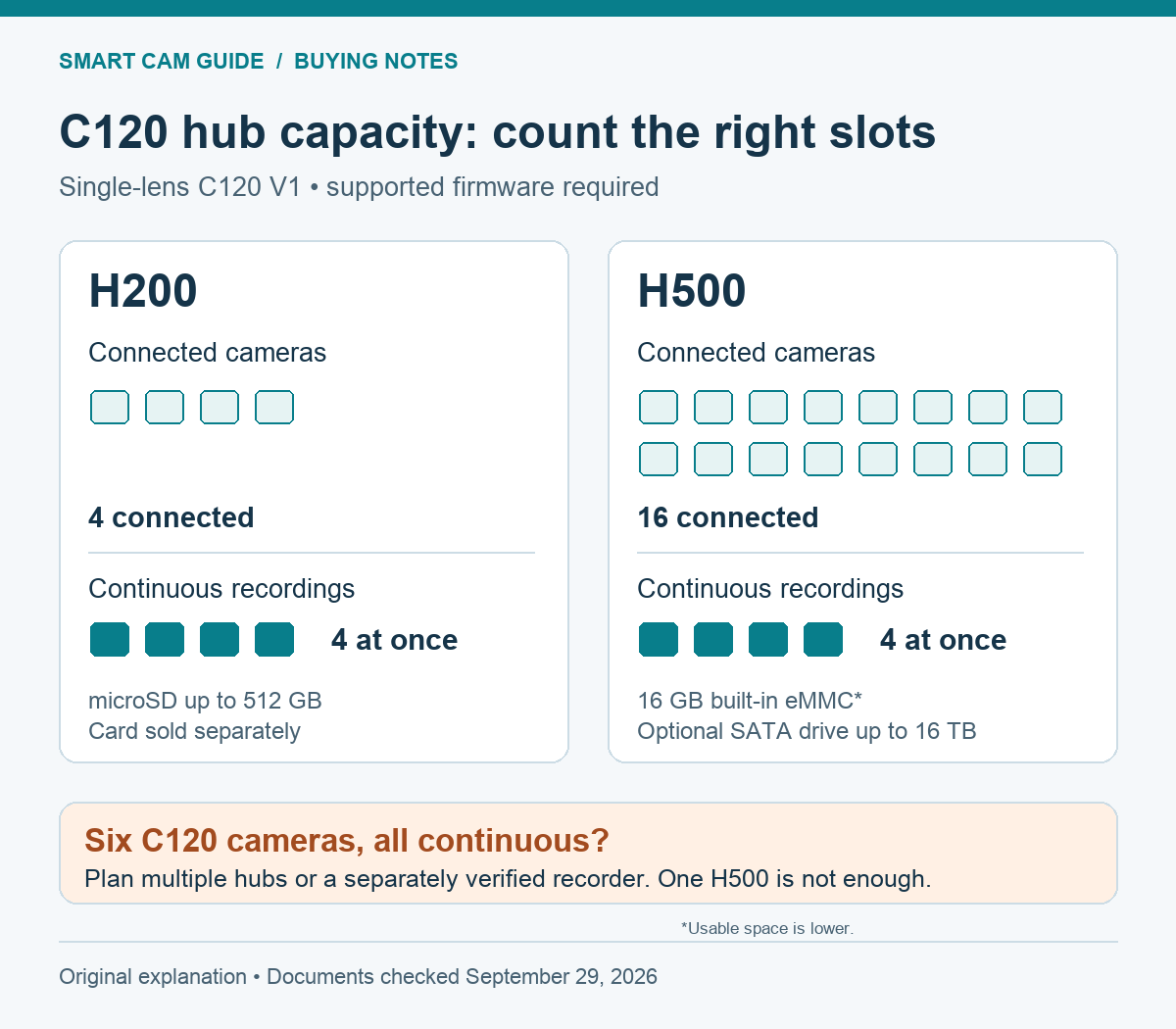
These counts use Tapo’s hub camera-limit FAQ: H200 is shown as 4 connected cameras with 4 able to record continuously, and H500 as 16 with 4. The current H500 product footnote also limits continuous recording to four cameras. A store comparison article describes the H500 more broadly as recording sixteen continuously; we follow the explicit capacity table and product limitation when sizing a purchase.
The numbers here are for C120 cameras. Some dual-lens models consume two H200 connection slots, so do not reuse a four-C120 plan unchanged for a mixed-model system. Battery-camera recording modes also have their own rules; this comparison concerns powered C120 continuous recording.
Plans for one, four or six cameras
| Your intended system | A workable direction | The reason |
|---|---|---|
| 1 C120, no need for central storage | Camera microSD may be enough; no hub required | Avoid buying a hub to obtain a feature the camera already offers. |
| 4 C120 cameras, all continuous | H200 plus a supported card, or H500 plus sufficient storage | Both meet the current four-stream continuous limit. |
| 6 C120 cameras, 4 continuous and 2 event-only | H500 can fit the connection and continuous-stream counts | The two event-only cameras do not have uninterrupted timelines. |
| 6 C120 cameras, all continuous | Plan multiple compatible hubs, for example 4 + 2, or a separately verified recorder | One H500 does not meet the six-continuous-stream requirement. |
On a phone, swipe the table sideways to see every column.
Tapo allows multiple hubs in an account, but an individual camera connects to only one hub at a time. In a four-plus-two layout, assign each camera to one hub and include storage for both hubs in the budget. Do not count the same camera as simultaneously pooled across them.
A NAS or other recorder can be an alternative, but it has its own camera compatibility, channel licensing and stream limits. Read our C120 RTSP and ONVIF recorder guide before treating it as a simple replacement. Hub capacity and third-party recorder capacity are separate purchasing questions.
Storage and setup costs
An H200 listing that says “512 GB” describes supported card capacity, not a supplied 512 GB card. The selected standalone hub needs a separate recording card. H500 includes 16 GB of eMMC, with usable capacity reduced by the system; the large-drive capacity advertised for it requires buying and installing a compatible drive.
Do not convert “up to 16 TB” into a fixed number of recording days without a recording plan. Camera count, actual bitrate, recording schedule and storage available to recordings all matter. Four continuous cameras and four occasional event cameras can use the same nominal drive very differently. We have not measured retention on either hub.
For continuous hub recording, Tapo’s capacity guidance recommends an Ethernet connection for the hub. Include a suitable location with power and a network connection in the plan. During setup, update firmware, pair the exact supported cameras, configure the intended recording schedules and storage, then play back footage from every camera. Confirm the event-only cameras are deliberately event-only.
What a hub purchase does not prove
Central storage can put recordings in a different physical location from the camera, but that alone is not proof of an automatic backup, simultaneous camera-card recording or theft-proof evidence. Do not assume a feature simply because both a card and a hub are present. Verify the supported settings and your playback path on the installed system.
A hub also does not supply power to a C120 or settle what happens during every network failure. For that different question, see our C120 internet-outage recording guide. A successful live view is only one check; a saved, playable recording from each intended channel is the acceptance test that matters here.
Research basis: Tapo US hub compatibility FAQ, hub camera and continuous-recording limit FAQ, H200 and H500 specifications and package details, C120 specifications, and the selected US Amazon listings. Checked September 29, 2026. The C120 appeared in Amazon’s relevant security-camera Best Sellers list; optional hubs were checked separately. This is a documented capacity comparison, not a hands-on reliability or video-quality test.