
Do You Really Have to Pay Every Month for a 4G Camera?
It’s one of the most common questions people ask — right before deciding whether to buy one.
You finally find a security camera that actually works without WiFi.
It uses 4G. It fits your car. It solves your problem.
And then you notice something:
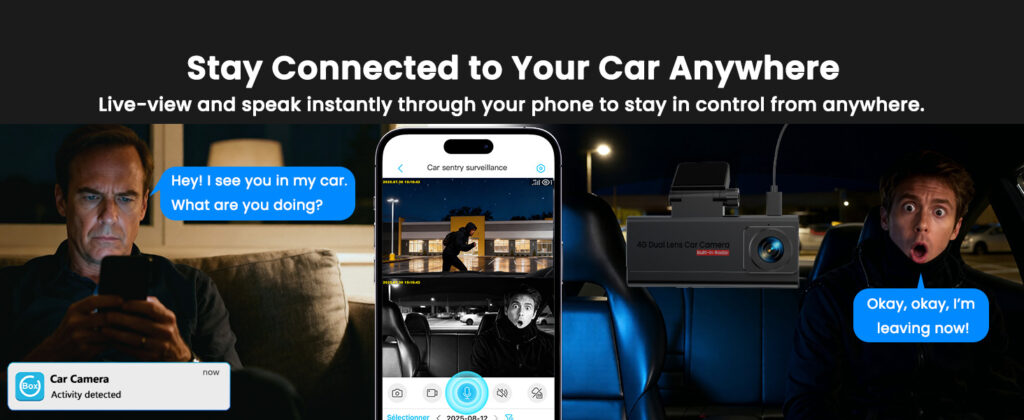
Checking your car remotely through a mobile app
That’s usually the moment people pause.
Do I really have to pay every month?
Is there any way around it?
The short answer is simple:
Yes — but not for the reason most people think.
A 4G security camera works more like a phone than a traditional camera.
It needs a SIM card and mobile data to send alerts, stream live video, and stay connected wherever your car is parked.
In other words, the camera itself is only part of the system — the connection is what makes it actually work in real-world situations.
So the real question isn’t whether you pay — it’s what you’re actually paying for.
Yes — 4G Security Cameras Do Require a Subscription
But not in the way most people assume.
You’re not paying for the camera — you’re paying for the connection.
A 4G security camera doesn’t rely on WiFi. Instead, it connects through a mobile network using a SIM card — just like your phone.
That connection is what allows the camera to:
- Send motion alerts in real time
- Let you view live footage remotely
- Upload and store video clips
- Stay connected even when your car is parked anywhere
If you remove the data connection, the camera doesn’t just “lose internet” —
it loses the very features that make it useful.
✔ What the subscription actually is
It’s not a hidden fee.
It’s simply the cost of mobile data — the same kind of plan your phone uses to stay online.
Without it, a 4G camera can’t function as a real security device.
If you want to understand how cameras behave without internet, it helps to see how security cameras work without WiFi .
What You Actually Pay for a 4G Security Camera
Once you break it down, the cost is simpler — and usually lower — than most people expect.
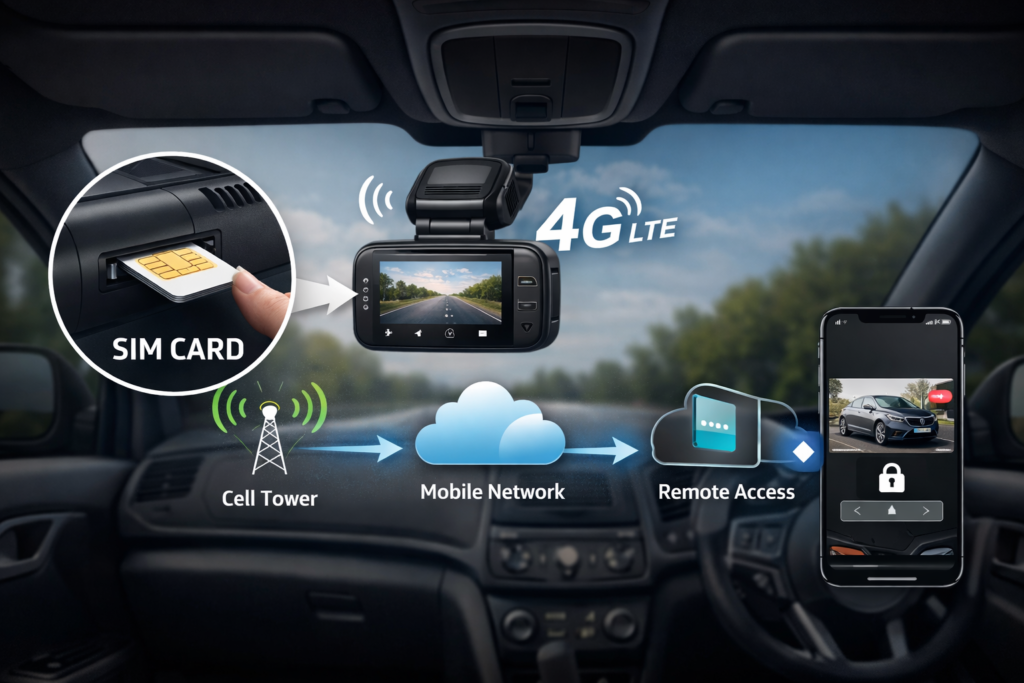
How a 4G camera connects through a SIM card and mobile network
1. Mobile Data Plan (Required)
This is the only cost you cannot avoid.
A 4G security camera uses a SIM card to send video, alerts, and live footage — just like a smartphone.
That means it needs a data plan to stay connected.
2. Cloud Storage (Optional)
Some cameras offer cloud storage plans to save and review footage online.
However, this is usually optional — many cameras also support local storage (like SD cards).
3. The Camera Itself (One-Time Cost)
This is the upfront purchase — separate from any ongoing costs. Once you have the device, the only recurring cost is the data connection.
In simple terms:
You’re paying a small monthly fee so your camera can stay connected anywhere.
Compared to the cost of a break-in, theft, or hit-and-run damage, this is often a very small trade-off.
The real value isn’t the camera — it’s the ability to access it anytime, from anywhere.
If you’ve ever had a camera stop working unexpectedly, it’s often related to signal or connection issues — here’s a breakdown of why 4G security cameras sometimes fail .
Why “No Subscription” Cameras Don’t Work the Way You Expect
This is where most confusion comes from — and where many people end up making the wrong choice.
❌ “No subscription” means no ongoing cost
In reality, these cameras still need a connection — they just don’t include it. Without WiFi or mobile data, most of their features simply stop working.
❌ You can monitor your car remotely without paying
Remote access always requires a network. If there’s no WiFi — and no data plan — there is simply no way for the camera to send you anything.
❌ A one-time purchase means everything is covered
The device itself is only part of the system. The connection — which allows it to function outside your home — is a separate cost.
Once you separate these two things, the confusion disappears:
✔ What’s actually happening
A security camera is hardware.
But remote monitoring requires a network — and networks always have a cost.
It’s the same reason your phone needs a data plan.
Without it, the device still works — but only in a very limited way.
That’s why “no subscription” often means “no real remote monitoring.”
If you’re considering alternatives, it’s worth understanding how portable security cameras work without WiFi — and what their limitations are.
How to Choose the Right 4G Camera Setup (Without Overpaying)
Once you understand how 4G cameras work, choosing the right setup becomes much easier.
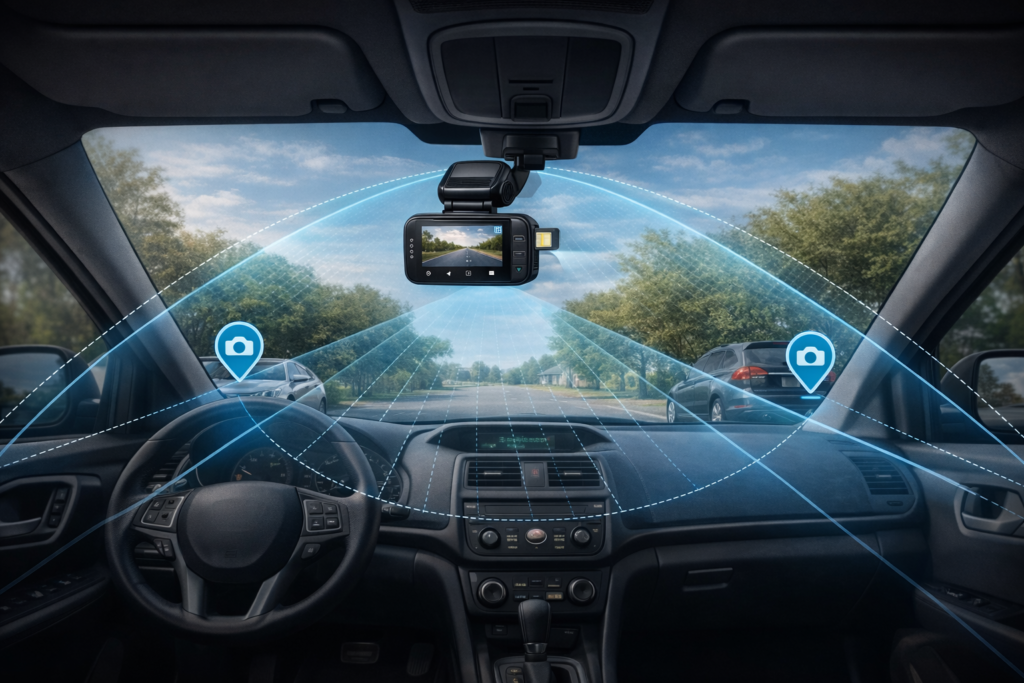
Recommended placement for maximum coverage inside your car
For car use, the goal is simple:
Choose a camera that stays connected — without paying for features you don’t need.
Here’s a simple way to get it right:
⚠️ Common mistakes to avoid
- Buying cameras that only work with WiFi
- Overpaying for data plans you don’t actually use
- Choosing devices that stop recording when the car is turned off
✔ What actually matters
A simple, reliable setup will protect your car far better than a feature-heavy camera that fails when you need it most.
Want to see which 4G cameras actually work in real car setups?
👉 View the Best 4G Cameras for Car MonitoringReal-world tested options with reliable connection and simple setup
Common Questions Before You Decide
These are the most common questions people ask right before choosing a 4G camera.
Can I use a 4G security camera without paying monthly?
Not for real remote monitoring. Without a data plan, the camera cannot send alerts or stream video. It may still record locally, but you won’t be able to access it when you’re away.
What’s the cheapest way to run a 4G camera?
Most users only need a basic data plan for motion alerts and short clips. In many cases, a low-cost plan is enough — you don’t need unlimited data.
Is a 4G camera worth it compared to WiFi cameras?
If your camera needs to work outside your home network — especially for cars — then yes. WiFi cameras simply stop working once they lose connection. You can see a full comparison here: 4G vs WiFi security cameras for cars .
What happens if the signal is weak?
The camera may delay alerts or fail to upload footage. This is usually related to signal strength rather than the camera itself. You can learn more about this here: why 4G cameras sometimes stop working .
By now, the answer should be clear:
A 4G camera without a data plan is like a phone without service — it simply can’t do what it’s designed to do.
Ready to choose a 4G camera that actually works for your car?
👉 See the Best 4G Cameras for Car MonitoringReal-world tested options with reliable connection and simple setup
Disclosure: As an Amazon Associate, we earn from qualifying purchases. This comes at no extra cost to you. We only recommend products based on real use cases, research, and user feedback.