A 4G solar camera can suit a temporary construction-site entrance when you need selected event clips and remote checks, have usable cellular coverage, and can maintain its battery and panel. It is a poor substitute for a system that must record several areas continuously or provide an operator response. Decide what evidence the site needs before choosing a camera.
This guide covers moving and maintaining a small, self-managed installation as the job progresses. For continuous recording, multiple simultaneous views or managed monitoring, start with our construction-site system requirements guide.
Affiliate disclosure: As an Amazon Associate I earn from qualifying purchases. Shopping links on this page may earn us a commission.
Which site conditions suit a solar cellular camera?
| Site requirement | Practical choice |
|---|---|
| Check one gate or a small tool-store approach | A cellular event camera is a candidate if recorded day and night checks pass. |
| Watch two separated entrances at the same time | Separate views or cameras. A rotating lens cannot face both entrances simultaneously. |
| Retain an uninterrupted timeline | A model and power system explicitly designed for continuous recording; verify retention and export. |
| Receive a response when nobody on the team is available | A defined monitoring and response arrangement. An app notification alone does not supply it. |
| Heavy activity, deep shade or inaccessible mounts | Reassess power and servicing before buying a battery/solar setup. |
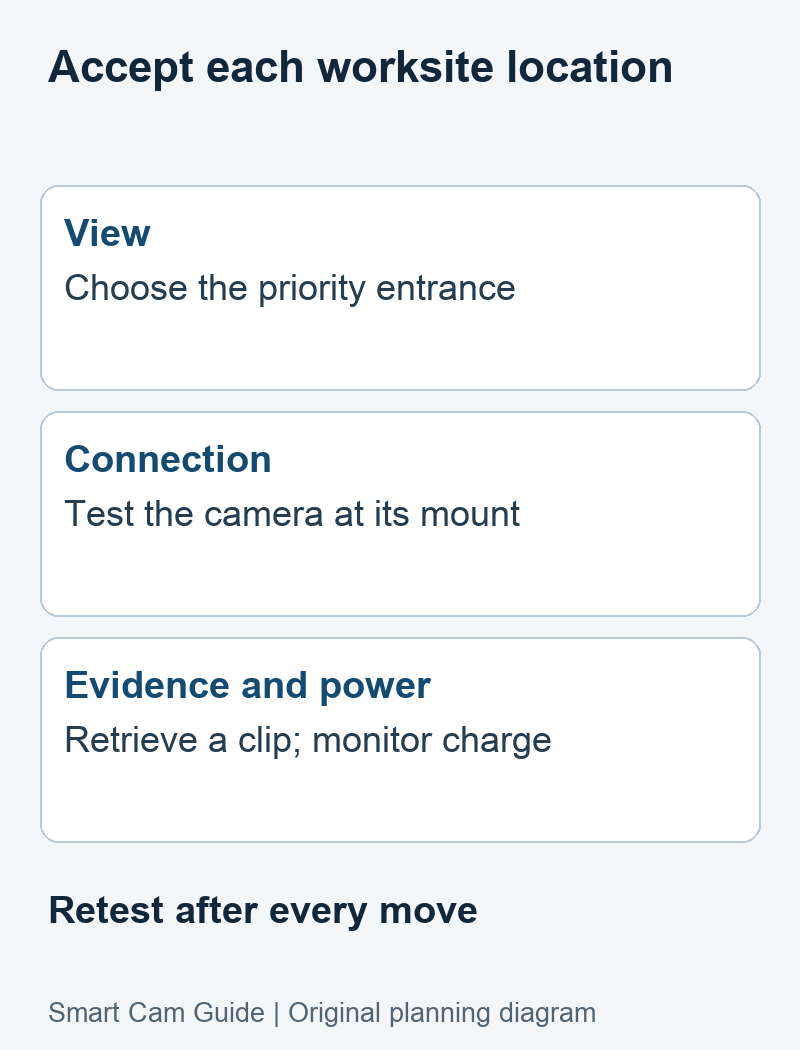
Plan the camera view and panel location separately
Sketch the entrance, the area where people or vehicles cross the view, the panel location and a safe servicing route. A good camera view may sit under a roof while the panel needs an unobstructed position. Check that the supplied or approved cable reaches between them without stretching, crossing a vehicle route or interfering with construction work.
Prioritize the point where useful evidence can be captured. A distant overview may show that someone arrived but fail to show the detail you need. Use saved clips from the intended position to judge the view; live-view quality and advertised resolution do not prove usable incident footage.
If a camera pans, return it to the priority entrance after remote inspection. Mark that home view in the handover record. Tracking or manual rotation can point the lens away from another important area. Add a separate view when simultaneous coverage matters.
Two model distinctions that change the deployment
Reolink Go Plus is a fixed-view event camera
Reolink identifies Go Plus in its fixed-lens group, separate from Go PT models. Its specifications list triggered recording, and its support FAQ describes battery, USB charging and solar-panel charging. Treat it as one selected view with maintenance needs, rather than a rotating camera or an uninterrupted recorder.
It is a documented example for a narrow entrance view. Before purchasing, verify the exact US hardware, supported SIM plan and panel bundle. We are not ranking its alert speed or reliability against other models.
eufy 4G LTE Cam S330 offers a movable view
The exact model here is 4G LTE Cam S330, T86P2, not eufyCam S330 or SoloCam S340. Its US listing identifies cellular/Wi-Fi modes and a pan-and-tilt camera. eufy’s preset-position documentation explains how to choose a default view to return to after use. That makes it a candidate for a site manager who needs to inspect different directions from one mount.
The tradeoff: a movable view is still one camera view at a time. Cellular access requires suitable service, and solar charging does not establish continuous recording or eliminate battery checks. Confirm the selected recording mode, saved-event behavior and charging performance at the site.
View eufy 4G LTE Cam S330 on Amazon
The selected US listing was available at our October 10, 2026 check. Price, delivery and the included accessories can change. We do not use the seller’s solar-power slogan as a guarantee of runtime.
Release the installation only after these checks
- Test the actual mount. Use the camera’s signal status and remote live view from a phone on a separate connection. A phone working nearby is only a preliminary coverage clue.
- Walk the intended route. Make a permitted day and night test event, then retrieve the saved clip. Check the start, end, lighting and required detail.
- Separate recording from notifications. Record whether the clip exists, whether the app alert arrives and whether the nominated person can open it. These are different outcomes.
- Observe the battery trend. Note comparable battery readings, activity and weather. A declining trend despite the panel calls for a charging or placement change.
- Export one useful clip. Confirm that the person responsible for evidence can save it outside the camera before trusting the installation.
- Assign a maintenance owner. Specify who checks power, data balance, view obstruction and access after equipment or scaffolding moves.
Our camera acceptance worksheet helps record actual results. These are checks to perform at your site, not results from a test we have carried out.
Repeat the critical checks after every move
Moving the same camera a short distance can change cellular reception, shading, detection and the evidence angle. Photograph or sketch the new layout, label the site and camera in the app, restore the priority view, and repeat a saved day/night event and a remote check. Do not inherit the previous location’s acceptance result.
Arrange relocation and cleaning while the mount is safely accessible. A blocked panel or changed view can make a working camera ineffective for the chosen task. When permanent power and networking arrive, reassess whether a powered recorder is now a better fit.
Budget for operation and maintenance
Include the exact camera bundle, approved mounting parts, storage, data service, any optional cloud service and servicing visits. Model the time you expect to spend in live view; repeated viewing can materially change the data budget. Use our camera cost and cellular data planner rather than an assumed universal monthly fee.
For the battery/panel part of that plan, see solar-camera maintenance planning. No battery percentage or sunshine estimate on this page promises an unattended operating interval.
Common buying questions
Does a solar panel mean the camera records all day?
No. Charging and recording mode are separate specifications. Go Plus, for example, lists triggered recording. Choose a specifically supported continuous-recording model and power arrangement if an unbroken timeline is required.
Should I replace a working wired camera with 4G?
Only if cellular deployment solves a real location or relocation constraint. Working wired networking and suitable power can be a useful choice; lack of Wi-Fi is not proof that every other system will fail.
What is the sensible first purchase?
For a small installation, validate one priority view and its ongoing costs before extending the setup. If the requirement is a complete commercial system or a response service, specify that scope first.
Research basis: Reolink’s battery-powered 4G camera overview, Go Plus specifications and FAQ; eufy’s S330 preset-position and SIM guides; the exact US S330 product listing. Reviewed October 10, 2026. This is a documentary deployment guide, without comparative physical-test results.